



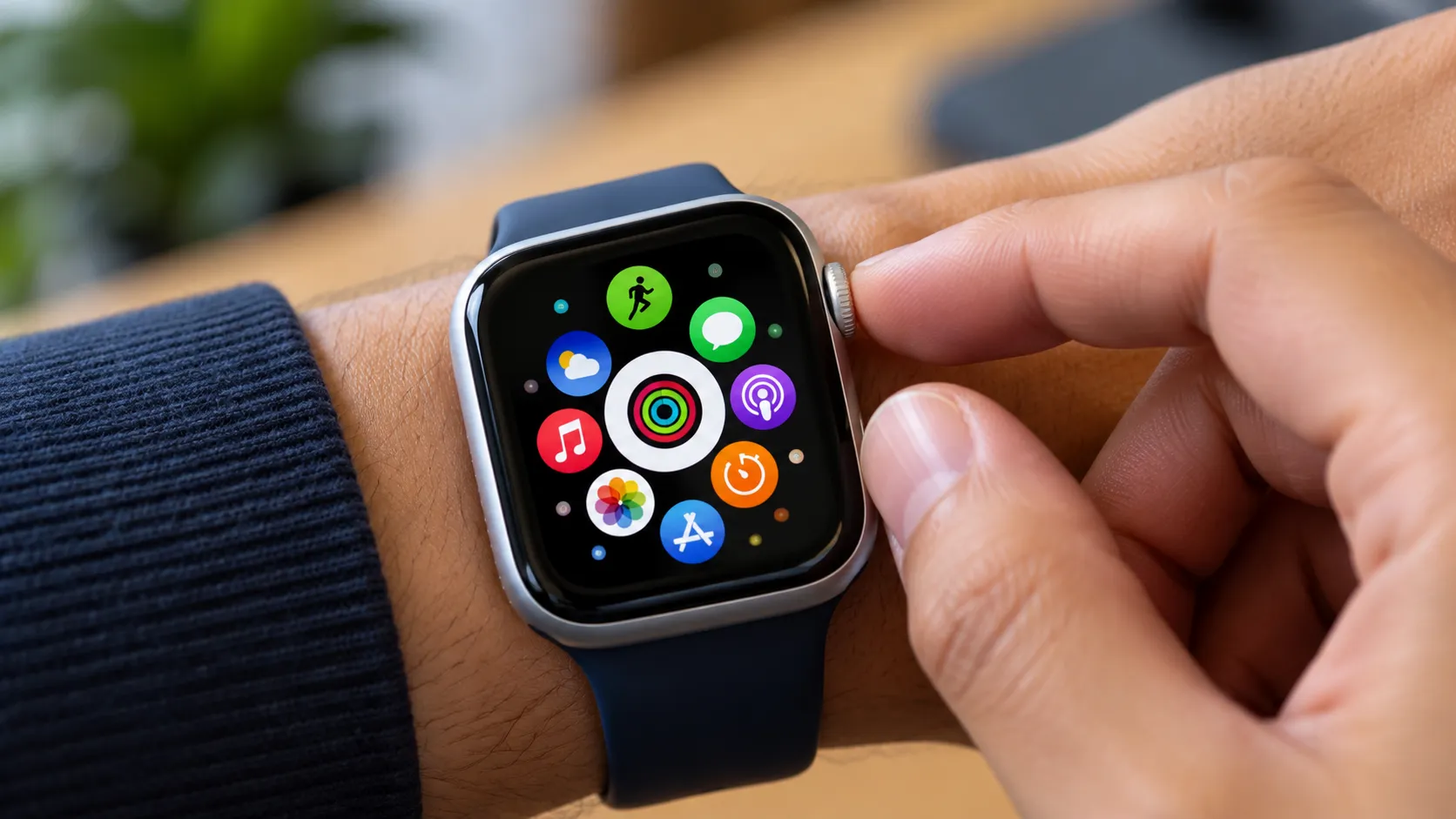
Apple shipped watchOS 27 on Sept. 14, and the update removes a familiar Apple Watch multitasking shortcut.
Double-clicking the Digital Crown no longer opens the App Switcher for quickly moving between recently used apps, according to MacRumors and 9to5Mac.
The change applies across every model that supports watchOS 27. On the current public release, double-clicking the Digital Crown on older supported models simply opens the new Dynamic App Grid, the same result as a single click.
Apps themselves haven't gone anywhere. The Dynamic App Grid and full app grid or list are still available. What's missing from the current public release is the dedicated recent-app view and its fast hardware shortcut.
One important development, however. Apple has restored the App Switcher in watchOS 27.2 beta 2, but with a different gesture. The Digital Crown double-click remains unavailable for multitasking.
Which Apple Watch models lose the double-click app switch
Before watchOS 27, double-clicking the Digital Crown opened a scrollable App Switcher that let users move through recently used apps, according to MacStories.
On supported older watches, including Apple Watch Series 9, Series 10, Series 11, SE 3, Ultra 2 and Ultra 3, watchOS 27 replaces that action with the Dynamic App Grid. Single- and double-clicking the Digital Crown leads to the same screen.
Apple Watch Series 12 and Ultra 4 use the double-click differently. Apple has reserved it for Live Rewind, an upcoming Audio Intelligence feature that shows a text snippet of speech captured during the previous 15 seconds.
According to Apple's documentation, Live Rewind activates only when the user deliberately double-presses the Digital Crown. Apple says the feature will arrive in beta later in 2026 on Series 12 and Ultra 4.
Until Live Rewind arrives, the double-click on those watches also opens the Dynamic App Grid rather than performing a separate action.
There is still no setting in the current public version of watchOS 27 that restores the Digital Crown double-click as an App Switcher shortcut.
What the Dynamic App Grid replaces, and what it doesn't
Whether you single- or double-click the Digital Crown in the current public release, the new Dynamic App Grid appears. The Siri app sits at the center, five apps chosen based on recency and frequency surround it, and another icon opens the full app grid or list.
Users can also scroll the Digital Crown upward from the Dynamic App Grid to reach the complete app collection. Nothing is inaccessible, but reaching a recent app can take an extra step compared with the old App Switcher.
The practical difference is predictability. The App Switcher showed recently used apps directly, while the Dynamic App Grid presents a smaller selection that watchOS chooses for you.
A MacStories review noted that its five suggested apps changed very little during months of testing. That's one reviewer's experience rather than a broad measure of how well the system adapts, but it illustrates how the new grid differs from a straightforward recent-app list.
Smart Stack also gains new gesture controls in watchOS 27. A double tap moves through cards, while the new single-tap gesture opens a selected widget or performs an available action. Those controls provide another way to reach useful information, but they do not replace a recent-app switcher.
Force-quitting an app remains possible as well. Open the app, hold the side button until the power controls appear, release it, then hold the Digital Crown until the app closes. That's a troubleshooting function rather than a replacement for app switching.
Why Apple reassigned the Digital Crown gesture to Live Rewind
Apple has explicitly tied the Digital Crown double-click to Live Rewind on Series 12 and Ultra 4. A double press will display a transcript of speech from the previous 15 seconds, and users can save the text or ask Siri about it.
Apple says Live Rewind is part of the Audio Intelligence feature set supported by Series 12 and Ultra 4. The company has not publicly explained why watches that cannot run Live Rewind also lost the old multitasking shortcut.
The broader navigation redesign offers some context. watchOS 27 makes the Dynamic App Grid the default destination for a Digital Crown press, with five suggested apps and the Siri app appearing before the full app grid or list.
That suggests Apple is shifting more navigation toward the Dynamic App Grid, but Apple has not said that this redesign is the reason the App Switcher shortcut was removed across every supported model.
The App Switcher is returning in watchOS 27.2
The biggest change since watchOS 27 launched is that the App Switcher is already making a comeback.
In watchOS 27.2 beta 2, Apple has restored the recent-app interface with a new gesture. While inside an app, users can press and hold the bottom of the display to open the App Switcher, then move through recently used apps.
The change is currently limited to the watchOS 27.2 beta, so users running the public watchOS 27 release do not have it yet. Apple could also alter beta behavior before the update reaches everyone.
The Digital Crown double-click does not return as the App Switcher shortcut. Apple is still keeping that gesture available for Live Rewind on Series 12 and Ultra 4.
That means watchOS 27.2 could restore most of the functionality users lost without restoring the muscle-memory shortcut that previously opened it.
What to know before updating to watchOS 27
watchOS 27 supports Apple Watch Series 9 and later, Apple Watch SE 3, and Apple Watch Ultra 2 and later. Apple released the update Sept. 14.
Apple Watch Series 12 and Ultra 4 arrived in stores Sept. 18. Series 12 starts at $399, while Ultra 4 starts at $799, according to Apple's launch announcements.
Anyone using the public version of watchOS 27 should expect the Digital Crown double-click to stop opening the App Switcher. On supported older watches, it opens the Dynamic App Grid instead.
Series 12 and Ultra 4 owners will eventually use that gesture for Live Rewind, which Apple says is coming later in 2026. The feature is not part of the initial release.
Users who depend on the App Switcher also have a likely replacement on the way. watchOS 27.2 beta 2 restores it through a press-and-hold gesture at the bottom of the screen, although that change has not yet reached the public release.
For now, the Digital Crown multitasking shortcut itself remains gone. The App Switcher, however, no longer looks gone for good.















Comments
Be the first, drop a comment!