



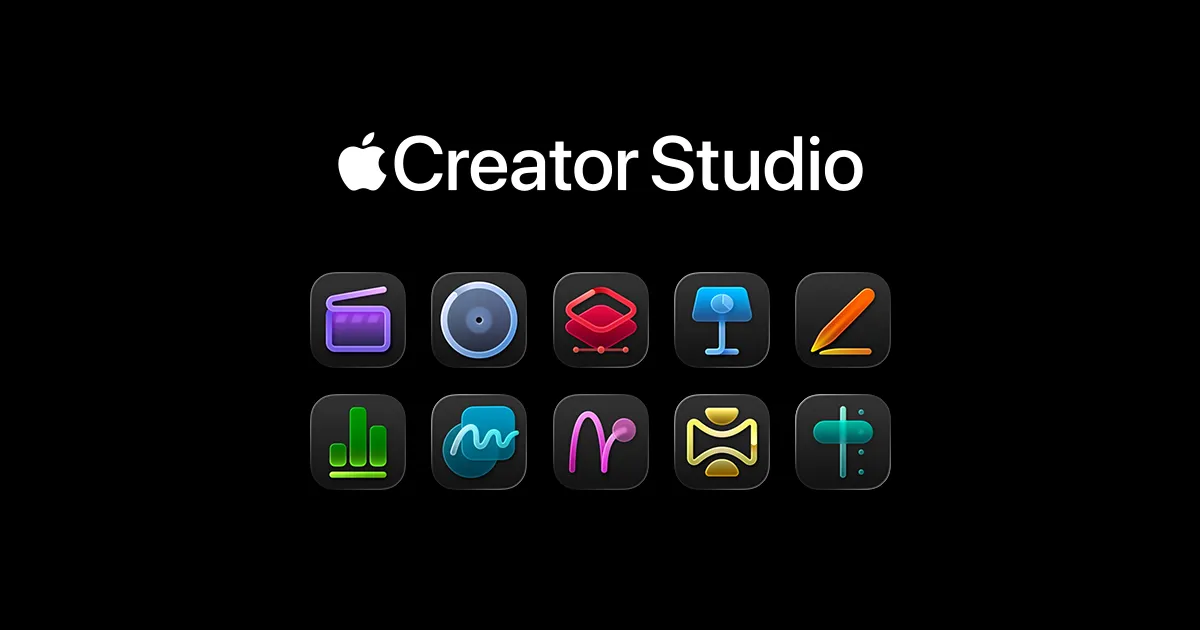
When Apple announced Creator Studio for $12.99 monthly, the company wasn't just packaging professional creative apps together. They were making a calculated move that had less to do with subscription revenue and everything to do with keeping creative professionals locked into Apple's ecosystem for years to come. Let's break down what's actually happening here and why it matters far beyond the monthly price tag.
What's actually in the bundle and how much does it cost?
Apple Creator Studio brings together the company's flagship creative applications in a single subscription that works across Mac and iPad. The core lineup includes Final Cut Pro, Logic Pro, and Pixelmator Pro on both Mac and iPad, plus Motion, Compressor, and MainStage on Mac. What makes this particularly strategic is how Apple positions these tools—no longer as separate applications but as interconnected parts of a unified creative workflow designed to make switching platforms increasingly difficult.
Beyond the professional apps, subscribers get enhanced features in Apple's productivity suite. Keynote, Pages, and Numbers receive AI-powered capabilities and premium templates, while subscribers gain access to a curated Content Hub with high-quality photos and graphics. The pricing structure reveals Apple's long-term thinking: $12.99 monthly or $129 annually in the U.S., with educational discounts dropping costs to just $2.99 monthly for students and educators.
Here's what's particularly calculated about the pricing: Apple includes Family Sharing for up to six members, making the effective cost even lower for households with multiple creators. New subscribers get a one-month free trial, while new Mac or iPad purchasers receive three months at no cost. This isn't just competitive pricing—it's ecosystem acquisition. The service launches January 28, positioning it as both an immediate option for newcomers and an attractive upgrade path that embeds users deeper within Apple's infrastructure.
The AI features that build creative dependency
Apple has embedded artificial intelligence throughout Creator Studio, not just to improve workflows, but to create personalized experiences that don't export cleanly to other platforms. Final Cut Pro now includes Transcript Search, allowing editors to locate specific dialogue within hours of footage by typing phrases, while Visual Search lets users find clips based on objects or actions rather than manually scrubbing through timelines. These aren't just convenience features—they're intelligence layers that learn from your creative patterns.
The cross-app integration reveals Apple's deeper strategy. Beat Detection analyzes music tracks to display rhythm markers directly on video timelines, creating seamless connections between Logic Pro and Final Cut Pro that competitors can't replicate. This shows how Apple's apps share intelligence across the creative process, making the suite more valuable as an integrated whole than as individual tools.
Logic Pro receives equally strategic updates that demonstrate how AI creates platform dependency. Synth Player joins the AI Session Player lineup, delivering electronic music performances with diverse chordal and synth bass parts, while Chord ID automatically analyzes audio to populate chord progressions. These features learn from your musical habits and project structures, creating personalized creative assistance that becomes increasingly valuable over time.
What's crucial about these AI features is their contextual, learning nature. Final Cut Pro for iPad gains Montage Maker, which uses AI to identify compelling visual moments and automatically assemble rough edits, but the real value emerges as the system learns your editing preferences and style choices. This creates what industry analysts call "personalized switching costs"—the accumulated intelligence becomes part of your creative toolkit.
Why this is really about ecosystem lock-in
The subscription model serves a much deeper strategic purpose than generating monthly recurring revenue. This is Apple's platform strategy designed to increase retention by making creative work inseparable from Apple's infrastructure. When creators start projects within Creator Studio, they're not just using applications—they're building comprehensive creative libraries that live within Apple's ecosystem and become increasingly difficult to migrate elsewhere.
Here's how the retention mechanism actually works: every project becomes a complex web of dependencies across Apple's services. Music productions include sound libraries, chord progressions, and AI Session Player configurations that exist within Logic Pro's ecosystem. Video edits contain not just timeline data, but transcript searches, visual search metadata, and beat detection analysis that's optimized for Apple's infrastructure. Design projects in Pixelmator Pro become layered documents that sync seamlessly between Mac and iPad using Apple's file systems and cloud services.
The intelligence features introduce an additional layer of platform dependency that goes beyond file formats. These AI tools learn from your creative habits, building personalized models of how you work, what content you prefer, and how you organize projects. Over time, this accumulated creative intelligence becomes tuned to your individual workflow patterns. When you've built months or years of this personalized creative context, leaving the platform means losing not just your software but the AI assistance that has become integral to how you create.
Apple's strategy recognizes that platform switching costs multiply over time through accumulated creative investment. Each saved project, each learned creative pattern, and each optimized workflow strengthens the bond between the creator and Apple's infrastructure, making migration to competing platforms exponentially more expensive in terms of both time and lost productivity.
What this means for the creative software landscape
Creator Studio signals a move beyond standalone creative tools toward a service-based model that updates continuously and integrates closely with Apple hardware. Rather than positioning the software as a one-time purchase, Apple appears to be emphasizing ongoing updates and deeper ecosystem integration.
The pricing strategy reveals Apple's confidence in long-term value extraction rather than immediate revenue maximization. By pricing Creator Studio aggressively low, Apple appears to be sacrificing upfront revenue that could be generated through individual app sales, and instead focuses on building sustainable creative relationships that span multiple device purchases and service subscriptions. For creators who embrace this integrated approach, the subscription becomes a gateway into deeper platform commitment across multiple upgrade cycles.
This strategy puts significant pressure on competitors who rely on traditional software licensing. Adobe's Creative Cloud costs up to $70 monthly for comprehensive access, but covers different creative territories like web design and photography that Apple doesn't address directly. Creator Studio does not add up to a full-blooded rival to Adobe's Creative Cloud, but it offers something Adobe can't: native hardware optimization, cross-device continuity, and intelligence that's deeply integrated with the device ecosystem creators use daily.
The bundle fundamentally changes expectations around creative software ownership and access. Educational pricing, hardware-linked trials, and Family Sharing all point to scale-driven acquisition rather than premium positioning. Apple is essentially subsidizing creative tool access to build longer-term platform relationships, particularly targeting younger creators who might otherwise choose different ecosystems as they develop their professional careers.
The bigger picture: Apple's services evolution
Creator Studio signals Apple's broader transformation from a hardware-first company to one where services and software create lasting customer relationships that extend far beyond individual device purchases. When creative output lives inside Apple's software stack, the company becomes integral to the production process itself, not just the hardware foundation that supports it.
This represents a significant evolution in how Apple generates revenue and maintains customer loyalty across economic cycles and competitive pressures. Projects, libraries, workflows, and personalized intelligence rooted inside Apple's tools make the platform extremely difficult to replace, even when competitors offer superior individual features or more attractive pricing. The switching costs become cultural and operational, not just technical.
Creator Studio suggests that future creative tools will be living systems shaped by artificial intelligence, hardware optimization, and individual user behavior rather than traditional static software purchases. This approach transforms creativity from a skill that uses tools into a partnership between human creativity and platform intelligence, where the accumulated relationship becomes as valuable as the individual creative capabilities.
The implications extend beyond Apple's business model to fundamental questions about creative independence and platform control. As creative processes become more deeply integrated with AI assistance and cloud infrastructure, creators must weigh the benefits of enhanced capabilities against increased dependency on platforms that can change terms, adjust pricing, or modify access at any time. Creator Studio represents this tension perfectly—offering genuine creative value while simultaneously building platform dependency that serves Apple's long-term strategic interests.















Comments
Be the first, drop a comment!