





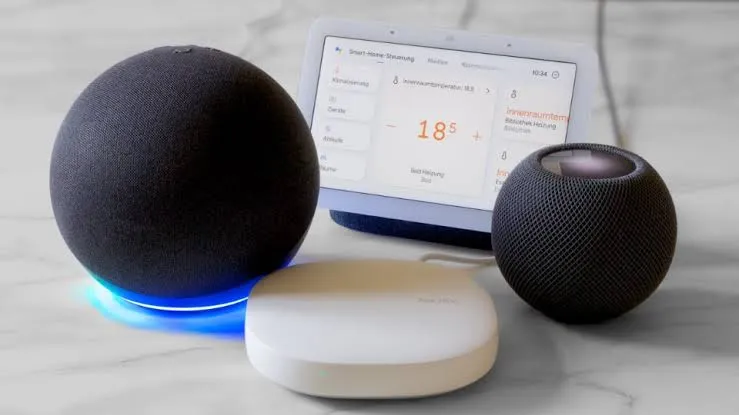
The pitch for Matter was simple enough to print on a box: buy any device with the logo, scan the QR code, and it works in your smart home. No compatibility research, no ecosystem anxiety, no app drawer colonized by proprietary software. Three years in, Apple Home's Matter problems run deeper than the marketing ever suggested. The logo is not a promise. It's a prompt to start asking questions.
This piece is not a verdict on Matter broadly. It's a narrower judgment: what Apple Home users actually encounter when they buy Matter-certified gear today. One compatibility problem, brand-based lock-in, has been replaced by a three-layer compatibility stack that most buyers don't know they're navigating until something stops responding.
When Matter launched in 2022, the founding premise was that any certified device would work with any supported ecosystem, every time: buy a light, scan a code, done. What buyers actually need to verify today: which Matter version the device requires, whether it communicates over Wi-Fi or Thread, and if Thread, whether the right border router is installed and running current firmware. That is not simplification. The three sections below map all of what the Matter version tells you, what Apple Home does with devices after a successful pairing, and what the network layer underneath is doing that nobody mentioned at purchase. Each layer is improving. None of them are solved.
What the Matter badge no longer tells Apple Home buyers
Every major smart home platform has settled on a different version of the Matter specification, and device support depends on both the platform's implementation and the Matter features or device types it supports, not the logo alone. Platform support remains uneven and changes independently of the Matter specification. SmartThings has announced Matter 1.5 support, while Apple, Amazon, and Google support different subsets of Matter device types and features.
That fragmentation has a direct consequence for Apple Home users considering cross-platform setups or future-proofing their purchases. Version compliance is necessary, but not sufficient.
Beyond which version Apple supports, buyers also need to verify the transport type before purchasing. A Matter-over-Thread device and a Matter-over-Wi-Fi device with identical logos have entirely different infrastructure requirements. Thread devices need a compatible border router; Wi-Fi devices often depend on a stable 2.4 GHz setup.
Most manufacturers don't list which version of Matter their devices use, let alone which transport. The research burden this creates is larger than the old "Works with Apple HomeKit" label it replaced, which told you exactly what you needed to know.
The CSA's position is that the problem lies with platform adoption lag rather than the standard itself, and that framing is fair up to a point. But it doesn't help the Apple Home user standing in a store holding a box with a logo that was supposed to make this simple. The Matter badge now carries roughly the same weight as a "works with…" platform sticker rather than a universal guarantee.
Version and transport fragmentation are the foundation. They determine whether a device can even appear in Apple Home. The next two layers address what happens after it does.
After the pairing: what Apple Home actually does with Matter devices
A successful pairing is not the end of the compatibility question. Apple Home's implementation determines what features get surfaced, and that implementation consistently lags the specification.
Matter standardizes core device functions: on, off, dimming, basic color temperature. Advanced capabilities fall outside what the standard covers. High-end light strips from Nanoleaf or Govee lose AI scene sync and complex multi-zone gradients when operated through Apple Home via Matter rather than their native apps. Matter compliance and a full product experience are not the same thing. The manufacturer app isn't going away.
Apple's own implementation lag compounds this. Even when Apple Home supports the correct Matter version, it has to build a UI for each device category, and that work happens on Apple's schedule, not the specification's. Robot vacuums were added to the Matter standard in version 1.2, released in October 2023. HomeKit initially recognized them as basic switched outlets. Full vacuum controls didn't arrive until iOS 18.4 in March 2025, more than 17 months after the standard supported the category, while devices were already being sold and marketed as "Matter-certified" for Apple Home.
Multi-admin introduces its own costs. When a battery-powered sensor communicates with multiple fabrics, it may be unable to enter its low-power sleep state. XDA Developers notes that battery life can fall substantially if a device cannot use its intended low-power behavior, although the impact varies by device and implementation. Matter 1.4 added further improvements intended to help intermittently connected devices and multi-admin deployments use low-power behavior more effectively. Field experience suggests ecosystem adoption of those protocols remains uneven.
There is an important exception. For device categories in the original Matter 1.0 specification — smart plugs, simple switches, and basic bulbs — Apple Home's Matter support is reliable. These are the least risky purchases because they've been supported since Matter 1.0. The feature gap problem is concentrated in newer, more complex categories. If your Apple Home is plugs and lights, the experience is considerably better than the broader argument here implies. The difficulty is that manufacturers advertise the advanced use cases, not the floor.
Even when version alignment is correct, the Apple Home experience is bounded by what Apple has chosen to implement. The specification says a device is supported; Apple determines what "supported" means in practice.
Thread islands: the network layer nobody mentioned at purchase
Thread was supposed to produce one self-healing mesh across the home. What actually happens: border routers from different brands, Apple TV, HomePod, Google Nest Hub, Eero, and SmartThings typically fail to share network credentials, each forming its own isolated Thread island. A Verge journalist reported nine separate Thread networks running simultaneously in a single home, comprising distinct Apple, Nest, Eero, and SmartThings networks. The self-healing mesh heals only within each brand's silo.
For Apple Home users specifically, the island structure creates single points of failure tied to Apple hardware. As XDA Developers describes, Thread devices registered to Apple's island can go offline when a HomePod or Apple TV reboots, even if a Google or Eero border router is operating normally in the same room. Devices cannot jump between islands, which means the unified mesh isn't providing the redundancy it promised.
One firsthand account documented at Matter Alpha describes every Thread device dropping offline every few days, eventually traced to the Apple HomePod acting as a border router. The resolution required purchasing an Apple TV 4K as a dedicated border router and then being unable to share those credentials with a Home Assistant device despite following the documented credential-sharing process. The Home Assistant device created a separate Thread network regardless. The radio was ultimately disabled entirely to prevent conflicts.
The diagnostic gap compounds all of this. Apple Home provides no logs, no debug tools, and no meaningful error messages when Thread pairing fails. When one experienced user spent hours attempting to connect a highly-rated, Matter-certified Thread plug, the only feedback available was "Couldn't add device," per the same account. Wi-Fi devices failing to connect have years of community knowledge and diagnostic tooling behind them. Thread's failure modes are opaque, which means users can't distinguish a version problem from a border router problem from a device defect.
The spec does contain a fix. Thread 1.4, released September 2024, requires that any new border router join an existing network regardless of brand, rather than creating a new one. Thread 1.4 support appeared on compatible Apple TVs in the tvOS 27 developer beta in June 2026, although credential-sharing behavior was not yet fully functional. An Amazon spokesperson confirmed Thread 1.4 support will arrive across compatible devices next year. A Google Home software engineer confirmed the company is "actively working toward" 1.4 support without committing to a timeline. The Thread Group confirmed that Thread 1.3 certification for border routers closed on December 31, 2025, making 1.4 the only certifiable specification for new hardware going forward. That matters for new purchases; it doesn't update the hardware already installed in homes.
What's actually improving, what isn't, and what to check before buying
Thread 1.4's border router unification is the most meaningful structural fix on the horizon. Once Apple, Amazon, and Google all ship 1.4 support, new border routers will join existing networks rather than spawning new islands. By June 2026, Thread 1.4 had appeared in the tvOS 27 developer beta for compatible Apple TVs and had begun reaching the Google TV Streamer. Support remained incomplete across other border routers, including HomePods and some Google devices. Amazon follows sometime in 2026. Google's timeline remains unspecified. The island problem begins to dissolve only when every border router in a given home runs 1.4, which, for mixed-hardware households, is still a wait.
The CSA's specification work has moved quickly. Matter 1.4, released in November 2024, introduced battery-life improvements for low-power devices, enhanced multi-admin, and new energy management device types. The standard is not standing still. One analysis put it well: Matter is in its Windows Vista phase, the right ideas with clunky implementation, waiting for the hardware and platform work to catch up.
Two things Thread 1.4 and better specs will not fix: platform UI lag and the feature ceiling. Apple's pattern of supporting a Matter device category at the spec level while taking a year or more to build meaningful Home app controls is a product decision. Unless Apple changes its priorities here, that lag is likely to continue. The feature ceiling is also structural, not temporary. Matter deliberately standardizes only basic functions, which means advanced product capabilities will remain in manufacturer apps for the foreseeable future.
For Apple Home buyers, the short version is this:
Safe to buy without extra research: Device categories in Matter 1.0 smart plugs, simple switches, basic bulbs. These are the least risky purchases because they've been supported since Matter 1.0.
Research before buying: Anything in a newer device category. Confirm that Apple Home has a real UI for the device type, not just power on/off; that you understand whether the device uses Wi-Fi or Thread and have the right infrastructure in place; and which features require the manufacturer app regardless of Matter support.
Wi-Fi or Thread? For most Apple Home users today, Matter-over-Wi-Fi is more predictable, based on current field reports. Thread's eventual advantages, lower power consumption and better mesh reliability, are real, but they depend on infrastructure that is still being assembled. If reliability matters more than future-proofing, Wi-Fi is the lower-friction choice right now.
Matter will very likely work better in two years than it does today. The same was said about Bluetooth. J. William Gurley of Benchmark Capital wrote an obituary for it in 2001, and it now ships in essentially every consumer device on earth. The difference is that Bluetooth didn't promise to unify your existing home by next Christmas. The honest expectation for Apple Home users is improvement measured in platform update cycles and hardware refreshes, not in a single software release. The unresolved question isn't whether Matter will improve. It's whether Apple treats it as core infrastructure or as a compatibility checkbox, and that decision will determine how long the wait actually is.















Comments
Be the first, drop a comment!