




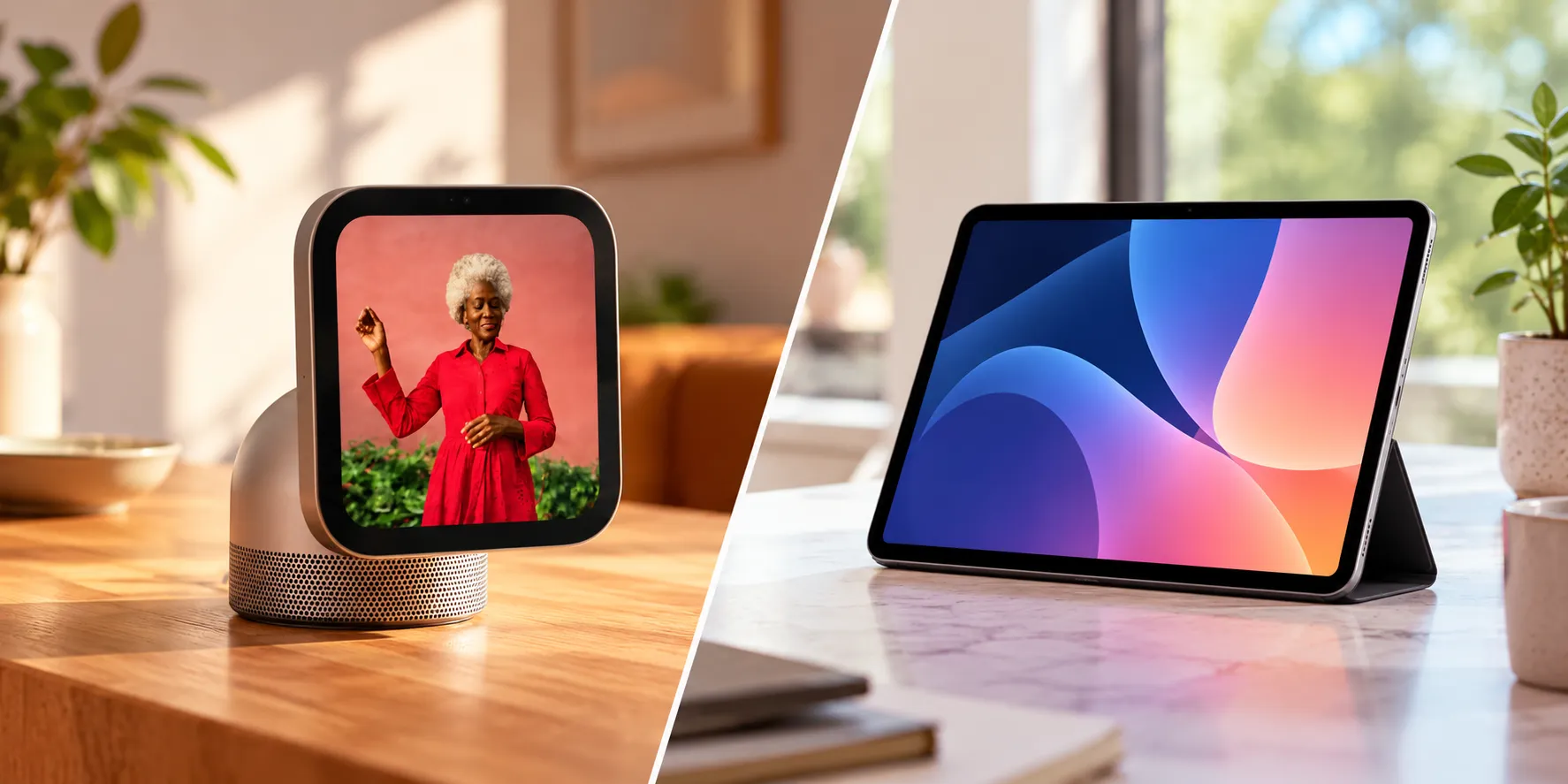
Apple unveiled HomeView at a New York event yesterday, its first dedicated smart home display, and the pitch sounds simple: a $299 screen that controls your smart home, recognizes who's standing in front of it, and turns a saved recipe into guided, hands-free cooking steps.
The catch is that an iPad propped on a cheap stand already runs the Home app, FaceTime, Apple Music, Messages, Weather, Podcasts, Find My, and Safari. So before HomeView lands in a cart, the real question is whether its specific tricks are worth $299 on top of hardware plenty of households already own, or whether an idle iPad on the counter already covers what most people need.
That's what this comparison sorts out: what HomeView does that an iPad genuinely can't replicate, what an iPad still does better, and which kind of household each one actually fits. Preorders opened October 13 in six markets, with Singapore preorders starting October 15 and availability beginning November 13 in supported markets. Everything here comes from Apple's own specs and early hands-on previews, not months of use in someone's actual kitchen.
Apple HomeView vs iPad: what actually overlaps
Start with the overlap, because it's bigger than Apple's marketing suggests. Both devices run the Home app for smart-device control, take FaceTime calls, stream Apple Music, handle Messages, and open Safari. Weather, Podcasts, and Find My work on both too, though Lifehacker notes it's still early to know the complete list of apps HomeView will eventually support. For a lot of daily tasks, that overlap matters more than the differences.
Under the hood, HomeView runs on Apple's A18 chip, one generation newer than the iPad mini's A17 Pro and two newer than the base iPad's A16. Apple frames that extra silicon as a selling point for running Siri AI and Apple Intelligence on the display, not as proof the chip was engineered specifically for that job.
The software split is the bigger divide. HomeView doesn't run iOS or iPadOS; it runs standalone software with no App Store, just a curated set of first-party apps like FaceTime, Messages, and Safari plus a handful of third-party media apps such as Spotify. An iPad, by contrast, runs iPadOS, supports multitasking and compatible App Store apps, and offers window-management capabilities that vary by model and software version. That's the frame for everything below: HomeView isn't trying to out-spec an iPad. It's trying to do a narrower set of household jobs better.
Apple HomeView kitchen display features an iPad can't match
The parts of HomeView that justify its price tag are the ones built specifically for a shared countertop, not a personal screen. The Home Modular face offers quick access to smart-home accessories, while the Home Camera face displays live feeds from connected cameras and can livestream up to nine video feeds from connected cameras at once. That's a dedicated interface an iPad doesn't have; you'd be toggling between apps instead of swiping between purpose-built faces.
Cooking is where the previews got the most specific. In a hands-on, bringing an iPhone with a recipe pulled up close to the display triggered Handoff, transferring the recipe and reformatting it into step-by-step instructions with inline timers for each stage. Tom's Guide saw a similar but separate demo using AirDrop, where sending a recipe from iPhone to HomeView turned the Safari page into step-by-step instructions with automatically suggested timers, and Siri could move through the steps hands-free once a user's hands were covered in flour.
Siri AI can also pull up a recipe someone sent through Messages, drawing on personal context from a compatible iPhone. None of this is revolutionary on its own; guided recipes have existed on smart displays for years. What's different, per Tom's Guide, is that HomeView starts with content you already found instead of pushing you into its own recipe library, which is the detail that makes this an Apple HomeView kitchen display worth testing rather than just another screen with a cooking mode bolted on.
The personalization layer is the other piece an individually owned iPad doesn't replicate in the same way. HomeView recognizes up to six household members by face and adjusts Messages, Calendar, Reminders, and widgets to whoever's standing in front of it, so one person can check their schedule and a partner can see theirs moments later on the same screen.
That's a real distinction for a shared kitchen, where nobody wants to unlock or hand over a personal tablet just to check a calendar. But there's a condition worth knowing before you count on it: this personal content requires facial recognition and a recently unlocked paired iPhone or iPad. Apple also allows access in certain circumstances when the paired device has disconnected from Wi-Fi, provided additional proximity and connectivity conditions are met. If the paired device is unavailable or hasn't been recently unlocked, access to personalized content may be limited.
HomeView vs iPad for smart home: where the iPad still wins
None of that means HomeView wins outright. For anyone comparing HomeView vs iPad for smart home control specifically, the math changes depending on what's already sitting in a drawer.
Start with apps. HomeView has no App Store, just Apple's curated first-party apps and a handful of third-party media apps like Spotify. Apple has told reporters that any app supporting CarPlay with audio or video streaming will show up on HomeView if it's already installed on a connected iPhone or iPad, and WIRED notes developers can bring over existing CarPlay apps, but the complete list of what's compatible isn't public yet. An iPad skips that uncertainty entirely with full App Store access.
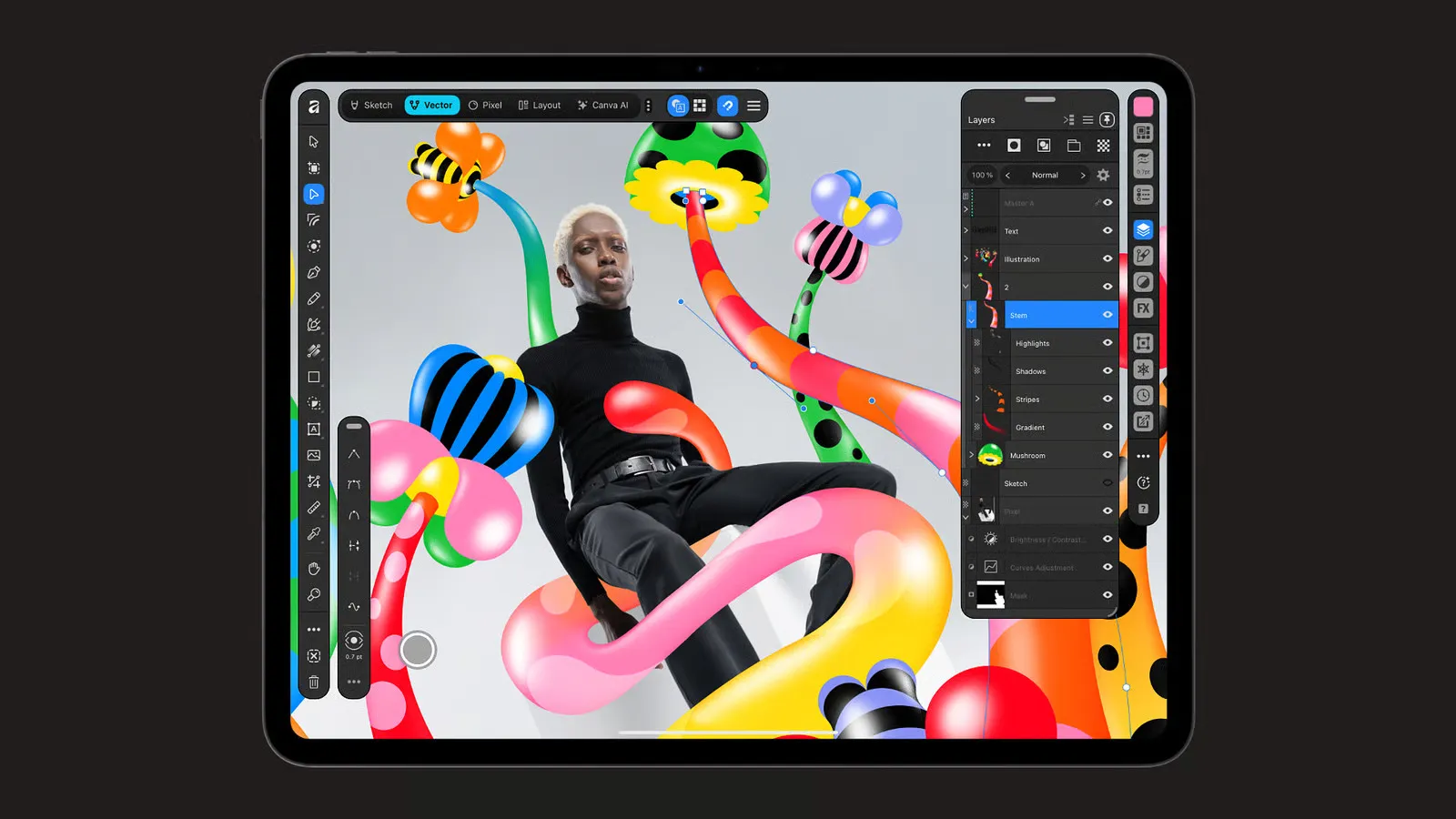
An iPad also does things a kitchen display was never meant to do. It has mouse and keyboard support, Apple Pencil compatibility, and a rear camera, none of which matter for checking the weather but all of which matter if the household wants a screen that doubles as a notebook, a video camera, or a work device. That versatility is the whole argument for an iPad over a single-purpose hub.
Then there's cost, and this is where the comparison splits in two depending on which iPad is being weighed. At $299, HomeView costs less than the $449 base iPad price cited by Lifehacker, although buyers should verify current iPad pricing before comparing new devices. But that's only the relevant comparison for someone buying new.
If an iPad is already sitting in a drawer, the real cost of turning it into a kitchen display is a stand, not $449, and HomeView starts to look like an unnecessary purchase rather than a bargain. Wall-mounting HomeView adds more on top: a USB-C Power Mount starts at $59.95, an AC wired mount starts at $79.95, and Apple plans a $129.95 PoE wired mount for early 2027.
Should I buy Apple HomeView? Price, requirements, and what's unproven
Before preordering, there are a few practical dependencies worth checking, and the research is more specific here than the headline pitch suggests. Setup and full feature access are two different requirements. Apple says HomeView can be set up using a compatible iPhone or iPad running the latest software. Personal-context features require a paired Apple Intelligence-enabled iPhone or iPad, while HomeView's basic Siri AI capabilities remain available without one.
That's a real gap for households that lean on iPads more than iPhones. Separately, Apple's own announcement describes Siri AI drawing on personal context, like Calendar and Messages, when paired with an Apple Intelligence-enabled iPhone or iPad, which suggests the personal-context features aren't locked to iPhone exclusively the way initial setup is.
Camera intelligence costs extra on top of the hardware. Recognizing specific people, pets, packages, and vehicles at the door requires a supported iCloud+ subscription paired with compatible cameras, not just the $299 display. And HomeView isn't available at all in the European Union right now, because Siri AI hasn't launched in iOS there yet. EU-based readers can skip the rest of this decision for now.
One early impression worth flagging, with its limits clearly marked: Tom's Guide, whose reviewer had previously abandoned multiple Amazon Echo Shows over promotional clutter, described HomeView as ad-free with customizable faces that emphasize information the user actually chose to display. That's a single early hands-on impression, not a published company policy or a guarantee Apple won't introduce ads later.
A good chunk of what matters most is still unverified. Siri AI's reliability in an ordinary, noisy household hasn't been tested outside of controlled demos. Real-world speaker and microphone performance is unknown. The full list of supported third-party apps hasn't been published. Tom's Guide itself, despite a largely positive early impression, wrote plainly that HomeView "still has plenty to prove," pointing to the missing App Store, features that depend on a compatible iPhone or iPad, and a price that's considerably higher than many competing smart displays. None of that gets resolved until reviewers spend real time with units after the November 13 launch.
Buy HomeView, keep your iPad, or wait: a decision guide
Given all of that, here's how the choice breaks down by household type rather than by spec sheet.
Buy HomeView if:
Multiple people in the household want a fixed, shared screen with their own calendar, Messages, and widgets showing up automatically
Live monitoring of several cameras at once from one screen matters, not just occasional glances at a single feed
Guided, hands-free recipe steps are something you'd actually use, not just a nice demo
Household members who want personalized Siri AI features have compatible Apple Intelligence-enabled iPhones or iPads
Use an iPad you already own if:
Only one person uses the screen regularly
App Store access, Apple Pencil, or a rear camera matter more than a kitchen-specific interface
The household isn't heavily multi-device in Apple's ecosystem
Budget is the deciding factor and a stand is cheaper than $299 plus mounting hardware
Wait before buying if:
Siri AI's reliability, microphone performance, or the full list of supported apps would change the decision
iCloud+ costs for advanced camera recognition aren't accounted for yet
You live in the EU, where HomeView isn't currently available
What to do before you preorder
HomeView and an iPad overlap on the basics: smart-home control, FaceTime, Messages, Apple Music. What HomeView adds is a dedicated, shared-household form those basics don't take on an individually owned iPad, specifically the multi-camera dashboard, the recipe handoff, and six-person personalization. Whether that's worth $299 depends almost entirely on whether an iPad is already sitting unused somewhere in the house.
If one is, the cheapest test is also the most useful one: put it on a stand in the kitchen for a week and see what it's actually missing before spending anything. If the gaps turn out to be the camera dashboard, shared personalization, or guided cooking, HomeView's November 13 launch is worth watching for independent reviews. If Siri AI's real-world reliability, the final app list, or total cost including iCloud+ and mounting hardware are what would make or break the purchase, hold off on preordering until reviewers have spent actual time with a unit outside a controlled demo.

















Comments
Be the first, drop a comment!