





Apple's Latest Productivity App Updates: What's Free, What Costs Extra, and What It All Means
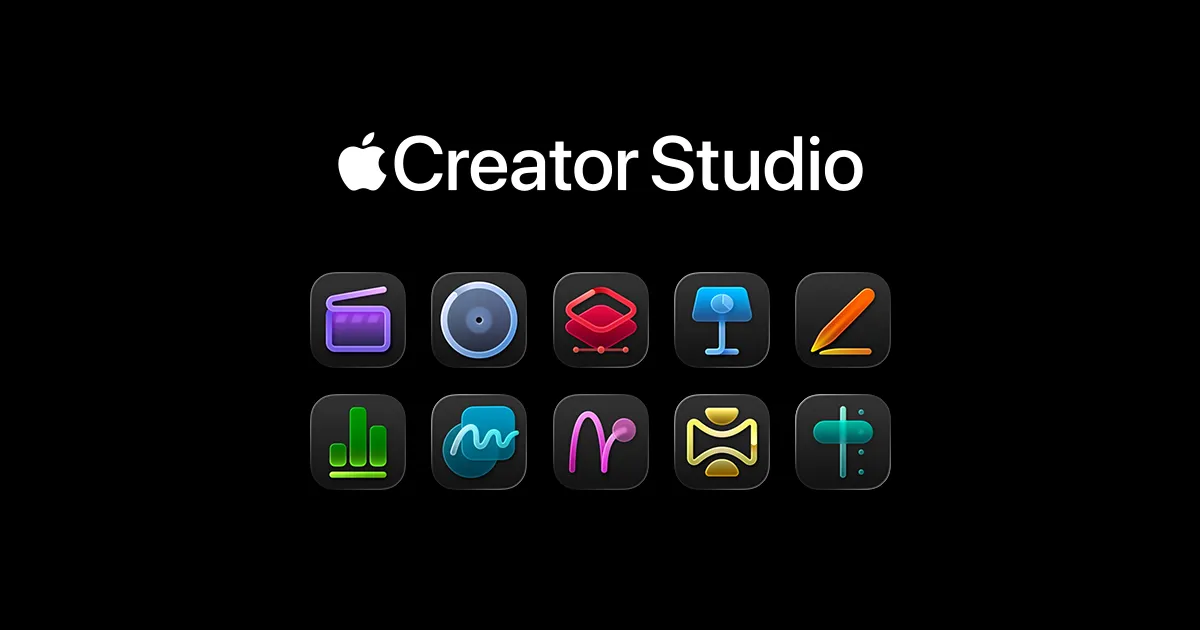
Apple just rolled out fresh updates to its productivity trio—Keynote, Numbers, and Pages—and this time, they're mixing free enhancements with a new subscription tier called Apple Creator Studio. For users invested in the Apple ecosystem, these updates affect how presentations, spreadsheets, and documents are created and managed. Here's what's new, and whether the paid tier adds enough value to justify the cost.
The timing of this update is notable. Apple's iWork suite has long been the company's answer to Microsoft Office and Google Workspace, offering capable tools that come free with every Mac, iPad, and iPhone. With the introduction of a subscription tier alongside its traditional free features, Apple is adding a hybrid monetization model to its productivity apps. For users accustomed to accessing these tools at no cost, the key consideration is what additional features the paid tier includes.
This competitive pressure helps explain why Apple chose a hybrid model rather than going fully subscription-based like Microsoft or completely free like Google's ad-supported approach. The productivity app market is crowded and competitive, with players ranging from Microsoft's mature Office 365 to nimble startups offering specialized tools. Apple's challenge is to differentiate its offerings while maintaining the seamless integration and design polish that ecosystem loyalists expect—without alienating the massive user base that relies on free access to basic productivity tools.
What's new in the free tier: meaningful upgrades or table stakes?
The free updates across Keynote, Numbers, and Pages bring several quality-of-life improvements that Apple users have been requesting for years. These enhancements focus on collaboration, media handling, and cross-device consistency—areas where Apple has historically lagged behind competitors like Google Docs. Together, these improvements work as a system to enable smoother workflows across devices and use cases, rather than just adding isolated features.
In Keynote, presentation creators gain access to improved animation controls and more sophisticated transition options that make it easier to build professional-looking slideshows without resorting to third-party tools. The update also introduces better support for embedding video content directly into presentations, addressing a pain point for educators and business users who frequently incorporate multimedia elements. If you've ever struggled to get a video to play smoothly during a presentation (and who hasn't?), these video handling improvements directly complement the animation upgrades to create more polished, reliable multimedia presentations.
While Keynote handles presentation polish, Numbers tackles the data analysis side, where Apple has historically struggled most. The spreadsheet app receives perhaps the most substantial free upgrades, with enhanced formula support and improved data visualization options. Numbers now handles larger datasets more efficiently, though it still doesn't match Excel's raw computational power for truly massive workbooks. For most users working with budgets, project trackers, or moderate data analysis, these improvements make Numbers a more viable standalone option. You're not going to be running complex financial models with thousands of rows here, but for everyday spreadsheet tasks—the kind that feed into your Keynote presentations or support your Pages reports—Numbers has closed the gap considerably.
Pages gets refined typography controls and better template options under the subscription-based Content Hub, making it easier to produce polished documents without extensive formatting knowledge. The word processor also benefits from improved real-time collaboration features, narrowing the gap with Google Docs' near-instantaneous multi-user editing experience. It's still not quite as seamless as Google's offering, but the difference is less noticeable than it used to be—particularly when you're working within Apple's ecosystem where the sync improvements show the most benefit.
Across all three apps, Apple has improved iCloud sync reliability—a persistent frustration for users who work across multiple devices. File conflicts and sync delays have been reduced, though not entirely eliminated, making the cross-device experience smoother than previous versions. Anyone who's dealt with the dreaded "conflict version" pop-up knows how valuable this improvement is in daily use. This sync enhancement is what ties the individual app improvements together—you can now start a data analysis in Numbers on your Mac, reference those visualizations in a Keynote presentation on your iPad, and export supporting documentation from Pages on your iPhone with far fewer technical hiccups.
The key takeaway here isn't just that Apple addressed individual pain points—it's that these updates demonstrate a clear understanding of how people actually use these apps together as an integrated productivity system. That systematic thinking suggests Apple is serious about competing in professional workflows, not just providing basic tools for casual users.
Apple Creator Studio: what does the subscription actually include?
The new Apple Creator Studio subscription represents Apple's first foray into paid premium features for its productivity suite. Positioned as a tool for "serious creators" and professionals, this tier adds capabilities that go beyond what casual users typically need. Understanding what you're actually paying for requires looking at how these features address specific professional workflow gaps.
Creator Studio subscribers gain access to advanced design assets, including premium templates, fonts, and graphics libraries curated specifically for business presentations, marketing materials, and professional documents. These resources aim to give users a head start on polished content without requiring separate design software or stock asset subscriptions. Think of it as Apple's attempt to bundle what you might otherwise pay for through various design resource sites or font foundries—resources that many freelancers and small business owners currently purchase separately.
The subscription also unlocks enhanced export options, including higher-quality video rendering for Keynote presentations and more flexible file format support across all three apps. For users who regularly share work with clients or colleagues using different platforms, these expanded export capabilities address a genuine pain point. There's nothing more frustrating than creating something beautiful in Keynote only to have it fall apart when exported to PowerPoint format—Creator Studio's enhanced export specifically targets this cross-platform compatibility problem that free users continue to struggle with.
Perhaps the most significant Creator Studio feature is priority cloud storage and processing. Subscribers get dedicated resources for rendering complex presentations, processing large spreadsheets, and handling document conversions—tasks that can bog down on the free tier when working with substantial files. If you've ever waited for a presentation with lots of animations and embedded media to process, you'll understand why this performance upgrade could be worth paying for, especially if you're working on deadline for clients or stakeholders.
The subscription pricing structure places Creator Studio in direct competition with Microsoft 365 Personal and various Adobe Creative Cloud tiers. Apple is betting that ecosystem integration and design quality will justify the cost for users already invested in Mac, iPad, and iPhone workflows. This positioning suggests Creator Studio isn't trying to replace Microsoft Office for enterprise users or compete with Adobe's creative horsepower—instead, it's targeting the growing market of independent creators and small businesses who want professional output without enterprise complexity or costs.
How this fits into Apple's broader services strategy
This update reflects Apple's ongoing evolution from a hardware company to a services powerhouse, but with a specific strategic twist that sets it apart from competitors. The introduction of a paid productivity tier aligns with the company's push to generate recurring revenue through subscriptions like Apple Music, Apple TV+, and iCloud storage plans. At this point, services revenue represents a massive and growing component of Apple's business model, making it logical they'd explore ways to monetize productivity software beyond just using it as a hardware selling point.
What makes Apple's approach distinctive is the hybrid model—robust free apps with optional premium features. This strategy attempts to satisfy both casual users and professionals without alienating either group. Unlike Microsoft's approach, which has largely moved Office to a subscription-only model for full feature access, or Google's strategy of keeping most features free while monetizing through data and advertising, Apple's middle path maintains universal access to core functionality while creating premium tiers for specialized needs. This positioning allows Apple to generate services revenue without abandoning the "free productivity tools with every device" value proposition that helps sell hardware.
The Creator Studio subscription also complements Apple's existing professional software ecosystem, which includes Final Cut Pro, Logic Pro, and various developer tools. For users already subscribing to multiple Apple services, bundling options could make Creator Studio more attractive as part of a comprehensive creative workflow. Imagine a video producer who uses Final Cut Pro for editing, Keynote for client presentations, and Pages for project documentation—Creator Studio assets could flow between all these tools, creating efficiency gains that justify the cost across multiple use cases rather than just within the iWork suite.
This move suggests Apple recognizes that productivity software alone won't drive hardware sales the way it once did. As device upgrade cycles lengthen and hardware margins compress, services provide a more predictable revenue stream that Wall Street rewards. The strategic question isn't whether Apple will continue expanding paid services—it's whether the company can deliver enough value in each new subscription tier to justify asking users for another monthly commitment in an increasingly crowded landscape. We're all juggling multiple subscriptions at this point, and adding another one requires solving real problems, not just offering incremental improvements.
Should you upgrade, subscribe, or stick with what you have?
For most users, the free updates alone make upgrading worthwhile. The improvements to collaboration, sync reliability, and core functionality address genuine pain points without requiring any additional payment. If you're already using Keynote, Numbers, or Pages, there's no downside to grabbing these updates. Just click that update button and enjoy the improvements—you're getting better apps at the same price (free).
The Creator Studio subscription decision is more nuanced and depends heavily on your actual workflow rather than aspirational use cases. Here's a practical framework for thinking it through:
Subscribe to Creator Studio if you:
Regularly create presentations or documents for clients who expect polished, professional output
Currently pay for stock assets, premium fonts, or design resources separately
Frequently export files to different formats for cross-platform collaboration
Work with large files or complex projects where processing speed directly impacts your productivity
Already use other Apple professional tools (Final Cut Pro, Logic Pro) and would benefit from shared assets
Stick with the free tier if you:
Occasionally make presentations or track budgets for personal use
Don't currently spend money on design assets or professional templates
Work primarily with basic documents and small datasets
Share files mostly within the Apple ecosystem where compatibility is less of an issue
Feel satisfied with the free tier's capabilities for your current needs
Bottom line: assess your actual workflow needs honestly, not your imagined future needs. Don't subscribe just because something's new and shiny—subscribe if it solves real problems you're currently facing or replaces something you're already paying for elsewhere. The math matters here: if you're spending money each month on fonts, stock graphics, or similar resources, Creator Studio could actually save you money while simplifying your workflow by consolidating these resources.
The competitive landscape also matters for your decision. If you're already subscribed to Microsoft 365 for Outlook, Excel, and Word, adding Creator Studio might feel redundant unless you strongly prefer Apple's design aesthetic and ecosystem integration. Conversely, if you've been frustrated by the limitations of the free iWork apps but haven't wanted to commit to Microsoft's subscription, Creator Studio could be the middle ground you've been seeking—especially if you primarily work on Apple devices where the integration advantages are most apparent.
Where does Apple's productivity suite go from here?
This update positions Apple's productivity apps at an interesting crossroads where the hybrid model could evolve in several directions depending on user adoption and competitive pressures. The next year will reveal whether Apple views this as the beginning of a broader premium tier expansion or as a niche offering for a specific professional segment.
If Creator Studio gains traction, expect Apple to expand the premium tier with more advanced features that leverage technologies the company is already investing in heavily. AI-powered design assistance seems like a natural evolution—imagine automated slide design suggestions based on your content, intelligent data visualization recommendations in Numbers that detect patterns and suggest appropriate chart types, or smart templates in Pages that adapt to your writing style. These kinds of features would directly compete with Microsoft's Copilot, which currently offers AI writing assistance, automated data insights, and presentation design recommendations. Apple would need to match or meaningfully differentiate from these capabilities to justify a premium tier for users who have AI-powered alternatives available.
The competitive landscape will continue to shape development priorities. Microsoft pours resources into Office 365, adding not just AI features but also deeper Teams integration that makes Office apps feel like components of a larger collaboration platform rather than standalone tools. Google keeps refining Workspace with real-time collaboration improvements and expanding its ecosystem of connected tools—recent updates have focused on making Docs, Sheets, and Slides work more seamlessly with Gmail, Calendar, and Meet. Apple will need to decide whether to match this "productivity as collaboration platform" approach or double down on its traditional strengths of design quality and ecosystem integration for individual creative work.
The broader strategic question is whether Apple views productivity software as an ecosystem anchor that makes devices more valuable, or primarily as a revenue opportunity to be maximized. This distinction will determine the future balance between free and paid features. If productivity tools are strategic—meant to sell hardware and lock users into the ecosystem—expect continued investment in free features that make Apple devices more compelling. If they're primarily revenue opportunities, the free tier might stagnate while premium features expand aggressively, a shift that could alienate longtime users who've come to expect capable productivity tools at no cost.
Consider what happened when Apple pushed iCloud storage tiers too aggressively—users felt nickeled-and-dimed for functionality they considered essential, creating backlash that eventually led to more generous free storage. The same dynamic could play out with productivity features if Apple moves too much functionality behind the paywall. The company's historical strength has been understanding where that line sits, but services revenue pressure could push them to test those boundaries more aggressively than in the past.
For now, this update strikes a reasonable balance, offering meaningful improvements to everyone while creating an optional premium tier for users with specific professional needs. Whether that balance holds as Apple's services ambitions grow—and as Wall Street continues demanding services revenue growth—remains the central question for anyone invested in this ecosystem long-term.
The bottom line: evolution, not revolution
Apple's latest productivity app updates represent thoughtful iteration rather than groundbreaking innovation. The free improvements address real user needs and make Keynote, Numbers, and Pages more competitive with established alternatives. The Creator Studio subscription introduces a new monetization model without gutting the free tier—a respectful approach that acknowledges different user needs and budgets.
For Apple ecosystem users, these updates reinforce the value of staying within the company's integrated environment. The apps work seamlessly across devices, sync more reliably than before (though not perfectly), and maintain the design polish Apple is known for. Whether that ecosystem integration is enough to justify a subscription depends entirely on your specific workflow and professional requirements, not on Apple's marketing promises.
The introduction of paid premium features signals Apple's intent to extract more value from its productivity software, but the execution here feels measured rather than aggressive. The company hasn't pulled a bait-and-switch by removing previously free features or degrading the free tier to push subscriptions—at least not yet. Time will tell whether Creator Studio becomes an essential tool for creative professionals or a niche offering that most users ignore.
For now, it's worth exploring the free updates immediately—they genuinely improve the apps with no downside. The subscription question requires more careful evaluation: make your decision based on whether Creator Studio addresses genuine gaps in your current workflow, not on speculation about future features or vague notions about "being more professional." Calculate whether it saves you money on resources you already purchase, whether it solves real pain points you currently experience, and whether the integration benefits justify another monthly charge.
That practical, honest assessment is exactly what Apple is counting on—that for a meaningful segment of users, the value proposition will be clear enough to justify the cost without alienating the much larger group who just need solid, free productivity tools. It's a balancing act, and so far, Apple is walking that line reasonably well.

















Comments
Be the first, drop a comment!