




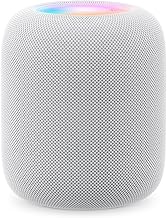

Apple is reportedly building a new smart home hub: a HomePod-style speaker paired with a roughly 7-inch display, running a new operating system built on tvOS, alongside refreshed Apple TV and HomePod hardware.
The latest reporting now points to an unveiling as soon as October 2026. MacRumors says Apple is extensively testing the device in employees' homes, after earlier launch targets slipped while Apple finished its upgraded Siri AI.
Apple already sells two devices that function as home hubs. Apple TV and HomePod both carry that role in Apple's ecosystem.
So the case for a new Apple smart home display isn't that Apple lacks hub functionality. It's that Apple lacks a dedicated, always-visible, room-level surface that behaves more like a shared household computer than a speaker or living-room TV.
That distinction only holds if the rumored personalization, app grid, and glanceable home controls ship as meaningful features rather than a screen bolted onto things HomePod and Apple TV already do.
And before it deserves a recommendation, independent testing will need to show that the new hardware can run an Apple Home setup reliably under real household conditions.
What's Actually Been Reported, and What Hasn't
Recent reports describe a HomePod-style device with a square display measuring roughly 6 to 7 inches.
It's expected to run a new operating system based on tvOS, with elements drawn from iOS and watchOS, including an app grid, widgets, and customizable clock faces.
The software platform could be called homeOS, but Apple hasn't confirmed that name.
Apple is reportedly planning both tabletop and wall-mounted versions, with internal model identifiers pointing to separate configurations. The idea appears to be a device that can sit in multiple rooms rather than one central screen for the entire house.
Timing has changed repeatedly.
Earlier reporting put the device somewhere between October 2026 and early 2027. The latest September reporting narrows that to a possible October 2026 unveiling, although Apple still hasn't announced the product.
The underlying specifications remain rumors too.
No official name, price, release date, display size, or complete hardware specification has come from Apple itself.
Before arguing what this device should be, that distinction matters: the product is still unannounced, and its schedule has already moved more than once.
What an Apple Smart Home Hub Would Need to Replace
Apple's own documentation already treats Apple TV and HomePod as home hubs, so the gap here isn't a missing product category.
A HomePod or Apple TV can serve as a home hub for remote accessory control, automations, shared-home access, and Matter accessories.
Users with multiple hubs can also disable Automatic Selection and choose a preferred home hub manually.
That means someone who already has an Ethernet-connected Apple TV 4K can tell Apple Home to prioritize it rather than leaving hub selection entirely automatic.
Apple TV also connects to Home cameras, lights, locks, and other accessories, while HomePod can run scenes, act as an intercom, recognize different voices, detect certain alarms, and expose temperature and humidity sensors on supported models.
Neither existing device, however, is an always-on touchscreen sitting in a kitchen or hallway and showing household status without a voice request or someone opening the Home app.
Later Home updates make that gap more obvious.
iOS 18 added guest access with scheduled or time-limited control of locks, garage doors, and security systems, plus Activity History and hands-free home-key unlocking.
Apple also added robot vacuum support for automations and scenes, along with an Energy category that can show electricity use when the household has a supported utility account.
Those are shared-household tasks that already exist inside Apple's ecosystem, but they still depend primarily on phones, tablets, TVs, or voice control.
What could make the rumored device meaningfully different is its personalization.
Reports say facial recognition could determine who's looking at the display and change what appears onscreen. Interface elements may also resize depending on how close someone is standing.
Combined with an actual app grid, widgets, calendars, reminders, cameras, and home controls, that could make the device more like a shared household computer than a simple smart display.
For now, all of that remains unannounced.
The Reliability Concern Apple Still Has to Answer
Apple Home reliability can't be reduced to one anecdote, and there's no public data establishing a platform-wide failure rate.
But reliability remains a legitimate launch question for a product that could control locks, cameras, lights, automations, and other household systems.
A June 2026 AppleInsider first-person account describes recurring "No Response" errors in one Apple Home setup, including problems with lights, HomePods, and Apple TV.
The writer had already selected a wired Apple TV 4K as the preferred hub in an attempt to improve stability and reported that doing so didn't solve the problems in that particular home.
That's one household's experience, not evidence that HomeKit or Apple Home behaves the same way for everyone.
The same article's comments include users reporting much more reliable large HomeKit installations, which reinforces the point: network design, accessory mix, wireless conditions, and individual devices can all affect results.
The AppleInsider writer also proposes a technical explanation involving HomeKit Accessory Protocol messages being lost between accessories and controllers.
That should be treated as the writer's theory, not an Apple-confirmed root cause for "No Response" errors.
Apple's own troubleshooting guidance is broader. It recommends keeping hubs updated, restarting them when necessary, making sure they're powered and connected to the home network, and checking account and Home configuration.
For a new smart home hub, reviewers should therefore test reliability rather than assume either success or failure.
Useful launch testing would include:
Accessory response consistency across Wi-Fi, Thread, and Matter devices.
Camera-feed loading times.
Remote access from outside the home.
Automation reliability over several days or weeks.
Behavior when several Apple home hubs are present.
Failover when the preferred hub goes offline.
Whether the new device improves anything compared with an Ethernet-connected Apple TV 4K.
That's stronger evidence than either a polished keynote demo or a single frustrated household.
What Siri and Facial Recognition Still Have to Prove
Siri AI is reportedly central to the hub, and the product's launch schedule has repeatedly been tied to Apple's delayed Siri overhaul.
The hub is also rumored to use facial recognition and presence sensing to identify who's looking at it and personalize the interface.
Latest reports say it could surface information specific to that person and change interface size as someone approaches or moves away.
That could make a shared display much more useful than a conventional tablet permanently mounted to a wall.
It also creates privacy questions Apple hasn't yet answered for this product.
Apple's existing smart-home privacy policies provide useful context.
Apple says Apple Home communications are end-to-end encrypted so Apple can't read them, including HomeKit Secure Video recordings. Apple also says Siri request audio isn't stored by default.
Those are policies for Apple's existing products and services, not confirmation of how a rumored smart home display will process facial recognition or proximity information.
Important unanswered questions include:
Whether identity recognition runs entirely on-device.
Whether face data leaves the hub.
How unenrolled guests are handled.
How children and shared household accounts work.
Whether every person can control which personal information appears.
How Siri decides whose account or data should answer a shared-room request.
Those are launch details to verify, not evidence against the product before Apple announces it.
What to Check Before This Apple Home Hub Launches
A few concrete details separate a useful household computer from a bigger screen attached to Apple's existing home system.
Watch for:
Confirmed price, name, and release date. None has been officially announced.
Whether it is a full home hub. Apple needs to clarify whether the device assumes normal hub responsibilities or mainly controls a separate Apple TV or HomePod hub.
How it works with existing hubs. Homes can already have several HomePods and Apple TVs, including a manually selected preferred hub.
What homeOS actually is. Reports describe a new tvOS-based operating system, but even the homeOS name remains unconfirmed.
Multi-user behavior. Facial recognition and personalized screens only matter if they work consistently for an actual household.
Privacy controls. Apple needs to explain where identity and proximity processing happen.
Independent reliability testing. Reviewers need to test accessories, cameras, automations, remote access, Thread, Matter, and hub failover over time.
Miss enough of those and what ships risks being a nicer control panel rather than a genuinely new home-computing category.
What to Do Now
A dedicated Apple home display is a defensible idea.
It could fill the real gap between the living-room-bound Apple TV and the voice-first HomePod, giving households a glanceable surface for guest access, camera views, energy data, reminders, calendars, and automations that currently require reaching for another device.
But current Apple Home owners shouldn't treat an unannounced product as a fix for reliability problems they're having today.
If "No Response" errors are already an issue and the home has several Apple hubs, Apple now officially supports choosing a preferred hub under:
Home > Home Settings > Home Hubs & Bridges
Turning off Automatic Selection lets the owner choose a specific HomePod or Apple TV.
If an Ethernet-connected Apple TV 4K is already in the home, making it the preferred hub is a reasonable troubleshooting step. It isn't a guaranteed fix, as the AppleInsider example demonstrates.
Also check Apple's standard troubleshooting basics: update the hubs, restart them, confirm they're connected to the home network, and verify the Apple Account and Home settings.
Prospective buyers should wait for Apple to announce the product and explain how it interacts with existing Apple TV and HomePod hubs.
The freshest reporting says that announcement could now come as soon as October 2026.
Anyone who wants a shared household screen today has simpler options worth weighing against that wait. An iPad on a dock, or an Apple TV and HomePod setup, already delivers portions of guest access, camera viewing, automations, and household control.
Neither fully replicates the persistent, identity-aware, room-level display Apple is rumored to be building.
Whether Apple's new device deserves a place in every room will depend less on the screen itself than on whether the home underneath it works reliably.














Comments
Be the first, drop a comment!