



![Watch Ultra 3 [GPS + Cellular 49mm] Running & Multisport Smartwatch w/Rugged Titanium Case w/Black Titanium Milanese Loop - L. Satellite Communications, Advanced Health & Fitness Tracking](https://m.media-amazon.com/images/I/814fsV8qwRL._AC_UY218_.jpg)
![Watch Ultra 3 [GPS + Cellular 49mm] Running & Multisport Smartwatch w/Rugged Titanium Case w/Anchor Blue Ocean Band. Satellite Communications, Advanced Health & Fitness Tracking](https://m.media-amazon.com/images/I/71lJ5Xqz8XL._AC_UY218_.jpg)
![Watch Ultra 3 [GPS + Cellular 49mm] Running & Multisport Smartwatch w/Rugged Titanium Case w/Black Ocean Band. Satellite Communications, Advanced Health & Fitness Tracking](https://m.media-amazon.com/images/I/71pdSpwZJiL._AC_UY218_.jpg)
Reviewed by: Y. Garcia
Your Apple Watch Ultra 3 just buzzed with a training load warning. You've been pushing hard this week, and now your wrist-mounted coach is telling you to ease up. But here's the million-dollar question: should you actually listen to it?
The Apple Watch's training load feature promises to prevent overtraining by tracking your workout intensity patterns, but recent research reveals something that might surprise you. When scientists actually tested whether training based on these load ratios prevents injuries in real-world conditions, they found it doesn't work as promised. The disconnect between theory and practice highlights a crucial gap in how we understand these wearable technologies.
Apple's implementation examines your workout intensity over the past week compared to your 28-day baseline, according to Apple Support. The system then categorizes your current training load on a scale from "well below" to "well above" to help you understand the relative strain on your body, as Apple explains. But understanding why the research doesn't support the marketing claims requires digging deeper into both Apple's unique approach and the science behind it.
How Apple's training load system actually works
Apple's approach to training load monitoring differs significantly from other wearables in the market, and it's both more personal and more demanding of your attention. Unlike competitors that calculate training load automatically using workout data, Apple requires you to rate each workout's difficulty on a 1-10 scale after completion, according to Tom's Guide testing.
This user-centric approach creates what Apple calls a weighted average — after 28 days of consistent use, these individual effort ratings combine with workout duration to create your baseline training load metrics, as reported in the same testing. Think of it like building a personal fitness fingerprint based on how you actually feel during workouts, not just what the sensors detect.
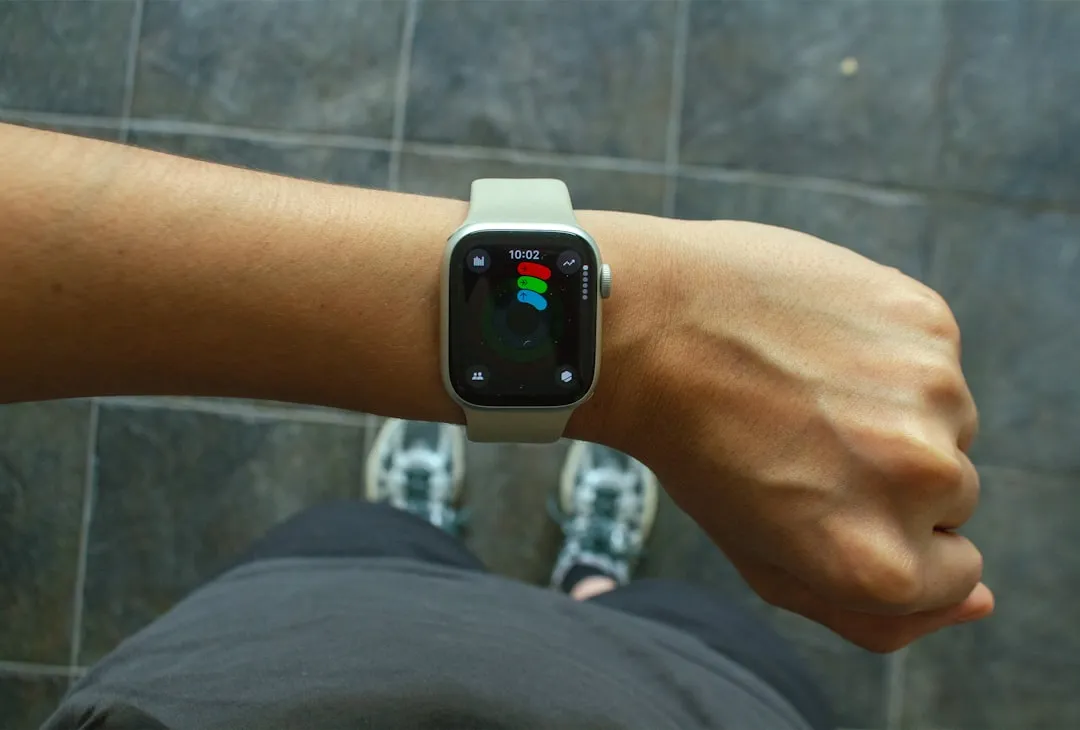
The watch then compares your recent seven-day activity against this 28-day average, displaying results as a color-coded line against a white baseline, with your recent strain shown as a percentage above or below your baseline. It's actually quite elegant visually — you can see at a glance whether you're pushing harder or taking it easier compared to your normal patterns.
But here's the trade-off: Apple's heavy reliance on subjective user input creates both opportunities and challenges. While it captures the nuanced reality of how workouts actually feel — something pure sensor data might miss — it also introduces variability that automatic systems avoid. A GARMIN or WHOOP device might miss that your "easy" 5-mile run felt brutal because of work stress, but they also won't be thrown off if you forget to rate a workout or consistently under-rate your effort.
The science behind training load monitoring
The concept underlying Apple's feature stems from sports science research dating back decades, but understanding its origins helps explain why real-world results don't match the promises. Training load monitoring divides your activity into acute workload (past 7 days) and chronic workload (typically the past 28 days), with the ratio between them theoretically indicating injury risk.
The framework originated from the Fitness-Fatigue model proposed by Banister and colleagues in the 1970s-1980s, which sought to answer the fundamental question: how much training is too much? These researchers were trying to mathematically model the sweet spot between training hard enough to improve and training so hard that you break down.
Early studies in team sports found correlations between high acute-to-chronic workload ratio (ACWR) values and increased injury rates, creating the foundation for specific thresholds that defined undertraining, the 'sweet spot,' and the danger zone. The appeal was undeniable — a simple ratio that could predict and prevent injuries.
Consumer wearables like the Apple Watch derive from this same acute/chronic framework grounded in the Banister model, but they face implementation challenges that laboratory studies never had to address. Apple's 1-10 rating system essentially digitizes the session rating of perceived exertion (sRPE) method, but it must work across diverse users, activities, and real-world conditions that controlled studies can't replicate.
What the research actually reveals about injury prevention
Here's where things get interesting — and potentially disappointing. When researchers moved beyond observational studies to actually test whether training based on load ratios prevents injuries, the results challenged everything we thought we knew about wearable-based injury prevention.
A 2021 cluster-randomized controlled trial — the gold standard of scientific evidence — had coaches plan entire seasons using published ACWR principles but found no difference in injury rates between intervention and control groups, demonstrating that using these ratios in practice doesn't deliver the injury prevention promised in theory. Think about that for a moment — coaches actively using these scientifically-backed ratios to guide training didn't see fewer injuries than coaches who ignored the data entirely.
The picture becomes even murkier when you examine meta-analyses, which show that very high ACWR values (above 1.5-2.0) may be associated with injury risk, but the findings remain mixed and inconsistent across different sports and populations. It's not the clear-cut relationship that Apple's clean interface might suggest.
Perhaps most intriguingly, research suggests that high chronic workloads may actually decrease injury risk, indicating that the relationship between training load and injury is far more complex than simple ratios can capture. This makes intuitive sense — athletes who consistently train at higher volumes are often more conditioned and resilient than those who train sporadically, even if their weekly ratios occasionally spike.
The limitations you need to understand
Apple's training load feature faces several inherent limitations that affect its injury prevention capabilities, and understanding these constraints is crucial for realistic expectations. Most consumer wearables, including the Apple Watch, primarily measure cardiovascular load through heart rate monitoring, which misses crucial components like strength training stress, neuromuscular fatigue, and non-training life stressors.
Imagine this scenario: you had a brutal day at work, slept poorly, and then did what should have been an easy workout. Your Apple Watch might register it as low training load based on duration and your rating, but your body is actually dealing with significant cumulative stress from multiple sources. The algorithms can't distinguish between different contexts that might produce similar numerical outputs, creating blind spots in the injury prevention promise.
Individual factors create another layer of complexity. Training history, age, sleep quality, and genetics significantly influence injury risk, but these variables aren't factored into the ACWR calculations. A 25-year-old with years of consistent training might handle load spikes very differently from a 45-year-old returning to exercise after a long break, yet both would receive similar warnings based purely on their ratios.
The underlying measurement accuracy adds another consideration. Recent validation studies found that Apple Watch devices underestimated heart rate variability by an average of 8.31 ms compared with gold-standard chest-strap measurements, with a mean absolute percentage error of 28.88%. While heart rate variability isn't directly part of training load calculations, this highlights that the sensor data feeding these algorithms isn't perfect — and small inaccuracies can compound over time.
How to actually use training load effectively
Bottom line: your Apple Watch's training load feature isn't a magic bullet for preventing overtraining, but it's far from useless when you understand its proper role. Training load monitoring provides useful information when interpreted carefully and in the proper context, rather than as definitive injury prevention commands.
Use these metrics for awareness and trend monitoring rather than rigid rules. If you see your training load consistently climbing week after week, that's worth paying attention to — not as an absolute command to stop, but as a prompt to check in with how you're actually feeling, sleeping, and recovering.
The feature excels at identifying patterns like ramping up training intensity too quickly or detecting periods of detraining. It's particularly valuable for those of us who aren't naturally good at self-monitoring our training enthusiasm. Think of it as pattern recognition rather than injury prediction.
Here's what to look for: sudden, sustained spikes above your baseline, particularly when combined with other warning signs like poor sleep, elevated resting heart rate, or just feeling rundown. Conversely, consistent periods "well below" your baseline might indicate you're detraining or could safely increase your workload.
PRO TIP: Remember that injury prevention requires a holistic approach, including progressive overload, adequate recovery, quality sleep, proper nutrition, strength training, and movement quality — training load is just one tool in this comprehensive toolkit. Don't let a single metric override your overall sense of how you're feeling and recovering.
The verdict on Apple's training load promise
So does the Apple Watch Ultra 3's training load feature actually prevent overtraining? The honest answer is more nuanced than Apple's marketing suggests. While the feature won't single-handedly prevent injuries as some might hope, research clearly demonstrates that training load monitoring isn't a standalone method for injury prevention.
However, Apple's implementation does offer genuine value when used appropriately. Apple describes the feature as "a game-changing new experience when working out for improved fitness and performance" — language that's typically enthusiastic but points toward the feature's actual strength: performance optimization rather than injury prevention.
The key insight from research is that sudden spikes in training load do increase injury risk, making trend awareness genuinely valuable even if specific thresholds aren't foolproof. It's like having a speedometer in your car — useful for awareness and avoiding dangerous extremes, but you still need to watch the road conditions and use your judgment about appropriate speed.
Apple's user-input approach actually addresses some limitations of purely automatic systems by incorporating your subjective experience of effort. When your watch asks how hard that workout felt, it's gathering data that heart rate sensors alone might miss. The challenge is that this subjectivity also introduces variability that can affect the algorithm's reliability.
Think of your Apple Watch's training load feature as a helpful training partner rather than an infallible coach — one that can spot concerning patterns and trends but shouldn't make all your training decisions for you. When it buzzes with that warning next time, consider it a gentle nudge to check in with yourself rather than an absolute command. How are you sleeping? How's your stress level? How does your body actually feel? Those answers matter just as much as the numbers on your wrist, and together they form a more complete picture of your training readiness than any single metric can provide.















Comments
Be the first, drop a comment!