



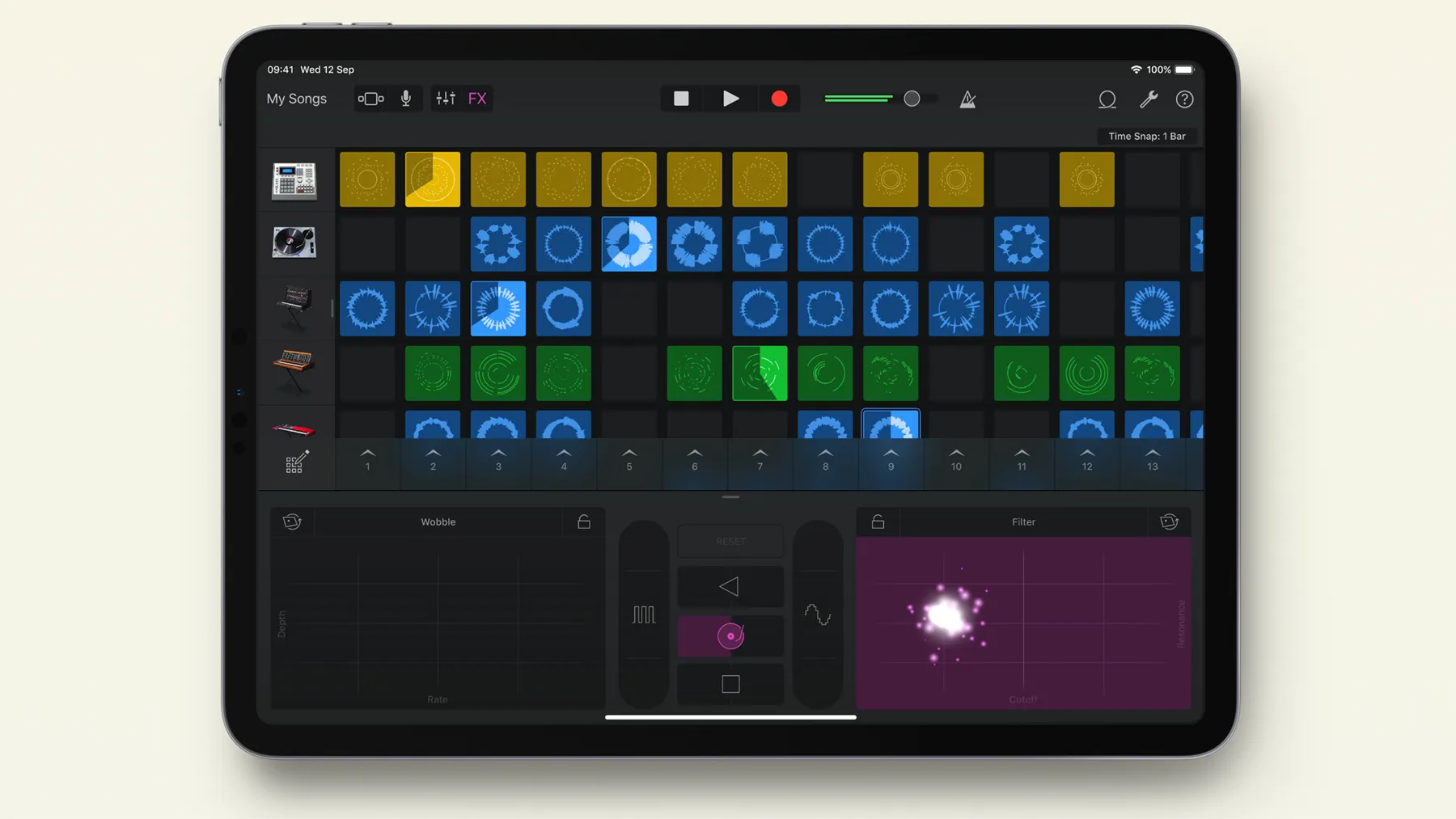
Indie singer-songwriter Brye posted a TikTok this week saying her song "Lemons" was produced in GarageBand on a school-issued iPad using what she called a "horrible little plug-in mic," 9to5Mac reported. She claims the song racked up 100 million streams after going viral during quarantine in 2020.
Brye says she now uses Logic Pro and a full home studio. Her message in the video was direct: "You do not need fancy equipment," and "GarageBand is for you on any Apple device."
How "Lemons" was produced on a school iPad
Brye's high school issued iPads to students. She had been using hers in GarageBand for years before "Lemons," making beats and writing musicals for school productions. "I wrote musicals for my school with GarageBand on my iPad, and then I made that little demo for Lemons and recorded it with my horrible little plug-in mic," she said.
Then quarantine hit. "Lemons," she said, "went super viral" and "blew up."
Her framing of the milestone was casual: "How crazy is it that a song that could be on Sirius XM radio, streamed 100 million times, literally charted on a global top viral 50 or whatever, was literally made on GarageBand?"
One gap the available reporting doesn't fill: whether the released version of "Lemons" was later mixed, mastered, or reworked in a different environment before distribution. What Brye described is a demo produced on the school iPad; what happened between that demo and the distributed track isn't confirmed.
What GarageBand for iPad can do that the Mac version can't
GarageBand on iPad is usually treated as the simplified version of the desktop software. That framing runs into a concrete problem: GarageBand for iPad includes Apple's Beat Sequencer, a built-in rhythm tool highlighted in the iPad version.
Mac users looking for the same style of step-based drum sequencing may need a different workflow or a plug-in. On iPad, the native sequencer requires nothing extra, according to music educator David Guinane, writing in Music Teacher magazine in late 2024. Guinane describes GarageBand for iPad as providing a "fully equipped music studio within an iPad," and calls the drum sequencer "an invaluable tool for teaching rhythm and drum patterns." The iPad version isn't missing something the Mac has; the advantage runs the other way.
Audio routing is where the iPad gives less control. Users can't manually select audio output; iPadOS defaults to whichever source was most recently connected. In a classroom, that means an iPad projected over HDMI will route audio through the projector unless headphones or speakers are connected afterward. The fix is to plug in the intended audio output last and restart GarageBand if it doesn't register the change. For a solo creator recording at home, this limitation is unlikely to come up.
Where school-issued iPads create real friction
Brye's account describes one person, working alone, on a tool she knew well. The same hardware at a classroom scale introduces specific problems Guinane documented from direct experience.
Version fragmentation is the sharpest one. When Guinane updated GarageBand on his personal iPad, the templates he had built became unreadable on his students' devices. "The latest GarageBand update rendered my beautiful templates and sample projects, created on my own iPad, totally incompatible with the student iPads," he wrote.
His school iPads hadn't updated on the day of the new iOS release and, at the time of writing, still hadn't. His recommended fix: build all templates on whichever GarageBand version students are actually running, not the latest version on the teacher's personal device.
File sharing is the second friction point. GarageBand's .band format appears as a folder, not a file, in Windows Explorer, Google Drive, and OneDrive. Students submitting work through non-Apple systems end up opening the file's internal structure rather than the project itself.
The workaround is to compress the .band file to a .zip from the Files app before sharing; the recipient taps the zip on their iPad, and it converts back into a GarageBand project. It works, but the step isn't obvious, and students submitting assignments through Google Classroom are likely to hit this before anyone tells them about it.
Neither issue would have affected Brye. She wasn't submitting files through a portal, wasn't working across mixed device versions, and had unsupervised use of a tool she'd been learning for years. That's a meaningfully different situation from a music program trying to build consistent coursework on a fleet of managed school devices.
What the classroom picture looks like now
Guinane's piece in Music Teacher flags one longer-term pressure on the classroom setup: Apple may push schools toward Logic for iPad, which currently carries an annual subscription fee that has not been discounted for educational institutions. GarageBand remains free. If that changes, the budget argument that makes the app attractive to schools shifts considerably.
For now, his assessment and Brye's land are in the same place, reached from opposite directions. The tool is capable; the friction points are workable with the right preparation. Guinane closes with "Long live GarageBand for iPad!" the kind of sign-off that only makes sense after spending enough time working around its limitations to still recommend it.
Brye's conclusion, reported by 9to5Mac, was less technical: "You do not need a degree to make money and to do this as your job." The school iPad she spent years making beats on before anyone was paying attention turned out to be the same one she used to record the song that changed that.












Comments
Be the first, drop a comment!