



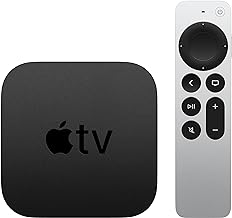


tvOS 26.4 New Features: Audio, iTunes Removal & Subtitles
Apple released tvOS 26.4 this week, and for anyone running an Apple TV 4K with a soundbar or receiver, the headline is a real one: the update fixes a years-long audio glitch that produced pops, dropouts, and clipped dialogue every time the Apple TV switched between sound formats. That fix alone justifies the install. The tvOS 26.4 new features beyond that are smaller but deliberate Apple retiring the last iTunes-era apps, adding a discovery layer to the TV app, and making subtitle adjustments accessible mid-playback.
One thing needs to happen before you install, though.
If you have an iTunes Wish List: those items will not transfer automatically when tvOS 26.4 lands. The Wish List feature is discontinued entirely with this update. Apple emailed affected users with instructions, but the migration itself is manual open the Apple TV app now, find your Wish List, and add each title to the TV app's Watchlist before updating. Once tvOS 26.4 is on your device, the list is gone with no recovery path, as 9to5Mac reported a month ago and ZoneofMac confirmed two weeks ago.
The update runs on every Apple TV 4K and Apple TV HD released since 2015. Devices with automatic updates enabled will install it without prompting; everyone else can find it under Settings → System → Software Updates, per MacRumors.
tvOS 26.4 Continuous Audio Connection: the fix that matters most
The audio problem this update solves will be familiar to anyone with an external sound system. Every time the Apple TV 4K switched formats from stereo menus to a Dolby Atmos film, or from Atmos to a 5.1 mix in a different app the receiver or soundbar had to renegotiate the HDMI connection from scratch. That renegotiation produced popping sounds, dropouts, volume inconsistencies, and dialogue clipped at the start of scenes because the handshake wasn't finished when the audio began, as ZoneofMac explained two weeks ago.
tvOS 26.4 fixes it with a new Continuous Audio Connection toggle under Settings → Video and Audio → Audio Format → HDMI Output. Apple describes it as using a Dolby MAT connection for "glitch-free playback across formats," keeping a persistent audio stream to your connected device rather than restarting the connection each time the format changes, MacRumors reports.
The feature applies to a specific set of configurations:
- Apple TV 4K only Apple TV HD is not supported
- Requires an Atmos-capable HDMI audio device; the toggle won't appear otherwise
- Works best with a direct HDMI connection from Apple TV to receiver or soundbar
- If audio routes through a TV first, eARC is required standard ARC lacks the bandwidth for the uncompressed signal and won't benefit from the feature
- Can be disabled if compatibility issues arise with older equipment, so there's no real risk in trying it
One cosmetic side effect to know about: older receivers may display "Atmos" on their front panel even when the content is stereo or 5.1, because the Dolby MAT wrapper is always present. Apple confirms original mixes are not modified, per MacRumors. The front panel readout is misleading; the audio itself is accurate.
If you watch on TV speakers or a basic setup, this change is invisible. If you have an Atmos-capable soundbar or receiver wired directly to an Apple TV 4K, turn it on.
The iTunes app removal: Apple's consolidation is now complete
Apple began phasing out the standalone iTunes Movies and iTunes TV Shows apps in 2023. tvOS 26.4 finishes the job both apps are removed from the home screen, and all purchased and rented content moves to the Library tab inside the Apple TV app, MacTech and 9to5Mac report.
Purchased movies and TV shows are untouched only the legacy store interface disappears. The Wish List feature is a different matter. It's discontinued entirely, with no automatic data bridge to the TV app's Watchlist, per MacRumors.
The action required is straightforward: open the Apple TV app before installing the update, find your iTunes Wish List, and manually add each title to the Watchlist. The Watchlist serves a similar purpose but is a separate feature. Install first and those items disappear with no recovery option, ZoneofMac and AdwaitX both confirm.
tvOS 26.4 Genius Browse: Apple's new recommendation layer
tvOS 26.4 adds a Genius Browse section to the Home tab of the Apple TV app thematic category rows that refresh regularly. Category names include "Good for Date Night," "Based on a Book," "Daring Fantasy Adventures," "Thrilling Sports Stories," and "Bittersweet Family Dramas," AdwaitX reports. Selecting a title surfaces additional related recommendations, and results can be filtered by user profile and genre, per 9to5Mac.
The feature draws from Apple TV+, Prime Video, HBO Max, Peacock, Disney+, and other services integrated within the Apple TV app. Netflix, which sits outside that ecosystem, doesn't appear in results, AdwaitX notes.
That last detail is the most telling thing about Genius Browse. It's Apple's attempt to make the TV app the front door to streaming but only for services that play along. For subscribers who live inside Netflix, the recommendations stop at a wall. Apple has not confirmed whether Genius Browse is powered by Apple Intelligence; one source explicitly notes the absence of any such confirmation, AdwaitX reports. For now, it's a recommendation layer. Whether the suggestions hold up in practice will depend on how well Apple has tuned the categories over time.
Subtitle styles mid-playback, and other changes
Subtitle and caption style can now be adjusted directly inside the video player without backing out to Settings. A speech bubble button opens a Style menu with four presets Classic, Large Text, Outline Text, and Transparent Background plus a Manage Styles option linking to the full Accessibility settings for deeper customization, per 9to5Mac and MacRumors.
The catch: this only works in apps using the default tvOS video player. Netflix and YouTube build their own custom players and won't show these controls. If the feature appears in one app but not another, that's by design, not a bug, AdwaitX explains.
Apple says the update includes general performance and stability improvements. One secondary source, AdwaitX, reports a fix for a spatial music playback bug in the Music app where the opening of tracks was clipped during spatial audio playback, with user complaints dating back to 2021. That fix doesn't appear in the mainstream release note summaries from MacRumors or 9to5Mac, so treat it as plausible but unconfirmed.
Who should install now, and who should act first
Install now if you have an Apple TV 4K with a soundbar or external receiver. Continuous Audio Connection is a genuine fix, not a setting you'll need to evaluate the before-and-after is clear for anyone who's been living with audio pops and clipped dialogue.
Act before installing if you have items saved to an iTunes Wish List. Those titles don't transfer automatically and will be deleted when tvOS 26.4 installs. The only path forward is manual: add them to the Apple TV app's Watchlist now, per 9to5Mac and ZoneofMac. For everyone else, this is a maintenance release cleaner app organization, a new discovery section, better subtitle access with nothing that requires urgency.
Taken together, tvOS 26.4 completes Apple's migration away from iTunes-era apps, adds a recommendation layer built around the TV app's partner services, and resolves the audio handshake problem that frustrated home theater setups for years. The direction is consistent: one app, better infrastructure, fewer legacy interfaces.
To update manually: Settings → System → Software Updates. Devices with automatic updates active will install on their own, MacRumors confirms.










Comments
Be the first, drop a comment!