



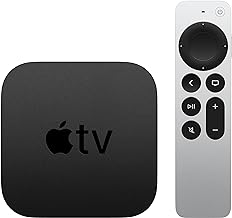


tvOS 27 Larger Text Support Closes Apple TV Accessibility Gap
Apple has confirmed that tvOS 27 larger text support is coming to Apple TV, giving users a native control to scale up on-screen text directly from the Settings app. The feature has been standard on iPhone, iPad, and Vision Pro for years. Apple TV is only now catching up, according to MacRumors today.
Apple's own description of the change is direct: "Larger Text support is coming to tvOS, so viewers who have low vision can increase onscreen text size to be easier to read," as MacObserver reported yesterday. The accessibility framing is appropriate, but the living room context makes it relevant well beyond that audience. A phone sits at arm's length. A TV sits across the room. Those are not the same readability problem, and Apple TV had no built-in way to address it until now.
tvOS 27 is expected to debut at the WWDC 2026 keynote on June 8, with public availability anticipated in September, per MacRumors.
How the Apple TV larger text setting will work
Users will get a dedicated control in the Settings app to increase text size in supported apps, per MacRumors. The feature affects menus, titles, and navigation elements across the Apple TV interface, covering the parts users interact with every time they open the box, MacObserver reported yesterday. System navigation is where the payoff will be most immediate, since Apple controls that layer of the interface directly and can apply changes uniformly.
Third-party app coverage is a separate question. On iPhone and iPad, Larger Text works in apps that implement Dynamic Type support, and the same logic will likely apply on tvOS. Apple has not confirmed how developer adoption will work on the platform specifically; WWDC documentation in June should provide that detail.
Several other specifics remain open: how many discrete size increments the setting will offer, whether there is a maximum scale limit, and which Apple TV hardware models will support it. Those answers should come from the June 8 keynote or the developer documentation that follows.
Why Zoom mode wasn't enough
Apple TV has had accessibility options before. Zoom mode, already available in tvOS settings, lets users magnify the display. The problem is that it magnifies everything, enlarging the full screen rather than scaling text specifically. That creates a different kind of friction: users have to pan around an enlarged display to navigate, and interface proportions get distorted in the process.
A dedicated text-size control works differently. It adjusts type without stretching layouts or disrupting the spatial relationship between interface elements. The menu stays where it was. The text just gets bigger. For someone reading a show title from across the room, or trying to confirm a settings toggle without squinting, that distinction matters.
The Zoom comparison also clarifies what the new setting is not: a screen magnifier or a display zoom. It is a typography control, closer in concept to bumping up font size in a document than to pinching to zoom on a photo. That narrower scope is actually the point.
What to watch for at the June 8 keynote
The WWDC keynote will be the first opportunity to see tvOS 27 in full. Based on what Apple has previewed this week, a few specific questions are worth tracking when the presentation airs.
The first is coverage scope. Apple's announcement describes Larger Text working in "supported apps," which leaves ambiguous whether system-level UI gets a blanket update or whether coverage varies by app, per MacRumors. On other Apple platforms, system apps and developer-adopted apps behave differently under text scaling. Knowing which category tvOS menus and built-in apps fall into will determine how useful the setting is from day one.
The second is the size range on offer. Larger Text on iPhone offers several increments, including an Accessibility slider that goes considerably beyond the standard range. Whether tvOS ships with a comparable range, or a more limited set of options, affects how far users with significant low vision can actually push the setting.
Hardware compatibility is the third. The current Apple TV 4K lineup covers a few generations, and it is not confirmed whether older models will receive tvOS 27 at all. That question applies to the full release, not just this feature, but it is relevant context.
All three should be answered during or shortly after the keynote. Apple confirmed this week that the accessibility features it previewed are coming later in 2026, per MacRumors, which puts the release on track with the expected September window following beta testing.
Why Apple TV lagged behind the rest of the ecosystem
Larger Text has been a standard Apple accessibility setting for years, available on iPhone, iPad, and Vision Pro, adjusting type size across system UI and apps that implement the relevant support, per MacRumors. Its absence on Apple TV was conspicuous. The need is arguably more acute on a living room display, where viewing distance compounds any readability difficulty, than on a device held in hand.
The tvOS 27 addition arrives as part of a broader accessibility update Apple previewed this week. MacObserver connects that wider push to Apple Intelligence, though no confirmed evidence links the Larger Text feature itself to AI functionality. That association should not be read into the accessibility announcement without further confirmation from Apple.
For users who have navigated around the gap with Zoom mode or simply accepted small text as a given, the practical effect is straightforward. A control that should have existed years ago is finally arriving, and it should behave the way the same control already works on the devices already in their pockets.
Public release is expected in September, following a summer beta period, per MacRumors. The June 8 keynote is the next milestone worth watching.












Comments
Be the first, drop a comment!