



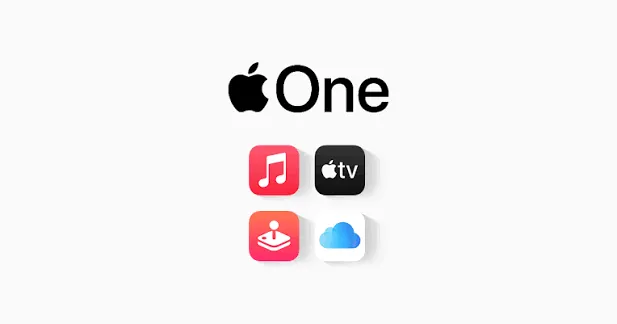
Apple began offering new and qualifying returning subscribers three free months of Apple One with the purchase of an eligible device on September 17, 2026. If you're trying to figure out how to get the Apple One 3-month free trial after buying a new device, the first question isn't which iPhone you bought. It's whether your Apple Account qualifies at all.
Apple excludes current Apple One subscribers, along with previous subscribers who cancelled Apple One within the past 60 days, according to MacRumors. A fresh device purchase alone doesn't guarantee you'll see the offer.
This guide covers who qualifies, the exact steps to redeem an Apple One trial with a new iPhone, iPad, or Mac, how to pick between the available plans, and what to check before Apple starts billing you automatically.
Apple One 3-Month Trial Eligibility Requirements
Apple's official offer page says the promotion is for new and qualified returning subscribers who purchase a new iPhone, iPad, or Mac capable of running the latest iOS, iPadOS, or macOS from Apple or an Apple Authorized Reseller.
Two groups are excluded regardless of the device they bought: current Apple One subscribers and, according to Apple's promotion terms reported by MacRumors, previous subscribers who cancelled within the past 60 days.
If you're inside that 60-day window, buying a new iPhone won't reset the eligibility requirement.
The offer is also limited by Apple Account and Family Sharing history. Apple's Apple One promotion listing says there's one offer per Apple Account and Family Sharing group, so a family member who has already claimed the same promotion can affect eligibility.
There's another important limitation: the three-month Apple One trial includes only services you're not already using through a subscription or free trial.
If you're already paying separately for Apple Music, Apple TV, Apple Arcade, or another service included in the Apple One tier you choose, Apple says you'll continue paying for that service separately during the free Apple One period. It becomes part of the Apple One bundle once the trial ends and the paid Apple One subscription begins.
Early coverage focused narrowly on new flagship iPhone buyers, but Apple has now confirmed that the promotion covers eligible new iPhone, iPad, and Mac purchases, not just specific flagship phones.
Before assuming the offer applies to you, run through this checklist:
The device was bought new from Apple or an Apple Authorized Reseller.
The device can run and is updated to the latest available iOS, iPadOS, or macOS.
You're signed in with the Apple Account that will redeem the offer.
You're not currently an Apple One subscriber.
You haven't cancelled Apple One within the previous 60 days.
You or your Family Sharing group haven't already redeemed the same Apple One three-month offer.
You're still within three months of setting up the new device.
How to Get Apple One 3-Month Free Trial Access on a New iPhone, iPad, or Mac
Apple's redemption process is short:
Turn on the new iPhone, iPad, or Mac and sign in with your Apple Account.
Make sure the device is running the latest version of iOS, iPadOS, or macOS.
Open Settings on iPhone or iPad, or System Settings on Mac, and look for "Services included with your purchase."
Open the Apple One offer and follow the onscreen steps to choose a plan and activate the trial.
There's no promo code to hunt down and no separate form to submit.
You do have a deadline. Apple says the offer must be activated within three months after setting up the eligible device.
New Mac buyers may also need some patience. Apple's promotion troubleshooting guidance says a newly set-up Mac can take at least four hours before an eligible subscription promotion appears.
If the Apple One offer still isn't showing after that, update the Mac to the latest software version, confirm you're signed in with the correct Apple Account, and check that the device and account meet the promotion terms.
What Apple One Individual, Family, and Premier Plans Include
In the US, Apple currently offers three Apple One tiers.
Individual: 50GB of iCloud+ storage, Apple Music, Apple TV, and Apple Arcade.
Family: 200GB of iCloud+ storage, Apple Music, Apple TV, and Apple Arcade.
Premier: 2TB of iCloud+ storage, Apple Music, Apple TV, Apple Arcade, Apple Fitness+, and Apple News+.
The current US prices are:
Individual: $21.95 per month.
Family: $27.95 per month.
Premier: $39.95 per month.
Across three months, that works out to $65.85 for Individual, $83.85 for Family, and $119.85 for Premier.
That's where the roughly "$120 value" attached to the promotion comes from: it reflects three months of the US Premier tier.
Family and Premier can be shared through Family Sharing with up to five additional people.
Plan availability differs by country. Premier, Apple News+, Apple Fitness+, and other services aren't available everywhere, so don't assume all three tiers will appear in every region.
Picking Premier only makes sense if you'd realistically pay for its extra services or 2TB of iCloud+ storage after the trial.
The biggest free tier during the trial also becomes the largest monthly bill when the trial ends.
What Happens to Services You Already Pay For?
This is one of the easiest parts of the promotion to misunderstand.
Suppose you're already paying for Apple Music when you claim the three-month Apple One trial.
Apple says the trial doesn't make that existing Apple Music subscription free. You'll continue paying for Apple Music separately during the Apple One trial.
The same rule applies to other Apple One services you're already using through an active subscription or free trial.
Once the three-month Apple One trial finishes and your paid Apple One subscription starts, eligible existing subscriptions included in the bundle are normally folded into Apple One and you stop being billed separately.
There's one common exception: if you already have an iCloud+ plan with more storage than the Apple One tier provides, Apple can keep that additional storage subscription active separately until you cancel or change it.
That's another reason to check the actual billing screen rather than assuming "three months free" means every Apple service on the account stops charging immediately.
What to Check Before the Trial Ends
Whichever plan you activate, Apple automatically converts it to a paid monthly Apple One subscription after the three-month trial unless you cancel.
One assumption worth correcting: cancelling during the free period doesn't simply switch off future billing while preserving the remaining free months.
Apple's promotion terms say that cancelling during the free offer period ends access immediately. You and any family members sharing the plan lose the rest of the trial, and the same promotional trial can't simply be reactivated afterward.
If you want to use the full three months without renewing, don't cancel on day one.
Instead, note the renewal date displayed when you activate the offer and set a reminder several days before it.
Before that date:
Check which Apple One tier you're on.
Confirm the monthly renewal price in your region.
Review which Apple One services you're actually using.
Check whether any separate iCloud+ subscription will remain active.
Cancel before renewal if you don't want to continue.
Apple says subscriptions renew automatically at the local monthly rate until cancelled.
What to Do if the Apple One Trial Doesn't Appear
If you bought an eligible device but don't see "Services included with your purchase," work through Apple's troubleshooting checks before assuming you're ineligible.
First, make sure the eligible device itself is signed in with the correct Apple Account.
Then update it to the latest operating system and check again.
If it's a newly set-up Mac, wait at least four hours before treating the missing promotion as a problem.
Also check whether:
You're already subscribed to Apple One.
You cancelled Apple One within the previous 60 days.
The offer was already redeemed through your Apple Account or Family Sharing group.
More than three months have passed since you set up the eligible device.
The promotion is available in your country or region.
If everything still appears to qualify, Apple's support guidance is the next place to check rather than starting another trial and hoping the promotions combine.
Where the Apple One 3-Month Trial Is Available
The promotion isn't worldwide.
Apple's current offer page lists availability in countries including the US, UK, Canada, Australia, Japan, Germany, France, Italy, Spain, South Korea, New Zealand, and dozens of others.
The exact Apple One tiers and included services vary by market.
The US prices used in this guide, $21.95 for Individual, $27.95 for Family, and $39.95 for Premier, therefore won't apply everywhere.
Check the renewal price shown on your own device before activating the trial.
What to Do Now
Check Settings or System Settings on your new device for "Services included with your purchase."
Confirm first that you're not a current Apple One subscriber, haven't cancelled within the previous 60 days, haven't already used the promotion through your Apple Account or Family Sharing group, and are still inside the three-month redemption window.
Then choose the tier based on what you'd realistically keep paying for, rather than defaulting to Premier simply because it has the highest trial value.
Finally, note the renewal date.
The trial automatically turns into a paid Apple One subscription, and cancelling early ends the remaining free period. A reminder a few days before renewal is the simplest way to use the full offer without accidentally rolling into a plan you don't want.











Comments
Be the first, drop a comment!