



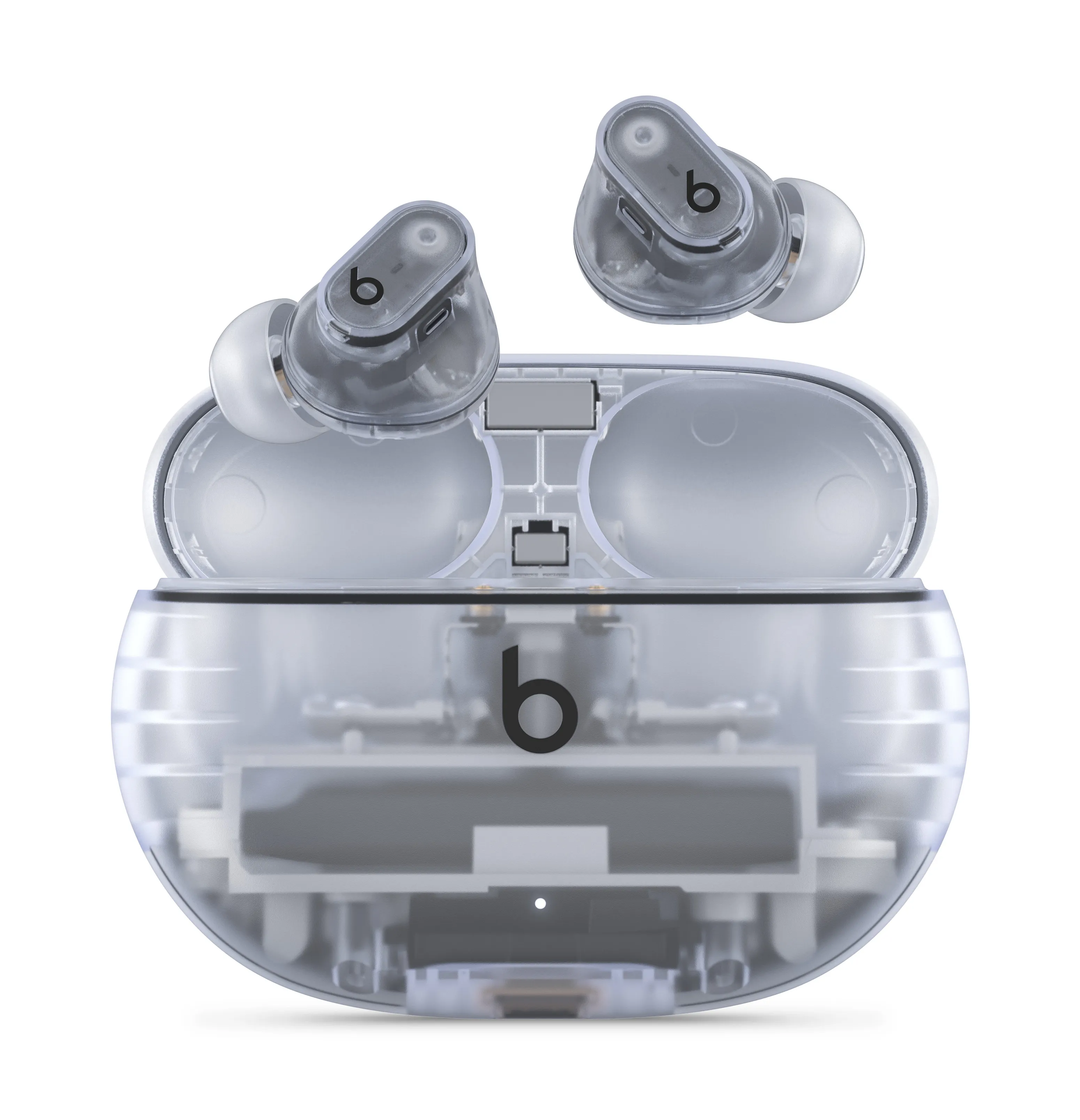
Apple released firmware 1B211 for the Beats Studio Buds, closing a Bluetooth vulnerability that could allow a nearby attacker to listen through the earbuds' microphone during the setup window before pairing was complete.
The fix is available now. Studio Buds owners using an iPhone, iPad, or Mac should connect the earbuds, fully charge them or connect them to power, place both earbuds in the case, close the lid, keep them within Bluetooth range, and wait at least 30 minutes before checking the firmware version. Once that number appears, the patch has arrived.
The vulnerability is tracked as CVE-2025-20701 and traces to open source code. Apple's own software was among the affected projects. Apple's disclosure does not mention exploitation in the wild, though the support page addresses only what Apple has observed; it makes no claim about the broader threat landscape.
The flaw applied only to unpaired earbuds still broadcasting setup requests, not to earbuds already connected and in normal use.
What the vulnerability actually allowed
Apple's language on the impact is precise: an attacker within Bluetooth range "may be able to listen through the microphone of a device which is not yet paired and actively seeking pair requests," per the official security page. That window closes the moment pairing completes. Earbuds already linked to a device and sitting in someone's ears were not affected.
Proximity was a hard requirement. That limits the realistic threat considerably, but it also puts the concern squarely in the places where people routinely unbox and pair earbuds around strangers: airports, coffee shops, offices, classrooms, Digital Trends noted.
The pairing process is designed to feel frictionless. Tap, connect, done. That's exactly why users treat setup as a quick, harmless step rather than a security-sensitive moment. The exposure was plausible because the design prioritized ease; the open window existed by intent.
Worth stating plainly: Apple's disclosure does not indicate this flaw was exploited outside a controlled setting. The risk was real in the sense that the window existed and was reachable by any nearby Bluetooth device, but there is no reported evidence of it being used against real users.
How to install the Beats Studio Buds security update and verify firmware 1B211
On Apple devices, there is no update button to press. Firmware installs automatically when the earbuds are paired with an iPhone, iPad, or Mac, fully charged or connected to power, placed in the case with the lid closed, and kept within Bluetooth range for at least 30 minutes.
To confirm the fix has arrived, check the firmware version in Bluetooth settings:
iPhone or iPad: Settings > Bluetooth, then tap the info icon next to the Studio Buds
Mac: System Settings > Bluetooth, then tap the info icon next to the Studio Buds
If it shows 1B211, the security fix is installed. Until that version appears, don't assume the patch has landed, Digital Trends noted.
The automatic delivery model is convenient, but it also means the update timeline is out of the user's hands. Leaving the earbuds in a case on a shelf, away from any paired Apple device, won't trigger anything. The conditions have to be right: charged, paired, and in range. If those boxes aren't checked, the firmware waits.
Apple published a dedicated security content page for this update, naming the CVE, the specific microphone impact, and the affected product, per the support page. Compare that to the standard consumer earbud firmware release, which typically ships with notes describing nothing more than "general bug fixes and improvements," Digital Trends reported. Naming the CVE and the specific impact gives users a concrete version number to look for and a clear description of what was at stake, which is more than most earbuds users ever get.
Why Bluetooth pairing flows have become a security target
The Beats vulnerability is not an isolated incident. Five months ago, security researchers at KU Leuven disclosed the WhisperPair family of flaws affecting Google's Fast Pair protocol, successfully compromising 17 of more than two dozen tested devices across brands including Sony, Anker, and Nothing, The Verge reported.
The two cases are technically distinct, and it's worth being clear about the difference. WhisperPair worked by exploiting devices that failed to reject new Fast Pair connection attempts while already paired to another device a flaw in how manufacturers implemented Google's specification. CVE-2025-20701 hit Beats earbuds only before any pairing had occurred, in the open setup window.
Different failure modes, different attack surfaces. What they share is the location of the vulnerability: the pairing stage, the moment designed to be fast and low-friction, which turns out to be the moment users are least likely to think of as a security concern.
The consequences of WhisperPair went beyond eavesdropping. Researchers who successfully compromised devices were able to play audio through the headphones at any volume, intercept phone calls, and use microphones to listen in on conversations, The Verge reported.
On five Sony products and Google's Pixel Buds Pro 2, the attack was more serious still: if the devices hadn't previously been linked to a Google account, WhisperPair could register them to an attacker's account and use Google's Find Hub network to track the user's location. The average attack took about 10 seconds, Kaspersky noted.
Fast Pair cannot be disabled by users, which means there's no workaround available firmware updates are the only effective fix for WhisperPair-affected devices, The Verge reported. Google stated it found no evidence of exploitation outside the researchers' lab setting and pushed an Android update to address the vulnerability on the OS side, Kaspersky noted.
The researchers reported that they bypassed Google's initial Find Hub network patch within a few hours, though Google attributed that to outdated accessory firmware rather than a failure of the OS-level fix, The Verge reported.
The pattern across both cases is the same: pairing-stage vulnerabilities are hard to defend against at the user level, and firmware is the only lever that actually moves. That places significant weight on how quickly manufacturers identify issues, release fixes, and communicate what users need to do, none of which was historically treated as a priority in the consumer audio category.
What to do now
Put the Studio Buds on a charger near a paired iPhone, iPad, or Mac and leave them there. The firmware will install automatically. Then open Bluetooth settings, tap the info icon next to the earbuds, and look for version 1B211. That's the Beats Studio Buds security update confirmed as installed, per Apple Support.
With WhisperPair having exposed pairing-stage weaknesses across 17 devices from 10 brands earlier this year, and a separate pre-pairing flaw now appearing in Beats hardware, researchers have identified vulnerabilities in both pre-pairing and pairing-adjacent flows.
The setup moment has moved from an afterthought to a recurring point of scrutiny in wireless audio security. Apple's support page named the CVE, identified the affected product, and published it on the same day as the fix. If it shows 1B211, you're patched.







Comments
Be the first, drop a comment!