





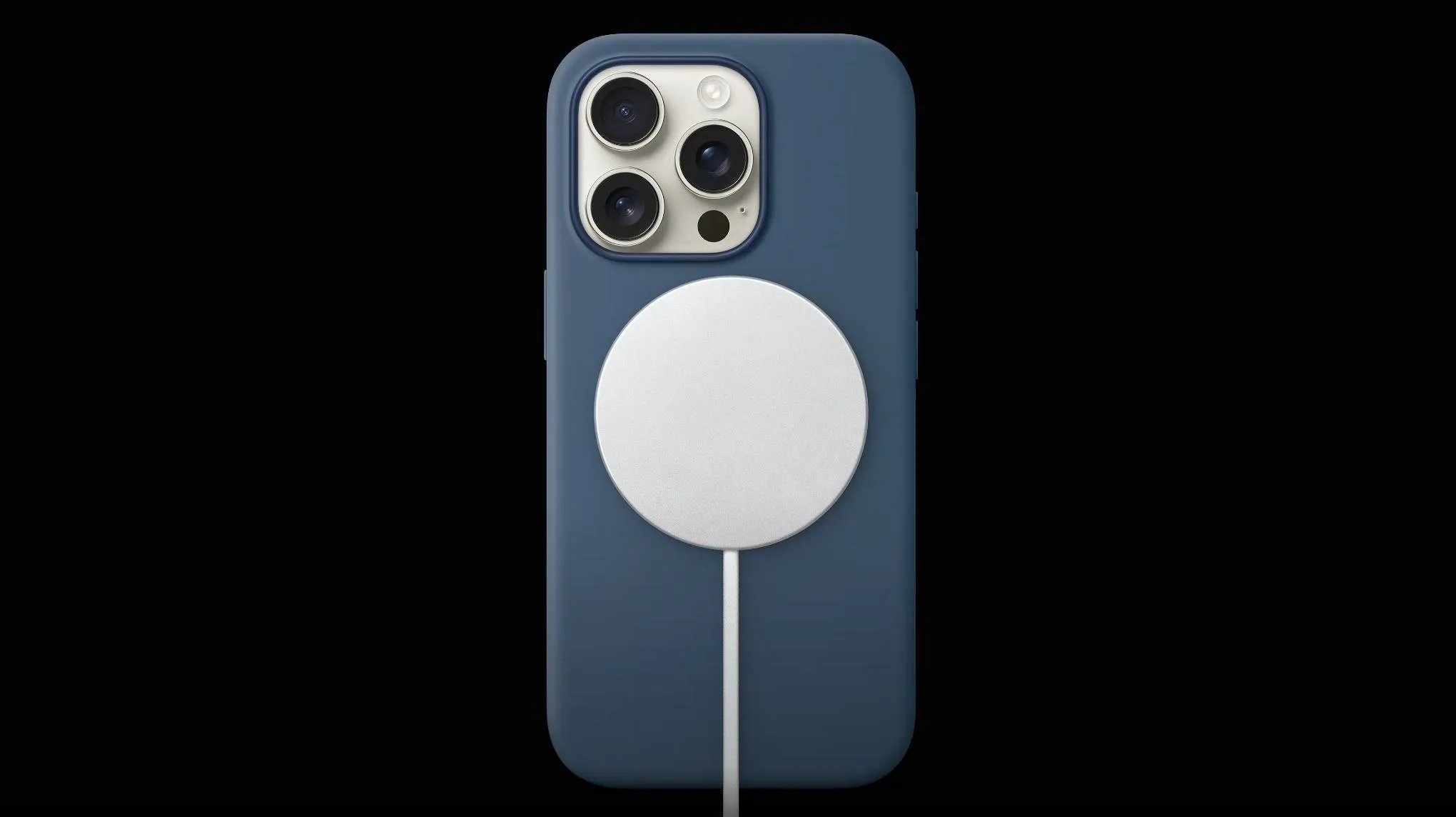
Apple's current support page lists up to 25W MagSafe charging for iPhone 16 Plus and iPhone 16 Pro Max, while iPhone 16 and iPhone 16 Pro are rated for up to 22.5W. An independent Techtest report also found faster charging with a third-party Qi2.2 pad after updating an iPhone 16 Pro Max to iOS 26.
Techtest reported that iOS 26 reportedly enabled 25W charging on those same phones through qualifying Qi2.2 pads, a claim Apple's cited support page doesn't address. That gap matters because iPhone 25W MagSafe charging compatibility varies sharply by model, and the number printed on a charger's box does not necessarily match what any specific iPhone is rated to pull.
Which iPhones support 25W MagSafe charging
Apple's support page assigns a peak MagSafe wattage by model, and only two current iPhones sit at the top of that list: iPhone 16 and iPhone 16 Pro, at 22.5W, not 25W.
iPhone 12 mini, iPhone 13 mini
MagSafe peak wattage: Up to 12W
Adapter needed: 9V/2.03A or higher
iPhone 12, 12 Pro, 12 Pro Max, 13, 13 Pro, 13 Pro Max, 14 series, 15 series (non-mini models)
MagSafe peak wattage: Up to 15W
Adapter needed: 20W or higher Apple adapter or comparable USB-PD adapter
iPhone Air
MagSafe peak wattage: Up to 20W
Adapter needed: 15V/2A or higher
iPhone 16, iPhone 16 Pro
MagSafe peak wattage: Up to 22.5W
Adapter needed: 15V/2A or higher
iPhone 16e, iPhone 11 series, iPhone X/XS/XR, iPhone 8 series
MagSafe peak wattage: Not applicable (non-MagSafe Qi devices)
Adapter needed: N/A
Note: Charging power and times vary.
Apple markets its current MagSafe Charger as capable of up to 25W peak power delivery, but it also says actual delivered power varies by iPhone model, adapter wattage, and system conditions. In the per-model figures on that page, the highest named ceiling is 22.5W, for iPhone 16 and iPhone 16 Pro specifically. Apple's list doesn't separately name the iPhone 16 Pro Max, which happens to be the exact model used in the independent tests discussed below, so its figures shouldn't be assumed identical to the 22.5W ceiling without confirmation.
15W vs 25W MagSafe charger: matching the adapter to your iPhone
iPhone MagSafe charging speed is set by the phone model and the adapter feeding the charger, not just the wattage printed on the box. Apple's 15W MagSafe charging for older iPhones requires its own 20W-or-higher USB-C adapter, or a comparable third-party USB-PD adapter.
For iPhone Air, iPhone 16, and iPhone 16 Pro to reach their documented MagSafe ceilings, Apple specifies a 30W-or-greater USB-C adapter rated at 15V/2A or higher, paired with a compatible MagSafe Charger.
A charger labeled Qi2 or Qi2.2 doesn't automatically mean 25W on an iPhone. Manufacturer claims and Apple's own per-model figures don't always line up, as the iPhone 16 dispute below shows.
Apple's MagSafe charger vs third-party Qi2.2 pads for iPhone 16
Apple documents one specific pairing for peak power on supported models: its own MagSafe Charger with an adapter rated at least 15V/2A. The Qi2.2 standard itself reportedly raised the universal wireless ceiling from 15W to 25W, according to Techtest, a standards-level change the outlet attributes to Qi2.2 rather than to any specific charger brand.
Techtest reported that iOS 26 expanded Qi2.2 charging support to the iPhone 16 series. Its testing used an iPhone 16 Pro Max and a UGREEN MagFlow 2-in-1 charger, comparing power draw under iOS 18 and iOS 26. The test does not independently establish 25W charging performance for every iPhone 16 model.
In that same test, Techtest measured a 25W Qi2.2 setup finishing a 5%-to-80% charge about 12 minutes faster than a 15W setup, 1 hour 5 minutes versus 1 hour 17 minutes, though the outlet disclosed it measured the charger's power draw rather than power delivered to the phone. A Qi2.2-certified or up to 25W label on a third-party charger remains the manufacturer's claim, not an Apple-confirmed spec, until that discrepancy closes.
What one iPhone 16 Pro Max test shows about 25W charging speed
ChargerLAB's numbers come from a single setup: an iPhone 16 Pro Max, Apple's 30W wall adapter, and Apple's own 25W MagSafe Charger, held in a controlled 25°C thermotank. Input power held near 29W for about five minutes, which ChargerLAB estimated would correspond to approximately 25W of wireless charging power after losses.
The phone reached 50% at 34 minutes, 80% at 1 hour 10 minutes, and a full charge at 2 hours 23 minutes, a total ChargerLAB describes as similar to the prior-generation 15W charger.
Both ChargerLAB and Techtest tested an iPhone 16 Pro Max, which Apple explicitly lists as supporting up to 25W MagSafe charging. However, ChargerLAB used Apple's MagSafe Charger, while Techtest used a third-party Qi2.2 charger, so the results do not provide a controlled comparison between the two charging systems.
Hard caps and taper that slow charging regardless of wattage
Some limits have nothing to do with the charger's rating. Connecting a wired USB-C or Lightning accessory, like headphones, while charging wirelessly triggers a fixed regulatory cap: 7.5W for iPhone 15 and earlier and for the iPhone 16 family, 10W for iPhone 17 Pro and iPhone 17 Pro Max, and 16W for iPhone 18 Pro, iPhone 18 Pro Max, iPhone 17, and iPhone Air.
If an iPhone is plugged into a wired power source while sitting on a MagSafe charger, it charges exclusively through the wired connection; MagSafe stops contributing regardless of the pad's wattage rating.
Temperature adds a softer limit. Apple says software might limit charging above 80% if the battery gets too warm, a dynamic protection rather than a fixed ceiling. ChargerLAB recorded a surface temperature of 41.2°C at the 15-minute mark of its 25W test, cooling to 39.4°C by 30 minutes, readings that occurred alongside the power step-downs in that single test rather than a proven causal link.
The phone also flags when a charger is underperforming. On iOS 18 and later, a Slow Charger message appears on the lock screen and in Settings > Battery when a higher-wattage charger could improve the charging experience. iOS 26 added a separate Incompatible Charger message in Settings > Battery, which appears when iOS detects a connected charger that isn't charging the phone at all, a different problem than simply charging slowly.
What the conflicting figures mean for buyers
Apple's documentation, Techtest's report, and ChargerLAB's test each cover a different piece of this picture, and none of them resolves the others. Apple's published figures put iPhone 12 mini and iPhone 13 mini at 12W, non-mini iPhone 12 through 15 models at 15W, iPhone Air at 20W, and iPhone 16 and iPhone 16 Pro at 22.5W, under Apple's published MagSafe limits.
Techtest reported 25W Qi2.2 charging on iPhone 16 models, but that result isn't reflected on the Apple page cited here, and both independent tests cited in this article used an iPhone 16 Pro Max rather than the iPhone 16 or 16 Pro model Apple names at 22.5W.
For now, a 25W label on a third-party charger identifies the charger's claim, not a confirmed charging rate for every iPhone. A Slow Charger or Incompatible Charger message in Settings > Battery is worth investigating the charger and connection.


Comments
Be the first, drop a comment!