





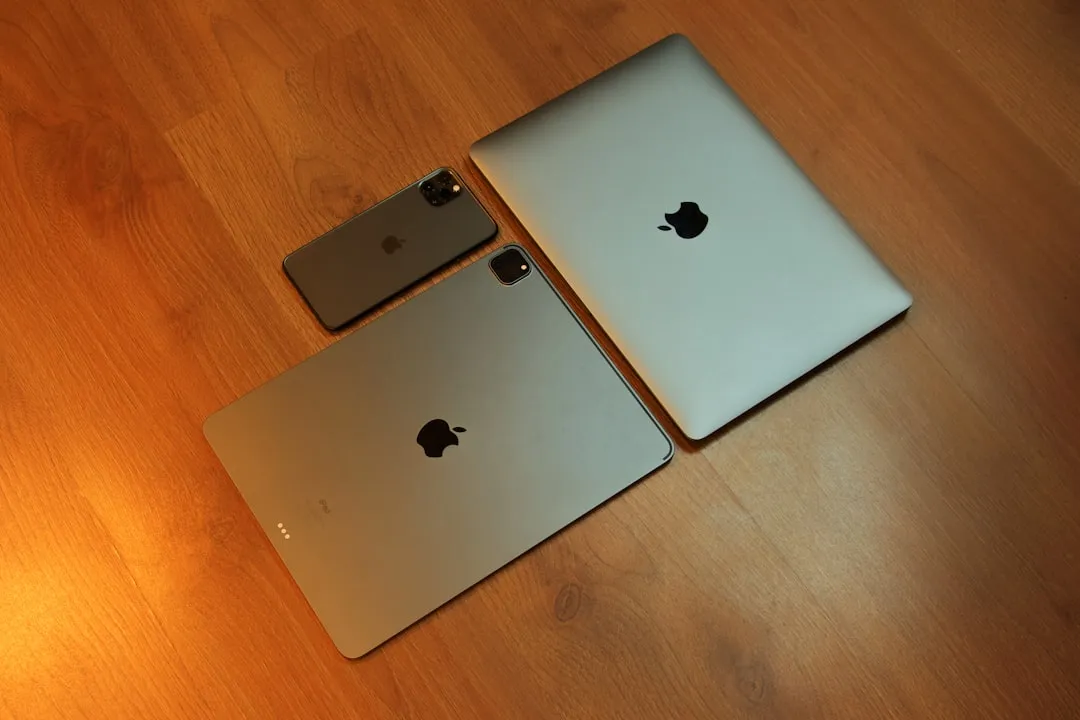
The tech world loves a good value showdown, and Apple just served up a fascinating one. With three portable computing options can be found around $600 during discounts or refurbished listings, choosing between them isn't as straightforward as you might think. Whether you're eyeing the MacBook Air M2, considering the iPad Air, or weighing the base iPad with a keyboard setup, each brings distinct advantages to the table.
This isn't just about specs and price tags—it's about understanding how these devices fit into your daily workflow. The choice between macOS and iPadOS alone can make or break your productivity setup, while accessory costs and real-world performance paint a more complex picture than the sticker price suggests.
Breaking down the $600 computing landscape
When we talk about $600 Apple computers, we're looking at three distinct approaches to portable computing. The MacBook Air M2 represents Apple's entry point into traditional laptop computing, delivering the complete macOS experience in Apple's signature lightweight design. Meanwhile, the iPad Air positions itself as the premium tablet option, packing M1 or newer M2 chip performance (depending on model year) with the versatility of iPadOS.
The base iPad with keyboard accessories creates an intriguing third option—essentially transforming Apple's most affordable tablet into a laptop-like experience. However, the total cost calculation becomes complex once you factor in essential accessories like the $299 Magic Keyboard or $179 Smart Keyboard Folio, which can push the final price well beyond the initial tablet cost.
Here's what makes this comparison particularly compelling: you're not just choosing between devices, but between fundamentally different computing philosophies. The MacBook Air follows the traditional clamshell laptop approach we've known for decades, while both iPad options represent Apple's vision of touch-first computing that adapts to laptop-style productivity when needed.
Each device excels in different scenarios, from traditional laptop users who need desktop-class applications to creative professionals who value direct touch input and Apple Pencil support. Performance characteristics become apparent in real-world usage, where the MacBook Air's sustained performance contrasts with the iPad's optimized burst capabilities.
macOS versus iPadOS: More than just an operating system choice
The software experience represents the most fundamental difference between these options. macOS on the MacBook Air provides access to full desktop applications, complete file system management, and the multitasking workflows that many professionals rely on daily. This traditional computing approach supports everything from complex development environments to professional creative suites.
iPadOS takes a different approach, emphasizing touch-first interactions and streamlined app experiences. While recent updates have brought more desktop-like features including improved multitasking and external monitor support, certain workflow limitations remain. Professional applications often offer reduced functionality compared to their macOS counterparts, and file management, while improved, still feels more constrained than traditional desktop systems.
Let's break it down further: if you regularly use professional software like Final Cut Pro, Logic Pro, or Xcode, the MacBook Air becomes the clear choice since these applications aren't available on iPadOS. On the flip side, if your workflow centers around note-taking, digital art, or content consumption with occasional productivity tasks, iPadOS might actually feel more intuitive and efficient.
The multitasking experience differs significantly too. macOS offers traditional windowing with complete freedom to resize, overlap, and arrange applications. iPadOS uses a more structured approach with Stage Manager and Split View, which some users find limiting but others appreciate for its organized simplicity.
Creative apps often excel on iPad with Apple Pencil integration, while productivity applications typically feel more natural with traditional keyboard and mouse input on macOS. The app ecosystem differences extend beyond availability—many iPad apps are designed for fundamentally different use cases and interaction patterns.
Performance realities and everyday usage
Raw performance numbers only tell part of the story when comparing these devices. The MacBook Air's M2 chip delivers sustained performance characteristics optimized for longer computing sessions, with thermal management designed for extended workloads. This makes it ideal for tasks like code compilation, video rendering, or running multiple demanding applications simultaneously.
iPad performance, whether Air or base model, excels in burst scenarios and touch-optimized applications. Gaming, photo editing, and creative tasks often feel more responsive thanks to the direct manipulation possible with touch input. However, thermal constraints in the thinner iPad form factor can impact sustained performance during extended intensive tasks.
What's particularly interesting is how these performance characteristics translate to real-world usage. The MacBook Air might handle a 4K video export more efficiently over the long haul, but an iPad Air could feel snappier when launching apps, switching between tasks, or handling touch-based creative work. It's not just about raw power—it's about how that power gets delivered for your specific use cases.
Battery life varies significantly based on usage patterns. Apple rates the MacBook Air at up to 18 hours of battery life, optimized for typical laptop usage scenarios. iPads generally offer longer battery life for content consumption and lighter productivity tasks, with the iPad Air rated at up to 10 hours and the base iPad at up to 10 hours for web browsing or video playback.
The thermal behavior tells an important story too. Laptops like the MacBook Air can sustain higher performance levels because they have more room for heat dissipation and can accommodate larger thermal systems. iPads, being thinner and passively cooled, excel in shorter bursts but may throttle performance during extended intensive tasks.
The hidden costs and accessory ecosystem
Initial pricing tells only part of the financial story. The MacBook Air originally launched at $1,199 and later dropped to $999 but frequently sells for around $600 during sales events, arriving as a complete computing package requiring no additional accessories for full functionality. In contrast, both iPad options become significantly more expensive once you add essential accessories for productivity work.
Keyboard accessories for iPad range from basic folio cases to the premium Magic Keyboard at $299 for the iPad Air, with the Smart Keyboard Folio at $179 offering a middle ground. Apple Pencil support adds another $79-$129 cost consideration, though it enables unique creative workflows impossible on traditional laptops.
Here's where the math gets really interesting: a base iPad starting at $349 with a decent keyboard and Apple Pencil can easily approach or exceed $600, while an iPad Air at $599 becomes an $800+ investment with essential accessories. The question becomes whether the iPad's unique capabilities—touch input, portability, tablet mode—justify the total cost compared to a complete laptop experience at a similar price point.
PRO TIP: Before committing to an iPad setup, honestly evaluate whether you'll use it in tablet mode regularly. If you find yourself primarily using it with a keyboard attached in laptop-like scenarios, the MacBook Air might offer better value and functionality for your specific needs.
Storage upgrades present another cost factor, with 256GB upgrades adding $200 across Apple's lineup. Cloud storage subscriptions become more critical for iPad users due to iPadOS file management limitations, representing an ongoing cost consideration through iCloud+ plans.
Finding your perfect $600 computing companion
The choice between these three options ultimately depends on your specific workflow needs and computing preferences. Traditional laptop users who need access to desktop applications, complex file management, and sustained performance will find the MacBook Air most familiar and capable for demanding professional workflows.
Creative professionals and students might gravitate toward the iPad Air, especially if touch input, Apple Pencil support, and portability rank high in their priorities. The versatility of switching between laptop and tablet modes offers unique advantages for certain work styles and environments.
The base iPad with keyboard accessories offers the most budget-conscious entry point into this comparison, though with some performance compromises. It's particularly compelling for users who prioritize content consumption, light productivity, and occasional creative tasks over intensive professional applications.
Bottom line: there's no universally "best" choice here, which actually makes this comparison compelling. Each device excels in different scenarios, and the right choice depends on matching device capabilities with your actual usage patterns rather than theoretical needs.
Think about your typical computing day. Are you jumping between multiple desktop applications, managing complex file structures, or running specialized professional software? The MacBook Air handles these scenarios more naturally. Do you find yourself sketching ideas, annotating documents, reading extensively, or working in varied environments where a tablet form factor makes sense? An iPad setup might transform how you work.
Students represent an interesting middle ground—the iPad's note-taking capabilities with Apple Pencil and textbook replacement potential compete strongly against the MacBook's research capabilities and paper-writing advantages. Your specific field of study and preferred working style become the deciding factors.
Which $600 Apple computer deserves your money?
After examining the performance capabilities, software trade-offs, and total cost of ownership, each of these computing options serves distinct user needs effectively. The MacBook Air delivers traditional laptop computing without compromise, while the iPad Air offers premium tablet experiences with laptop-like capabilities when needed. The base iPad with accessories provides the most affordable entry into Apple's ecosystem, albeit with some performance limitations.
Your decision should align with your primary computing tasks and workflow preferences. Consider not just the initial purchase price, but the total cost including necessary accessories and potential storage upgrades. Most importantly, evaluate whether you need the full flexibility of macOS or can work effectively within iPadOS constraints—that choice alone will likely determine which device becomes your ideal computing companion.
The key takeaway is that Apple has created three genuinely different computing experiences at similar total cost points, each with distinct strengths and compromises. Rather than there being a clear winner, the best choice depends on honestly assessing your computing needs, workflow preferences, and budget considerations beyond the initial purchase price. Take time to consider how you actually use your devices day-to-day—that real-world usage pattern will guide you toward the option that delivers the most value for your specific situation.













Comments
Be the first, drop a comment!