




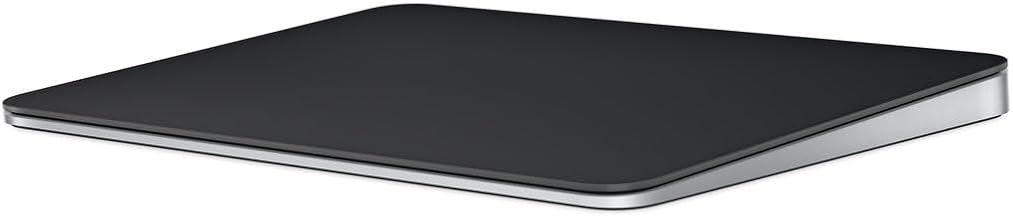
![Apple Magic Trackpad 2 (MJ2R2LL/A) [Lightning Port] - (Renewed)](https://m.media-amazon.com/images/I/31-L+P3iKBL._AC_UY218_.jpg)
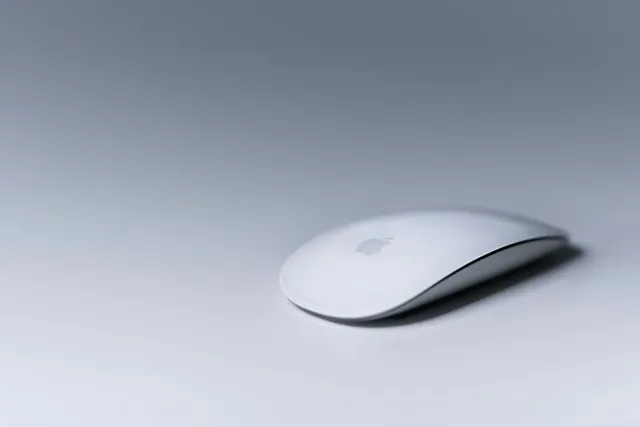
Apple rewrote the compatibility lists for the Magic Mouse and Magic Trackpad around August 25, dropping every Intel-based Mac from the official pages. This week, it reportedly extended the same edits to related tech-specs pages. The pages now read as if the accessories support Apple silicon Macs only, a shift worth knowing about if you're checking Magic Mouse and Magic Trackpad Intel Mac compatibility before buying or troubleshooting one.
The accessories still work with Intel Macs, MacRumors reports, which is why the listing change looks like a documentation update rather than a sign that support has ended. Apple hasn't responded to MacRumors' requests for comment, so there's no company explanation for the gap between the new pages and how the hardware actually behaves.
Are Magic Mouse and Magic Trackpad compatible with Intel Macs?
Based on the available reporting, yes, functionally, even though Apple's compatibility lists now suggest otherwise. Notably, the same product pages still list 'Mac with macOS 15.1 or later' under System Requirements without specifying Apple silicon.
That distinction matters more than it looks. A compatibility page removing a model isn't the same thing as a device failing to pair over Bluetooth, and neither is the same as a specific feature like scrolling or two-finger gestures breaking on hardware that's already paired. MacRumors' reporting only describes an edited list.
MacRumors cites no bug, firmware change, Apple statement, or test demonstrating a technical incompatibility. The only verified event is a change in published documentation, not a demonstrated change in how the hardware performs. The reporting also covers the Magic Mouse and Magic Trackpad specifically. It doesn't say whether Apple made the same edit to Magic Keyboard pages, so don't assume this covers every Apple peripheral until that's independently confirmed. Treat the missing Intel listing as a documentation gap worth watching, not proof that support has been cut.
Apple's accessory listings have not always matched reported behavior
This isn't the first time Apple's published compatibility information hasn't lined up with what people experienced using the hardware. When Apple launched the USB-C Magic Mouse, Magic Trackpad, and Magic Keyboard alongside the M4 Macs two years ago, the company's site advertised compatibility back to OS X 10.11, despite what 9to5Mac described as "some kind of incompatibility" with older macOS versions at the time.
Halide developer Sebastiaan de With posted on Threads that his new Magic Trackpad wouldn't pair or scroll correctly, and 9to5Mac reported that other users ran into similar trouble until they installed macOS Sequoia 15.1, the newest public release at the time. The outlet also noted forum reports suggesting the same problems persisted on the macOS 15.2 beta.
Function keys and Touch ID on the new Magic Keyboard stopped working on any macOS version besides 15.1, and scroll and gesture support broke on the Magic Mouse and Trackpad, according to that same reporting.
The takeaway is that Apple's compatibility pages and real-world device behavior have diverged before, over something as specific as a macOS point release, and it took installing a particular update before the reported symptoms eased.
What Intel Mac owners and buyers should do
The cited reporting doesn't identify a new failure affecting Intel Mac owners, so it doesn't establish a reason to replace a working accessory. If a Magic Mouse or Magic Trackpad is already pairing and scrolling normally on an Intel Mac, this week's page edit gives no cause on its own to change that setup.
Shopping for one of these accessories to use with an Intel Mac is a different situation. The 2026 edits apply to Apple's current USB-C Magic Mouse and Magic Trackpad pages, so confirm that the item in your cart is the current USB-C model before relying on those listings. Keeping the retailer's return window open is a reasonable precaution given how unsettled the reasoning behind the edit still is.
The 2024 history above points to one concrete troubleshooting step. Check whether the Intel Mac is running a supported macOS version before troubleshooting a pairing problem, since the 2024 reports pointed to the macOS version, rather than the Mac's processor, as the source of those problems.
Check whether the Intel Mac is running a supported macOS version before troubleshooting a pairing problem, since the 2024 reports pointed to the macOS version, rather than the Mac's processor, as the source of those problems. MacRumors' report doesn't include an Apple explanation or a test demonstrating an Intel-specific loss of function, so that step remains the most practical one available: update macOS first, then treat any lingering pairing or gesture problem as something to report and monitor rather than something this list change already predicts.










Comments
Be the first, drop a comment!