



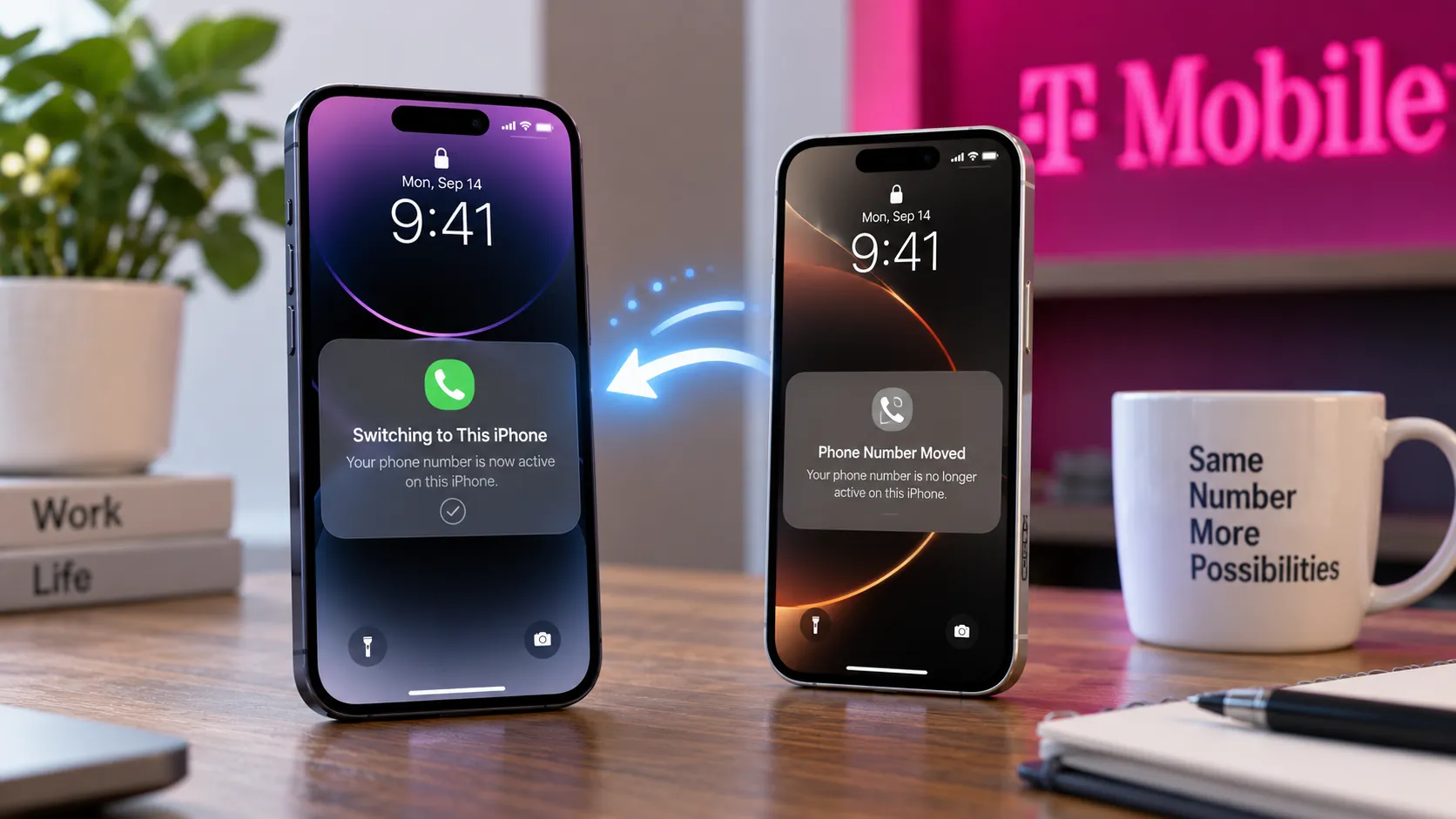
T-Mobile charges $5 per month for iPhone Handoff, the eSIM feature in iOS 27 that lets one phone number move between two iPhones, according to T-Mobile.
If you're picturing two phones ringing at once on the same number, that's not what this buys. Only one iPhone can have the number active on the network at a time, so Handoff works more like a switch than a second phone line.
Think of it like a baton pass: one iPhone holds the active connection, and unlocking the other automatically moves the number to that device.
Both phones are set up with the same number, but only the selected iPhone is active on the network at any given moment.
iOS 27 was released on September 14, 2026, and the iPhone 18 Pro lineup went on sale September 18. Apple's own iPhone Handoff documentation says carrier fees may apply and directs customers to their carrier for pricing.
At the moment, T-Mobile is the only US carrier offering iPhone Handoff. Telekom Germany also supports it in Germany.
How Much Does T-Mobile iPhone Handoff Cost?
The $5 monthly charge covers T-Mobile's carrier-side Handoff service, not iOS 27 itself.
Apple built the underlying feature into iOS 27, while carrier support, enrollment, and pricing sit with the participating carrier.
T-Mobile says customers with two compatible iPhones can use their T-Mobile number across both devices and choose which phone is active at any given time.
On the secondary iPhone, T-Mobile says supported services include:
Calls
Texts
Cellular data
Mobile hotspot
Scam Shield
T-Satellite
Some of those services still depend on the customer's underlying plan. For example, T-Satellite availability varies by plan, so the $5 Handoff fee shouldn't be read as adding every T-Mobile service independently.
Apple also says calls, voicemail, messages, Find My location, and other information synced through iCloud follow the iPhone you're currently using.
Deutsche Telekom in Germany takes a different approach.
According to 9to5Mac, Telekom doesn't charge a separate Handoff fee. Instead, Handoff uses its existing MultiSIM service.
A MultiSIM can cost €6.95 per month on many Telekom plans, although some plans include one or more MultiSIM slots at no additional charge.
Pricing therefore isn't standardized. T-Mobile has introduced Handoff at $5 per month, while Telekom folds the feature into its existing MultiSIM structure.
Verizon and EE are expected to add Handoff support by the end of 2026, but neither has announced pricing.
How T-Mobile iPhone Handoff Works on Two iPhones
Handoff uses eSIM technology to make the same phone number available across two separate iPhones.
One becomes the main iPhone, which Apple recommends making the device you use most often. The other becomes the secondary iPhone sharing the number.
Only one is active on the cellular network at a time.
Switching doesn't require opening an app or manually moving the eSIM. Unlock the iPhone you want to use, and it automatically becomes active while the other becomes inactive.
Apple displays a "Switching to This iPhone" message to confirm the change.
That makes Handoff useful for someone who regularly switches between two different iPhones but wants one phone number to follow whichever device they're carrying.
The main iPhone still has a few special responsibilities.
Apple says some carrier services, including Call Forwarding and Caller ID settings, as well as carrier account management, can only be managed from the main iPhone.
What iOS 27 Requires for Handoff to Work
Getting two iPhones to share a number takes more than turning on one setting.
Apple says both devices must:
Run iOS 27 or later.
Be connected to Wi-Fi during setup.
Be signed in to the same Apple Account.
Use Messages in iCloud.
Be signed in to FaceTime and iMessage with the same Apple Account.
Use an eSIM from a carrier that supports iPhone Handoff.
Enrollment can happen while setting up a new iPhone or afterward through Settings.
To set it up later:
Open Settings on the second iPhone.
Tap Cellular.
Tap Set Up Cellular or Add eSIM.
Choose Use Number on This iPhone and Another.
Follow the instructions on both phones.
That means existing owners of two compatible iPhones don't need to erase either device just to turn Handoff on.
Turning Handoff Off Requires the Carrier
Disabling the service works differently from enabling it.
Apple says you must contact your carrier to turn off iPhone Handoff.
Deleting the eSIM from one of the iPhones isn't enough.
Apple specifically warns that the carrier may continue charging for Handoff even after an eSIM is deleted until the customer asks the carrier to cancel the service.
That matters with T-Mobile's $5 monthly charge.
Anyone trying Handoff should treat cancellation as a carrier-account change, not as a switch that can simply be turned off inside Settings.
Who Can Use It Right Now?
Carrier support decides whether Handoff is available at all.
Apple's current support documentation lists:
United States: T-Mobile
Germany: Telekom
T-Mobile is therefore currently the only US option.
Apple has also said Verizon in the US and EE in the UK will add support by the end of 2026, with additional carriers expected later.
Until those launches happen, simply installing iOS 27 on a Verizon, AT&T, or other unsupported line doesn't make Handoff available.
What Dual SIM Setups Need to Know
Dual SIM adds another restriction.
Apple says iPhone Handoff works with Dual SIM only when both eSIMs come from carriers that support Handoff.
Each number has to be configured for Handoff separately.
Once both are set up, however, they don't move independently.
Unlocking the other iPhone switches both eSIMs at the same time.
That matters for anyone who carries two lines on one iPhone. You can't leave one Handoff-enabled line active on the first phone while moving the other line to the second.
Who Should Pay for Handoff?
Based on how the feature works, the $5 fee makes sense for a fairly specific kind of user.
Worth considering if: You regularly switch between two compatible iPhones and want one number, messages, data connection, and voicemail to follow whichever device you're carrying.
A poor fit if: You need both phones to ring or receive cellular service simultaneously on the same number. Only one device is active at a time.
Not a substitute for: A second independent phone line, a dedicated work number, or a full clone of one iPhone onto another.
The distinction matters because $5 a month buys switching convenience, not two simultaneously active phones.
What Doesn't Transfer: Apple Watch and Wallet Limits
iPhone Handoff moves cellular service, but it doesn't make the two phones identical.
Apple Watch is one clear limitation.
Apple says to pair your Watch with the iPhone you use most often because iPhone Handoff doesn't move the Apple Watch pairing when the active phone changes.
If the paired iPhone isn't nearby, the Watch may still work over Wi-Fi or its own cellular connection if available. Without either connection, some calls, messages, notifications, Siri AI features, and other experiences normally relayed through the paired iPhone may not work.
Wallet items have their own rules.
Apple says:
Payment cards can be added during Handoff setup and used on both iPhones.
A car key can be added and then shared across the two devices.
Some transit cards, IDs, and corporate badges may work on only one of the two iPhones at a time.
So Handoff isn't a full copy of an iPhone's digital identity and paired accessories.
It solves one narrower problem: keeping the same cellular number usable while moving between two iPhones.
Before You Enroll: What to Verify First
Given the $5 monthly charge and carrier-controlled cancellation process, a few things are worth checking before signing up:
Confirm that your T-Mobile account and plan can enroll in Handoff.
Ask T-Mobile exactly how the $5 charge appears on your account and whether any additional taxes or fees apply.
If you use services such as T-Satellite, confirm that your underlying plan includes them.
If you're running Dual SIM, confirm both carriers support Handoff.
Decide which device should be your main iPhone, since some carrier settings remain tied to it.
Pair your Apple Watch with the iPhone you'll use most often.
Remember that deleting an eSIM doesn't necessarily stop the $5 charge. Cancellation goes through T-Mobile.
Those checks are more useful than treating Handoff as a quick toggle you can experiment with and forget about.
What to Do Next
T-Mobile's $5-a-month fee buys number-switching between two iPhones, not a second simultaneously active line.
You need two iPhones running iOS 27 or later, the same Apple Account, Messages in iCloud, FaceTime and iMessage configured correctly, Wi-Fi during setup, and a supported carrier.
In the US, that carrier is currently T-Mobile. Telekom Germany supports the feature in Germany, while Verizon and EE are expected to join later in 2026.
If you're a T-Mobile customer curious about trying Handoff, confirm your account details before enrolling and remember that cancellation has to go through the carrier.
And don't expect your Apple Watch or every Wallet credential to jump automatically between phones just because your cellular number does.















Comments
Be the first, drop a comment!