




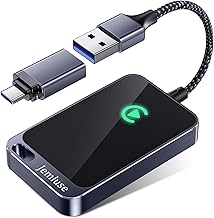


Plug into CarPlay for a quick errand run, and you might unplug later to find your phone has shed more charge than the trip seemed to justify. Apple forums and Reddit threads are full of the same complaint: CarPlay eats through battery faster than people expect. That's not a fringe annoyance, either, since CarPlay now works with more than 800 vehicle models.
The short version: CarPlay leans entirely on the iPhone to do its work rather than the car's onboard computer, so the phone is rendering everything shown on the dashboard, not just streaming audio. Go wireless, and the phone loses the charging boost a cable would otherwise provide. And even a plugged-in phone can stop gaining charge if it gets too hot, a built-in protection Apple can't turn off.
That's the baseline. Some drain is simply the cost of the phone doing real work every time CarPlay runs, but the same mechanics don't rule out a bad cable, a flaky USB port, or a car-specific quirk making things worse than they should be. What follows breaks down why CarPlay draws power the way it does, why wireless changes the math, why a "charging" phone can still lose ground, and how to tell normal consumption apart from something worth troubleshooting.
Why is Apple CarPlay draining my iPhone battery in the first place?
CarPlay's battery drain comes down to where the processing happens, and that's on the phone rather than in the car. The dashboard screen acts primarily as a display for whatever the iPhone sends it. Every icon, every map tile, every bit of album art gets generated on the phone first, then streamed over to the car.
Next to a basic Bluetooth audio connection, that's a meaningfully heavier workload. Ordinary Bluetooth barely touches the phone's processor, which puts CarPlay in an entirely different category, Engadget notes. Think of it like turning the phone into a second monitor's graphics card for the length of a drive, an analogy rather than a spec, but a useful way to picture the ongoing load. That doesn't mean every case of unusually fast drain is normal, but it does establish the baseline: the phone is working harder than most people assume, and that work carries a battery cost before anything else gets factored in.
What makes the drain worse: navigation, streaming, and weak signal
Not every CarPlay session pulls the same amount of power. Navigation is one of the biggest variables. Apps like Apple Maps and Waze ping location continuously, which makes them especially demanding on longer drives. Layer music or podcast streaming on top of that, and the drain adds up.
An hour of Waze running, or a few hours of Spotify streamed over cellular, is enough to make the battery hit hard to ignore, Engadget reports. Streaming music continuously uses battery on its own, even without navigation running in parallel. Cellular coverage plays a role too: driving through an area with weak signal forces the phone to work harder as it constantly searches for a connection.
None of this adds up to a fixed "CarPlay battery rate." A short trip with downloaded music and a familiar route simply puts fewer demands on the phone than a long drive relying on live navigation and streamed audio over patchy coverage, even though neither scenario has a measured battery cost attached to it. It's more useful to think about which of these demands are stacked on a given drive than to expect a consistent number.
Does wireless CarPlay drain more battery than wired CarPlay?
Wired and wireless CarPlay offer the same features on the dashboard, but going wireless comes at a cost. Without a cable connecting the phone to the car, the iPhone is powering the entire session on battery alone and isn't charging at the same time, assuming there's no charging pad or other power source in the car. That's a double hit: more power draw, with nothing offsetting it.
That's why Engadget calls a wired connection the best option for battery life, particularly on long trips where running low is a real concern. A cable keeps the phone charging for the entire time CarPlay runs, though "charging" doesn't guarantee the percentage climbs. If CarPlay's draw outpaces what the cable can deliver, or if the phone overheats mid-drive, the battery can still hold steady or slip even while plugged in.
Some cars with wireless CarPlay support also include a wireless charging pad, which helps close that gap. Wireless charging isn't as efficient as a cable, though, so it's a partial fix rather than a full substitute. Running wireless CarPlay with no charging source at all is the scenario that drains fastest.
When a "charging" iPhone still loses battery: the heat factor
Even wired CarPlay doesn't guarantee a full charge at the end of a drive. iPhones protect their battery by limiting charging when the device gets too hot or too cold, according to Apple's support guidance. That protection applies across charging methods, whether the phone is plugged in with a cable, resting on MagSafe, or sitting on another wireless charger.
When it kicks in, charging can slow down or pause entirely until the phone returns to a safe temperature range, and Apple notes this can temporarily affect performance too. The visible sign is a Lock Screen message along the lines of "Charging On Hold. Charging will resume when iPhone returns to normal temperature," with charging resuming automatically once the phone cools off or warms up.
A phone left in direct sunlight or in a hot car is one of the conditions Apple specifically warns against, recommending charging environments between 32° and 95°F. Running navigation for a long stretch in a hot cabin could plausibly push the phone toward that limit faster, though Apple's guidance addresses ambient heat broadly rather than CarPlay use specifically. Apple is blunt about the fix, too: these temperature-based protections work automatically and can't be turned off.
How to stop CarPlay from draining your iPhone battery
These adjustments won't eliminate CarPlay's workload, but each one trims part of the drain.
Turn off the screen. The display can stay on unnecessarily while powering CarPlay in the background, so locking it once a route or playlist is set cuts some of that cost. It won't stop the phone from rendering the dashboard interface itself, just the extra draw from the phone's own screen.
Turn on Low Power Mode. This reduces unnecessary background processes while driving, though it doesn't reduce the rendering or navigation work CarPlay itself demands.
Download media ahead of time. Downloading playlists or podcast episodes before a drive cuts mobile data use and reduces the phone's constant switching between cell towers, but it won't help on drives where live navigation is unavoidable.
Skip navigation on familiar routes. Leaving Maps or Waze closed when the route is already known keeps GPS from pinging continuously in the background. Obviously not an option on unfamiliar roads or in areas you actually need directions.
Keep iOS updated. CarPlay runs through iOS, so any battery-efficiency improvements Apple makes to the feature arrive with new OS versions rather than as a standalone fix you can trigger yourself.
Manage heat exposure. Removing a case if the phone tends to run warm, keeping it out of direct sunlight, and charging within Apple's recommended range all lower the odds of thermally limited charging kicking in mid-drive, though the protection itself can't be switched off if conditions call for it.
Anyone worried about long-term battery wear doesn't need a separate setting for CarPlay specifically. The feature respects whatever charging limit is already set under Settings > Battery > Charging on iPhones with that option enabled, rather than overriding it.
How to diagnose the problem: a quick decision tree
If none of the settings changes above fully explain what's happening, work through these three checks in order.
Running wireless and watching the battery drop? Switch to a cable. This addresses the single biggest lever, since wireless CarPlay with no charging pad means the phone is powering the whole session on battery with nothing offsetting the draw. If plugging in stops the slide, the issue was the missing charging input, not a deeper problem.
Plugged in but charging feels slow? Check the Lock Screen for a "Charging On Hold" message before blaming the cable or the car's USB port. If that message appears, the phone's thermal protection is holding charging back until it cools or warms to a safe range, and there's no setting to override it. Its absence doesn't clear the cable or port, though; it only rules out heat as the cause at that moment.
Phone feels cool, the cable is known to work on another device, and charging still isn't keeping pace? That's the point to test a different cable and port combination, or try the car's USB output with a different phone. Neither Engadget's reporting nor Apple's guidance tests car USB ports directly, so treat this as a troubleshooting step rather than a confirmed fix, one that isolates whether the car's hardware, the cable, or the port is the weak link.
Use wired CarPlay for long drives, keep the phone out of direct sun, and download music or podcasts before leaving. Those are the first factors worth checking before assuming anything is broken. If a cool, cable-connected phone still can't keep up under otherwise normal conditions, test the port or the cable itself before treating it as a CarPlay or software problem.

















Comments
Be the first, drop a comment!