



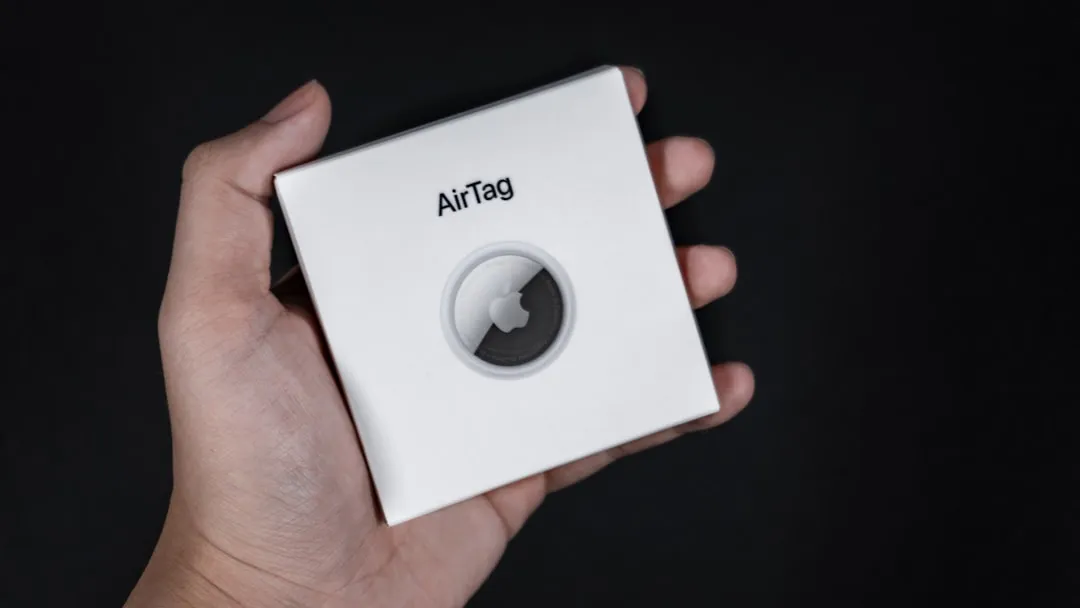
How to Tell if an AirTag Is Tracking You (And What to Do About It)
Unwanted tracking is no longer the stuff of spy thrillers—it's a real concern in the age of Bluetooth trackers. Apple's AirTags, launched in April 2021, have made it incredibly easy to keep tabs on keys, wallets, and bags, but that same convenience has opened the door to misuse. Whether it's an ex-partner, a stalker, or someone with malicious intent, the possibility of being tracked without your knowledge is unsettling. The good news? Both Apple and Google have rolled out cross-platform features to alert you if an unknown AirTag is moving with you, and knowing how to spot the signs can give you peace of mind and control over your privacy.
This guide walks you through the telltale signs that an AirTag might be tracking you, how to use built-in alerts on iOS and Android, and what steps to take if you discover an unwanted tracker. We'll also dig into the limitations of these safety features and best practices to stay one step ahead. Let's break it down.
How Apple's anti-stalking alerts work on iPhone
Apple built anti-tracking protections directly into iOS, starting with iOS 14.5 and refining them in subsequent updates. Here's what you need to know: if an AirTag that doesn't belong to you has been traveling with you for a period of time, your iPhone will send you a notification titled "AirTag Found Moving With You." This alert typically appears after the AirTag has been separated from its owner for a while—usually between four and eight hours, according to Apple's safety documentation—and has been in your vicinity during that time.
When you receive this alert, you can tap on it to see a map showing where the AirTag has been detected near you. This is where things get genuinely useful—you're not just told "hey, there's an AirTag," you get actual location data that can help you piece together when and where this tracker might have been planted on you. iOS also lets you play a sound on the AirTag to help you locate it physically. If you find the AirTag, you can hold it near your iPhone (using NFC) to view its serial number and information about its registered owner, if available. This feature is designed to help you identify whether the AirTag is genuinely lost or if someone is using it to track you.
It's worth noting that these alerts are most effective when your iPhone's Bluetooth and Location Services are enabled. The notification requires sustained proximity detection across multiple location points to distinguish between coincidental travel (like riding in a friend's car who has an AirTag on their keys) and actual tracking. Apple has also introduced "Precision Finding" on iPhone 11 and later models, which uses Ultra Wideband technology—the same technology that enables directional AirDrop—to guide you directly to the AirTag's location with on-screen arrows and distance indicators. It's surprisingly accurate and feels a bit like a high-tech treasure hunt, though obviously under less-than-ideal circumstances.
What Android users need to know about AirTag detection
For years, Android users were left in the dark when it came to detecting rogue AirTags. That wasn't exactly fair, considering AirTags could track anyone regardless of what phone they carried. That changed when Apple and Google announced a cross-platform initiative in May 2023 to combat unwanted tracking. As of late 2023, Android devices running version 6.0 and above can receive automatic alerts if an unknown AirTag is traveling with them, thanks to a built-in feature that scans for suspicious Bluetooth trackers.
This was a genuinely big deal in the tech world—competitors working together on a privacy and safety issue doesn't happen every day. Before this native support, Android users had to rely on Apple's "Tracker Detect" app, which required manual scanning. You had to remember to actually open the app and run a scan, which let's be honest, most people weren't doing regularly.
Now, the process is more automatic: if an AirTag that isn't registered to you has been moving with you for a certain period, your Android phone will display a notification labeled "Tracker traveling with you." You can tap the alert to see more details, play a sound on the AirTag, and learn how to disable it if necessary. The system scans for tracker signatures every few minutes without meaningfully impacting battery life.
However, the Android implementation still has some quirks. The detection window can be longer than on iOS because Android devices must scan for a broader range of Bluetooth signatures across different manufacturers, whereas iPhones can prioritize Apple's specific protocols. Additionally, not all Android manufacturers have rolled out this feature uniformly, so your mileage may vary depending on your device model and software version. If you're concerned about tracking, it's a good idea to keep your Android OS updated and periodically check your Bluetooth settings for unfamiliar devices.
Recognizing the physical signs and sounds of a nearby AirTag
Beyond digital alerts, AirTags have a built-in audio cue designed to deter misuse. According to Apple's safety features, if an AirTag has been separated from its owner for an extended period—typically between 8 and 24 hours—it will begin emitting a beeping sound. This chirping is meant to alert anyone nearby that an AirTag is present, even if they don't have a smartphone capable of detecting it.
The beeping reaches about 60 decibels—loud enough to hear in a quiet room but quiet enough not to disturb an entire building, reflecting Apple's attempt to balance anti-stalking protection with not creating noise pollution from legitimately lost items. Think of it as somewhere between a smoke detector's low-battery chirp and a digital watch alarm—persistent enough to be annoying, but not so loud that it'll wake the neighbors.
If you hear this sound and can't identify its source, it's worth investigating. Check your belongings—bags, coat pockets, car glove compartments, and even the undercarriage of your vehicle—for a small, coin-sized disc. AirTags are designed to be discreet—their compact size means they fit in standard key ring holders, but this also means they can be concealed in a jacket hem or bag lining with equal ease. According to reports from law enforcement, people have found them wedged into car bumpers, slipped into purse linings, and hidden in jacket hoods. The creativity of bad actors is, unfortunately, impressive.
It's also important to know that the beeping can be disabled by someone with physical access to the AirTag by removing the speaker, so the absence of sound doesn't guarantee you're not being tracked. That's why relying on both digital alerts and physical checks is your best bet for comprehensive protection. The audio feature is a good failsafe, but it's not foolproof, and anyone determined enough to use an AirTag for stalking might also be savvy enough to tamper with it.
What to do if you find an AirTag tracking you
Discovering an unwanted AirTag can be alarming, but knowing how to respond is crucial. First, if you receive an alert on your iPhone or Android device, follow the prompts to play a sound and locate the tracker. Try to stay calm and methodical—documentation will be important if this escalates. Once you've found it, you can disable it by removing the back cover and taking out the battery. This immediately stops the AirTag from transmitting your location.
The back cover twists off relatively easily (Apple designed them to be user-replaceable for battery changes), so you don't need any special tools. Just press down and rotate counterclockwise, and the cover should pop off, revealing a standard CR2032 battery that you can remove.
If the AirTag has an engraving or any identifying information, document it—take photos and note the serial number (which you can access via NFC on a compatible smartphone). Document the serial number, any engravings, the exact location where you found it, and take photos showing its placement—courts have used this type of evidence in stalking cases to establish pattern and intent. If you believe you're being stalked or your safety is at risk, contact local authorities immediately. Many police departments are now trained to handle cases involving Bluetooth trackers, and Apple can work with law enforcement to identify the owner of a registered AirTag.
You should also review your surroundings and recent locations. The map feature in the tracking alert can show you where the AirTag has been detected with you, which might help you identify when and where it was planted. Did it first appear after you left a particular person's house? After you parked in a certain lot? These patterns can be revealing and potentially important for any investigation.
Finally, take steps to secure your personal space—check your car, home, and frequently used bags for any other tracking devices. Consider using your phone's Bluetooth scanner to detect other trackers, and inspect wheel wells, bumpers, and under seats where magnetic cases might attach. If someone had the opportunity to plant one tracker, consider changing locks or access codes if you suspect they've had physical access to your belongings.
Limitations of current anti-tracking protections and how to stay vigilant
While Apple and Google's anti-tracking measures are a significant step forward, they're not foolproof. One major limitation is the time delay: according to the joint industry specification, alerts typically don't trigger until an AirTag has been with you for several hours, which means a determined tracker could still monitor your movements for a short window before you're notified. Recent updates have improved this—iOS 17 reduced average detection time compared to earlier versions, though Apple doesn't publish exact timeframes for security reasons.
Additionally, if someone uses a non-Apple Bluetooth tracker like Tile or Samsung SmartTag, the detection systems may not catch it, though the cross-platform standard aims to address this as more manufacturers adopt the specification.
Another gap is that alerts depend on having a smartphone with Bluetooth and Location Services enabled. If you don't carry a phone, or if your device's battery dies, you won't receive any notifications. The audio alert from the AirTag itself is a backup, but as mentioned, it can be tampered with.
To stay vigilant, make it a habit to periodically check your belongings and vehicle for unfamiliar devices. Use the manual scanning features available on both iOS (Find My app's "Items That Can Track Me") and Android (Tracker Detect or built-in Bluetooth settings) to sweep for nearby AirTags, especially if you're in a situation where you feel unsafe. The Find My app's feature can detect AirTags even before the automatic alert threshold is reached, providing an extra layer of proactive protection.
Keep your software updated, as both Apple and Google continue to refine their anti-tracking algorithms and reduce detection times with each release. Finally, educate yourself on your local laws regarding stalking and electronic surveillance. The National Center for Victims of Crime maintains resources on state-by-state electronic surveillance statutes, and many jurisdictions now classify GPS tracking without consent as a serious offense. Knowing your rights can empower you to take swift action if needed.
Where do we go from here?
The rise of Bluetooth trackers like AirTags has changed the landscape of personal privacy and safety. While these devices offer undeniable convenience for finding lost items, they've also introduced new vectors for abuse. The collaborative efforts by Apple and Google to implement cross-platform anti-tracking alerts represent a meaningful response, but the technology is still evolving, and gaps remain.
Your best defense is a combination of awareness, proactive checking, and leveraging the tools already built into your devices. This isn't about living in fear—it's about being informed and prepared, the same way you'd be aware of your surroundings in any potentially vulnerable situation. Enable automatic alerts in your phone's settings, bookmark Apple's AirTag safety page, and stay informed about updates to iOS and Android that enhance detection capabilities.
As more manufacturers adopt these safety standards—with Samsung, Tile, and Chipolo committing to the industry specification—the detection network will become more comprehensive. Don't hesitate to reach out to authorities if you suspect you're being tracked. The conversation around unwanted tracking is far from over, and advocacy organizations like the Electronic Frontier Foundation and National Network to End Domestic Violence continue to push for stronger protections and clearer legal frameworks.
In the meantime, knowing how to spot the signs and take action is your most powerful tool. Check your settings, trust your instincts, and remember that you have every right to privacy and safety in both the digital and physical worlds.













Comments
Be the first, drop a comment!