




Apple HomeView 27.2.1 update fixes Siri bugs, not all
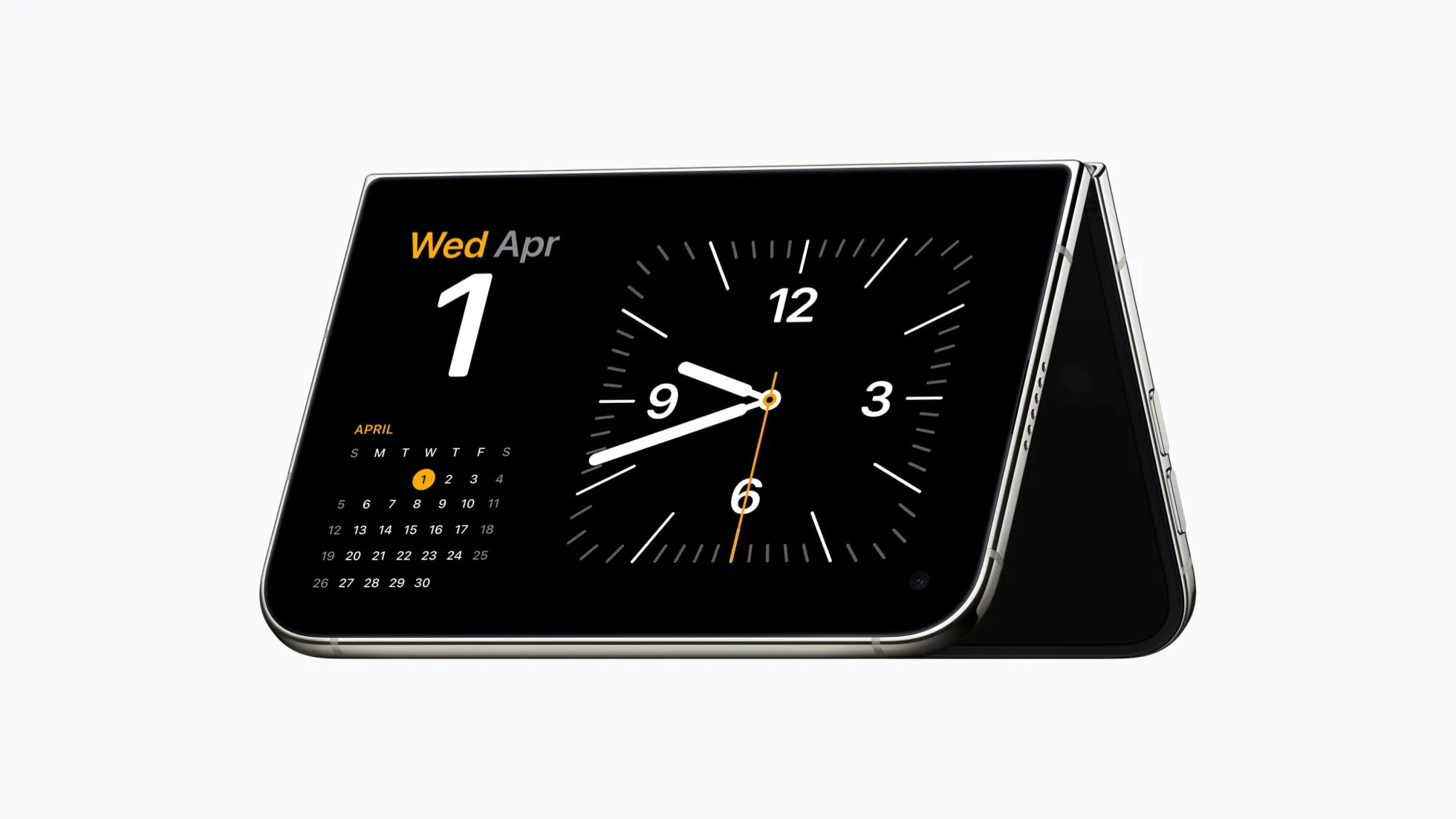
Apple released the HomeView 27.2.1 update on November 18, less than a week after the smart home hub went on sale on November 13. The Apple HomeView 27.2.1 update targets three specific bugs, adds no new features, and is now available to all users (MacRumors; 9to5Mac).
Two of the three fixes address Siri failures. The third stops HomeView from being unexpectedly removed from a user's configured home when another hub gets connected (MacRumors).
Owners who ran into Siri not working on Apple HomeView during the device's first week should see improvement in those two specific scenarios. Several widely reported Siri complaints still aren't named in Apple's release notes, though, and a separate, more serious lock-related issue isn't touched by this patch at all.
What does the Apple HomeView 27.2.1 update fix?
Apple's release notes, reproduced by MacRumors and 9to5Mac, list three named issues:
- Setting up a Shared Album on the Photos face could prevent HomeView from downloading the components Siri needs, leaving the assistant unavailable entirely.
- Pairing HomeView with an iPhone or iPad running the iOS 27.3 or iPadOS 27.3 beta could cause Siri requests to fail.
- Connecting another home hub device could unexpectedly remove HomeView from the configured home.
Apple describes these as "important bug fixes" and lists no new features anywhere in the changelog (9to5Mac).
This isn't technically HomeView's first update. Units shipped running older software and required an initial jump to version 27.2 before 27.2.1 arrived, according to 9to5Mac. 27.2.1 is better understood as the first post-launch patch.
To check which version is installed, open Settings on the device, then System, then Software Update. That screen shows whether 27.2.1 is already running, still downloading, or hasn't appeared yet on that unit.
Siri not working on Apple HomeView: what 27.2.1 does and doesn't address
Before the patch landed, MacRumors reported multiple forum threads about Siri problems, including one thread with more than 100 posts in which several owners said HomeView refused to set timers or alarms and instead claimed a software update was required, even when the device reported it was already current (MacRumors).
In a separate thread, one poster said an AppleCare senior advisor told them other owners had reported the identical problem, and that a cold reboot of the paired iPhone cleared it up. Other owners in that batch of reports described Siri taking minutes to respond, or repeatedly announcing it was "downloading Siri" with no indication of when that would finish (MacRumors).
Two further threads cover music commands specifically. Owners reported commands failing outright or being carried out on a paired iPhone instead of HomeView, even while the hub's screen showed Siri actively listening. Owners running multiple units said commands aimed at one room sometimes played in another, for no obvious reason (MacRumors).
None of that appears in Apple's official release notes for 27.2.1. These are owner reports from MacRumors forum threads, not issues Apple has acknowledged by name. 9to5Mac does note early indications that the update also improved alarm and timer failures for some users, but since Apple never listed that fix formally, it stays in unconfirmed territory rather than documented territory (9to5Mac).
Before assuming a lingering Siri issue is a bug, it's worth ruling out device conflicts first. Apple's support documentation explains that if Bluetooth is turned off, a device is out of Bluetooth range, or one device is running outdated software, multiple Siri-enabled devices nearby might respond to the same request, which can look like a malfunction when it's actually a device-selection conflict (Apple Support). Apple's support steps include turning off "Hey Siri" listening on the device that shouldn't respond, laying an iPhone face down, or closing a Mac's lid so it stays quiet.
What Apple HomeView 27.2.1 doesn't fix: Siri and door locks
Reviewer Joanna Stern tested a scenario where HomeView's camera had already authenticated a recognized user, yet Siri still failed to unlock a connected door lock or garage door by voice. According to the report, the assistant at one point behaved as though it had no camera at all (MacRumors).
That bug isn't part of 27.2.1. Apple has said it plans to address it with a separate software update coming in December, but hasn't named a version number or release date (MacRumors; MacRumors). Owners who depend on voice unlocking will need another method until Apple ships and verifies that separate fix.
Apple's support page also states that Siri features vary by region, language, hardware, and software version (Apple Support). That's a general limitation Apple discloses for Siri across its product line, not a prediction specific to how HomeView will behave after installing 27.2.1. It's still a reason to check Apple's documentation for a given setup rather than assume every Siri feature behaves the same way everywhere.
How to update Apple HomeView to version 27.2.1
The update installs directly on the device through Settings, then System, then Software Update. It can also be triggered from the Home app on a paired iPhone, iPad, or Mac (MacRumors; 9to5Mac).
HomeView installs available updates automatically by default, so some owners may already be running 27.2.1 without having done anything. The device needs to stay connected to power for installation to complete (Mac Life).
One of the three documented fixes specifically targets the combination of HomeView paired with an iPhone or iPad running the iOS 27.3 or iPadOS 27.3 beta. Apple's notes identify that pairing as the affected configuration, so anyone running that beta should confirm both devices are updated and test Siri again afterward.
HomeView 27.2.1 formally closes three gaps: the Shared Album bug that blocked Siri's download, the Siri failures tied to iOS/iPadOS 27.3 beta pairing, and the bug that could drop HomeView from a home when a second hub connects. Timer, alarm, music-routing, and slow-response complaints reported by owners aren't named in Apple's release notes, even with early signs of improvement. The voice-unlock failure for doors and garages that Joanna Stern documented remains unresolved and is scheduled for a December update with no version number attached yet.
Install 27.2.1 to pick up the three confirmed fixes. Test Siri specifically for timers, music routing, and response speed afterward instead of assuming those complaints are resolved, and keep a backup method ready for any door or garage lock that relies on voice unlock until Apple's December update actually lands.


Comments
Be the first, drop a comment!