



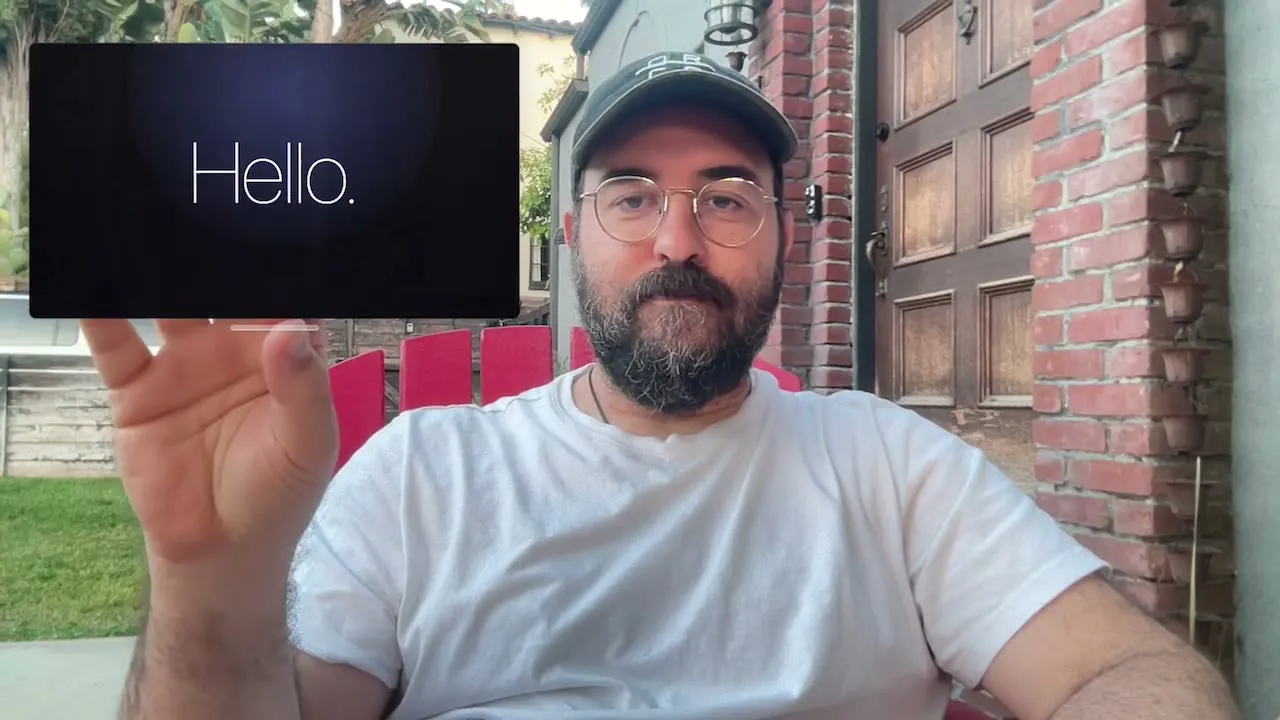
Adam Lisagor of Sandwich has released the Hovercraft Mac app, a virtual camera utility that keeps presenters visible on screen while they share content during video calls. The app composites the presenter's webcam feed and a floating, movable window into a single outgoing video stream, so the audience never sees a screen takeover. Hovercraft is available now, free to try, and priced from $19 for a single Mac.
The product's pitch cuts straight to it: "Your face stays on camera. The slide sits next to it. No screen share. No option-tab. No corner thumbnail." Presenters select Hovercraft as their camera source in Zoom or any compatible app, and from there control the layout using hand gestures rather than keyboard shortcuts or window management.
How the Hovercraft Mac app compares with Presenter Overlay
Apple took a run at this problem when it introduced Presenter Overlay alongside macOS Sonoma. The feature places a small picture-in-picture speaker window above shared content, so the presenter stays visible during screen sharing rather than disappearing entirely. It works inside Zoom, FaceTime, and other supported apps. No third-party software required.
Presenter Overlay is more constrained. It offers small and large modes, but it does not provide Hovercraft-style live gesture controls, annotations, or layout switching. It runs as a system-level behavior, not something the presenter operates. For occasional screen sharing, that's fine. For someone walking a client through a document and needing to toggle between showing data and speaking directly to the camera, the ceiling comes up fast.
There's a secondary constraint most users don't discover until they've already started a call. When Presenter Overlay is active, any virtual background configured in Zoom or a comparable app stops working, and the presenter's actual physical background becomes visible to everyone on the call. For anyone relying on background blur or a custom backdrop for professional calls, that's not a minor tradeoff.
Hovercraft handles this differently. Because it composites the presenter and content into a single outgoing video stream before it reaches the calling app, Zoom and similar tools receive it as an ordinary camera feed. Virtual backgrounds can remain active. The presenter's environment stays under control. The calling app has no reason to know anything unusual is happening.
The distinction between the two approaches isn't really about visibility: both keep the presenter on screen. The difference is what the presenter can do once they're there. Presenter Overlay places a window. Hovercraft gives the presenter control over the window's position, size, and relationship to the video feed, in real time, using gestures.
Gestures, annotations, and what's new in Hovercraft for Mac
The gesture model is what makes Hovercraft structurally different from any overlay-based approach. Presenters reposition the floating content window by reaching toward the camera and pinching the air, then pulling the window where they want it. No clicking, no alt-tabbing, no glancing away from the camera to find a menu. Keyboard shortcuts are available as a fallback, but gestures are the primary mechanism and the reason the app is built the way it is.
The practical value here is eye contact. When a presenter drags a window across the screen with a mouse, the audience sees them look away. When a presenter repositions a floating overlay with a pinch gesture while facing the camera, the transition is invisible to the audience. The presentation continues without a visible mode switch.
Since its initial release, Hovercraft has added annotation tools, the ability to type directly over the floating window, and a layout toggle that lets presenters switch between content-forward and face-forward arrangements. The layout toggle matters most in calls that move between different types of moments: a data-heavy slide that needs to fill most of the frame, then a direct-to-camera point where the presenter should be the larger element, then back to the slide. With standard screen sharing or a fixed overlay, each of those transitions requires a visible action. With Hovercraft, the presenter manages it without breaking the flow of the conversation.
This is the workflow difference the feature list is actually pointing toward. Gestures, annotation, and layout switching aren't additions to a basic overlay. They're a set of live controls for a presentation interface, and that's the gap between what Hovercraft does and what Apple's system feature offers.
The research case for keeping the presenter present
The "more personal" framing Hovercraft uses isn't just product positioning. A peer-reviewed Microsoft Research study published in April 2025 found that participants in video meetings where real-time facial movement was preserved reported better meeting effectiveness, greater comfort, and more inclusiveness than those using static visuals. After experiencing all three representation modes tested in the experiment, 95.6% of participants chose webcam animation as their preference, the study found.
The study, which involved 68 employees across 16 groups completing collaborative decision-making tasks, tested stylized avatars across three animation modes: static picture, audio-driven animation, and webcam-driven animation with full facial expressions and head movement. It doesn't test Hovercraft directly, and its focus is avatar representation rather than composited video. Still, the study supports the narrower idea that meaningful facial motion can improve perceived presence. A speaker who remains expressive and present in the frame reads as more engaged and effective than one who disappears or goes static.
Hovercraft's mechanism aligns with that finding. Keeping the presenter's face in the frame alongside shared content, at a size the presenter controls, is precisely the kind of presence the research found participants valued. A separate position paper published in January 2025 made a similar point, arguing that video conferencing tools capable of compositing webcam video with dynamic content displays, controlled through gesture and pose recognition, represent a logical next step beyond the current model of screen sharing with a thumbnail webcam view, per the paper.
Neither paper is a product review. Together, they describe the direction the category is moving.
Pricing and who it's built for
Hovercraft is free to try and priced at $19 for a single Mac license; the two-Mac license runs $29. The clearest fit is Mac users who present regularly in structured contexts: sales demos, client walkthroughs, remote training sessions, anyone whose calls routinely involve showing content and talking through it. For these users, the layout limitations of Presenter Overlay tend to surface in every session, not occasionally.
For Mac users who share their screen infrequently and have no need to annotate, reposition content, or switch layouts mid-call, Apple's Presenter Overlay is free and already installed. It requires an Apple Silicon Mac running macOS Sonoma or later, which covers most Macs sold since late 2020. For casual presenters, that's probably the right tool.
The decision mostly comes down to frequency and context. Presenter Overlay solves the visibility problem for users who need a lightweight fix. Hovercraft is for users who've already hit the ceiling on that fix and want live control over what the audience sees: where content sits in the frame, when the presenter's face takes over, and what gets annotated on screen. Whether the gesture reliability and app compatibility hold up in daily use are open questions, but ones the free trial is designed to answer.












Comments
Be the first, drop a comment!