





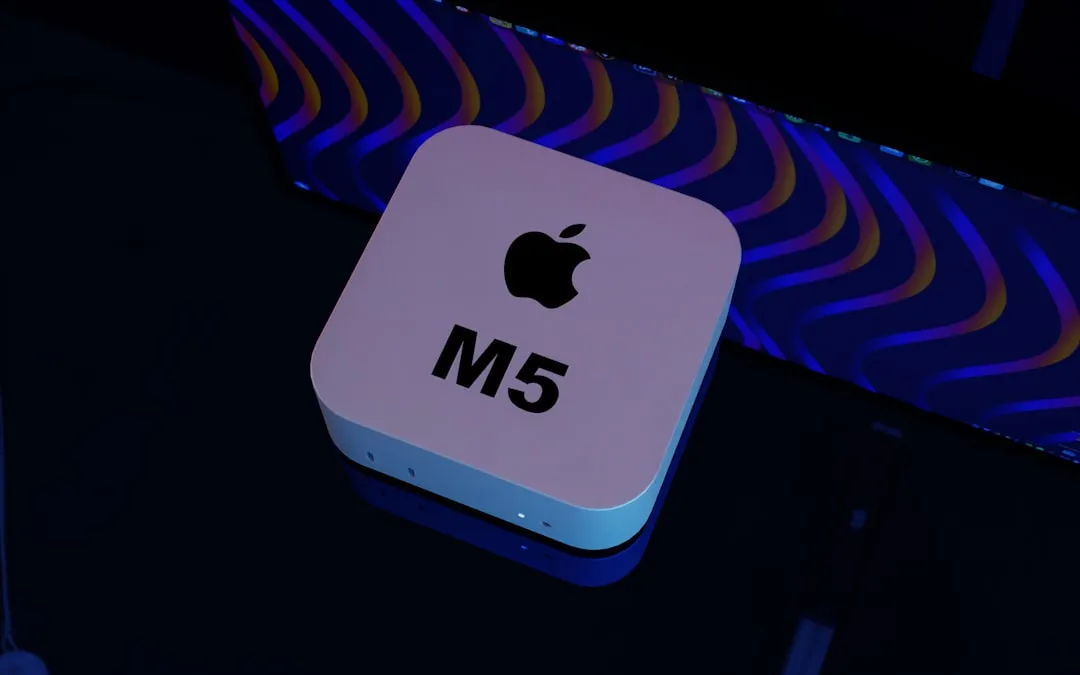
Apple's latest MacBook Air announcement brings some intriguing developments that go well beyond the typical annual chip refresh. The M5 MacBook Air introduces enhanced performance capabilities and expanded AI features to what's already the world's most popular laptop.
But here's what caught my attention: Apple doubled the base storage to 512GB while implementing faster SSD technology, and they've introduced their custom N1 wireless chip for Wi-Fi 7 and Bluetooth 6 connectivity. The pricing starts at $1,099 for the 13-inch model, representing a $100 increase over previous expectations, though education pricing remains at $999.
What makes the M5 chip worth the upgrade?
The M5 processor brings meaningful improvements beyond raw speed bumps. Apple equipped the chip with a faster CPU and next-generation GPU, plus enhanced neural processing capabilities, enabling the MacBook Air to handle everything from creative workflows to complex AI tasks more efficiently.
What's particularly fascinating is how Apple achieved these gains. The architecture may use advanced packaging techniques such as TSMC's SoIC, though Apple has not confirmed specifics. Think of it like building a more complex apartment building where each floor can be optimized for different purposes, rather than having one large open space trying to do everything.
This architectural shift translates directly to real-world performance improvements. The approach could deliver significant graphics performance improvements by improving GPU performance within Apple's unified memory architecture.
For users working with video editing, 3D rendering, or demanding creative applications, this means smoother performance and better multitasking capabilities. Improved neural processing also means that AI-powered features like image processing, voice recognition, and background blur in video calls will run more efficiently without draining the battery—something you'll notice during those long Zoom meetings.
PRO TIP: If you're currently struggling with video editing or 3D work on an older MacBook Air, the M5's architectural improvements should provide the most noticeable upgrade you've experienced in years.
Storage strategy: why doubling base capacity matters
Apple's decision to start at 512GB instead of the traditional 256GB addresses one of the most common user complaints about entry-level MacBooks. Let's break down the value proposition: the new models come standard with double the starting storage using faster SSD technology, and configurations extend up to 4TB for power users.
Here's the math that makes this compelling: upgrading from 256GB to 512GB on previous models typically cost $200. So while the M5 MacBook Air starts at $1,099 (a $100 increase), you're essentially getting that storage bump for half the usual upgrade cost. When you factor in the faster SSD technology, users are actually getting a better deal despite the higher starting price.
This storage bump reflects how people actually use their laptops today. With high-resolution photos from modern smartphones, 4K videos, larger applications, and the tendency to keep more files locally for offline access, 256GB feels constraining almost immediately.
I've tested countless MacBooks over the years, and storage limitations consistently rank as the top user frustration after the first six months of ownership. Starting at 512GB means most users won't hit those limitations for years, and the faster SSD technology ensures that data transfer speeds keep pace with the M5's processing capabilities.
N1 wireless chip: Apple's connectivity play
The introduction of Apple's custom N1 wireless chip represents a strategic move toward greater hardware integration. This dedicated wireless solution delivers Wi-Fi 7 and Bluetooth 6 capabilities, providing faster data transfer speeds and more reliable connections for mobile workflows.
What makes this particularly strategic is Apple's approach to product differentiation. Reports suggest that Apple's rumored budget MacBook will use a MediaTek wireless solution instead, making the N1 chip a clear differentiating feature for premium models. This creates distinct product tiers while giving Apple more control over the wireless experience on their higher-end devices.
For practical applications, Wi-Fi 7 support means significantly faster file transfers when working with cloud storage or network-attached storage devices—think uploading large video projects or syncing massive photo libraries in a fraction of the time. Bluetooth 6 brings improved energy efficiency and better connection stability with wireless peripherals like mice, keyboards, and headphones.
In real-world use, similar wireless upgrades are often more noticeable than raw speed gains, especially in crowded wireless environments like coffee shops or co-working spaces.
Bottom line: This wireless upgrade becomes particularly valuable as more professionals rely on cloud-based workflows and wireless peripherals, especially in hybrid work environments where seamless connectivity can make or break productivity.
Who should consider upgrading?
The upgrade math depends heavily on your current setup, and frankly, not everyone needs to rush out and buy this thing. Based on my analysis of the performance improvements and cost considerations, users with M1 MacBook Air models should seriously consider the M5 upgrade, especially since those older devices still use the previous design language with limited port selection. The performance jump from M1 to M5, combined with the doubled storage and enhanced wireless capabilities, represents a significant generational leap.
However, owners of M3 or M4 MacBook Air models probably shouldn't rush to upgrade, as the performance gains may not justify the cost. If you're currently happy with your M3 or M4 MacBook Air's performance for your daily tasks, the M5's improvements are more evolutionary than revolutionary.
Here's my practical upgrade guide:
Definitely upgrade: M1 or earlier models, especially if you're hitting storage limitations or wireless connectivity issues
Consider carefully: M2 models where storage or specific AI workloads are bottlenecks
Probably wait: M3 or M4 models unless you have specific needs for the enhanced wireless features
The M5 MacBook Air becomes available for pre-order March 4th with general availability starting March 11th, giving potential buyers time to evaluate whether the enhanced storage, wireless capabilities, and AI performance improvements align with their workflow needs.
Bottom line: evolution with strategic improvements
Apple's M5 MacBook Air represents thoughtful evolution rather than revolution, addressing real user pain points while maintaining the Air's position in the lineup. The doubled storage, enhanced wireless connectivity, and improved AI capabilities create a more compelling package, even with the modest price increase.
The timing also positions this release strategically against the rumored budget MacBook, which Apple internally describes as "incredible value" and expects to drive significant Windows and Chromebook switchers. By enhancing the MacBook Air's value proposition while maintaining clear differentiation from the upcoming budget model through features like the N1 wireless chip, Apple is essentially future-proofing their laptop lineup against both premium competition and their own lower-tier offerings.
For users seeking a balance of performance, portability, and future-proofing, the M5 MacBook Air delivers meaningful improvements that justify its place as one of the world's most popular laptops, according to Apple. The key question isn't whether it's a good laptop (it clearly is), but whether the improvements match your specific needs and timeline.
The key takeaway: If you're coming from an M1 or earlier model, or if storage limitations and wireless connectivity have been pain points in your current workflow, this represents a solid upgrade that should serve you well for years. If you're already satisfied with a recent MacBook Air, you can probably wait for the next generation without missing anything critical to your productivity.










Comments
Be the first, drop a comment!