



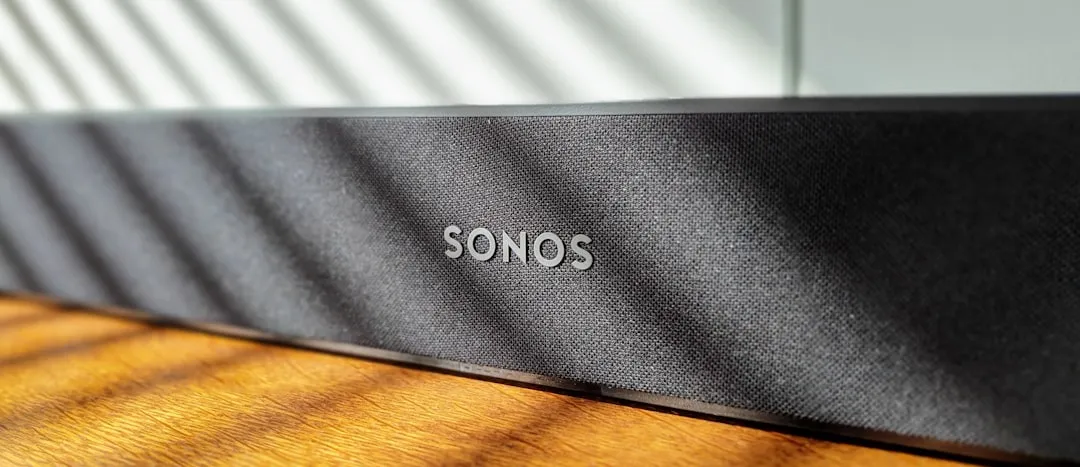
If you're an iPhone user who's ever fumbled to pause your Sonos speaker mid-conversation or wished you could skip a track without hunting down the app, you're not alone. Sonos is working on a solution that addresses one of iOS users' most persistent frustrations: the lack of quick lock screen audio controls. The company is developing Live Activities support for its iOS app, according to reporting from Bloomberg's Chris Welch, bringing a feature that Android users recently received but iPhone owners have been missing. This isn't just a nice-to-have upgrade—it's about fixing a fundamental UX gap that's made controlling Sonos speakers unnecessarily cumbersome on Apple's platform. The development comes as part of broader app improvements under new CEO Tom Conrad, who's taking a measured approach after the company's disastrous 2024 app redesign nearly upended the entire company.
Why iOS users have been stuck in the dark
Here's the thing: controlling Sonos speakers from an iPhone has always required more steps than it should. While Sonos recently rolled out lock screen playback controls for Android devices, iOS users have been left without an equivalent solution. The official Sonos app has never supported any form of iOS widget functionality—no Home Screen widgets, no Lock Screen widgets, and no Live Activities integration, despite these features becoming standard in Apple's ecosystem years ago.
This absence stems from Sonos's decision not to implement Apple's WidgetKit and ActivityKit frameworks—APIs that have been available since iOS 14 and iOS 16, respectively. These frameworks allow lightweight, power-efficient controls without requiring the full app to remain active in memory. Instead, iPhone users must unlock their device, locate the Sonos app, wait for it to load, and then finally access playback controls—a frustrating sequence when you simply want to pause music for an incoming call or skip to the next track while cooking.
The user community has been vocal about this limitation for well over a year. Sonos forum members have detailed exactly how Live Activities could streamline their experience, with requests for quick playback controls, volume adjustments, and track information display becoming recurring themes. One user emphasized that Live Activities would enable "some of the most basic and essential functions" to be performed directly from the device's Lock Screen and even Apple Watch. Sonos community moderators have acknowledged these feature requests and passed them to relevant teams, but until now, there's been no clear timeline for implementation.
What makes this gap particularly jarring is that iOS users have been trained by Apple Music, Spotify, and countless podcast apps to expect Lock Screen controls as standard functionality. The absence creates cognitive friction—users reach for controls that should be there but aren't. Third-party developers have attempted to fill this void (apps like Lyd have offered widget and Live Activities support for years), but the lack of official support has remained a glaring omission that puts Sonos at a disadvantage in Apple's ecosystem.
What Live Activities will actually change
Live Activities represent Apple's framework for displaying real-time, ongoing information right on your Lock Screen and in the Dynamic Island on newer iPhone models. When Sonos implements this feature, iPhone users will finally get persistent audio controls without needing to open the full app—a capability that's become standard for music and podcast apps across iOS.
The company's CEO Tom Conrad confirmed that upcoming app refinements will create a better experience for controlling Sonos audio products, with the Live Activities implementation being a key component. Sonos is planning to use Apple's Live Activities feature to deliver a comparable version of the lock screen playback controls that Android users already enjoy.
Based on how Live Activities work in other audio apps and what Sonos users have requested, we can expect to see album artwork, track information, and standard playback controls (play/pause, skip forward/backward) accessible directly from the Lock Screen. Users have specifically called for volume controls for the currently playing group and playback progress information to be included in the implementation. The feature would likely focus on the last selected and active speaker group to avoid overcomplicating the experience with group selection interfaces.
On iPhone 14 Pro and later, the Dynamic Island implementation will be particularly interesting—the compact state would show album artwork and basic controls, while the expanded view could reveal volume sliders and room information. This persistent visual presence addresses multi-room control challenges in ways the old full-app approach never could. The controls stay accessible no matter what app you're using, eliminating the context-switching friction that's plagued Sonos users for years. Unlike standard widgets that display static information, Live Activities update in real-time as tracks change, volumes adjust, or playback states shift—all without the battery drain of keeping the full app active.
Pro tip: If you can't wait for official support, third-party apps like Lyd offer immediate Live Activities functionality—though you'll pay $5-10 for controls that should be native to the Sonos experience.
The timing reflects hard-learned lessons
Don't expect Sonos to rush this feature out the door. The company is taking its time with this update, and there's a very good reason for that caution. Sonos's 2024 app redesign became a cautionary tale in the tech industry—a rushed overhaul that nearly upended the entire company, damaging customer trust and creating widespread frustration among its user base.
Conrad, who became CEO last July after serving in an interim capacity, isn't taking any chances this time around. The upcoming changes won't constitute another complete makeover, but the refinements will still be vital for improving the day-to-day experience of controlling Sonos speakers. The company is planning to simplify its iPhone and Android app with improved navigation and easier-to-use controls in the coming months, with Live Activities being one piece of that broader refinement strategy.
The measured approach also reflects lessons about feature prioritization. The 2024 redesign chased visual refresh over functional gaps—a mistake Conrad appears determined not to repeat. By focusing on specific, high-impact features like Live Activities rather than wholesale interface changes, Sonos can validate each improvement with users before moving to the next. Bloomberg's reporting indicates that Sonos has a plan to bring this feature to iOS, but emphasizes not to expect the company to rush it before it's ready—a stark departure from the aggressive timeline that doomed the previous launch.
What's changed under Conrad's leadership isn't just the pace, but the philosophy. Instead of reworking everything at once and risking another catastrophic launch, he's targeting incremental improvements that address specific pain points. Live Activities falls squarely into that category—it's a feature users have explicitly requested, it has a clear use case backed by years of third-party implementations, and it addresses a legitimate competitive disadvantage compared to both Android and Apple's own HomePod ecosystem.
What this means for the Apple ecosystem
The addition of Live Activities support represents more than just a convenience feature—it's about Sonos finally integrating properly with iOS in the way Apple's platform expects. Third-party audio apps have long embraced these iOS-native features, making Sonos's absence increasingly conspicuous to users who've come to rely on Lock Screen controls for everything from podcasts to streaming music.
This move could also influence competitive dynamics within the smart speaker market. Apple's own HomePod and AirPlay-enabled speakers naturally integrate with iOS control surfaces, giving them a user experience advantage that Sonos has effectively conceded by not supporting widgets and Live Activities. By implementing these features, Sonos levels the playing field for iOS users choosing between ecosystems. It's a tacit admission that trying to maintain a completely custom control interface divorced from platform conventions was holding them back rather than differentiating them.
The feature proves particularly valuable for users who've invested in Sonos's multi-room audio setups—the company's core differentiator against single-speaker competitors. Being able to quickly control playback across different rooms or zones without opening the full app addresses a pain point that becomes more pronounced the more Sonos speakers you own. This is where Sonos can actually exceed Apple's single-HomePod approach: quick access for performing the most basic and essential functions of a multi-room system, especially during gatherings when you're adjusting music across several zones.
Apps like Lyd proved the concept works, but official implementation will likely incorporate deeper system integration unavailable through Sonos's public API—speaker grouping suggestions based on location data, HomeKit scene triggers, and cross-device handoff that third-party developers can't access. The feature also positions Sonos better for Apple's ongoing home automation push. With Matter support and Thread networking becoming standard, quick speaker controls from Lock Screen could integrate with broader smart home scenes—something that requires the native app's privileged access.
The implementation signals Sonos's recognition that modern smartphone users expect consistent, platform-native experiences. The question many third-party app developers have been asking for years finally seems to have reached Sonos leadership: why make users work harder than necessary when iOS already provides the infrastructure for frictionless control?
Where does Sonos go from here?
The Live Activities feature represents one component of Sonos's broader effort to rebuild trust and improve its software experience following last year's missteps. While the company hasn't announced a specific timeline, the fact that they're actively developing this highly requested audio control feature suggests it's a genuine priority rather than vaporware.
The most logical target would be iOS 18's fall release. This would give Sonos 6-8 months of development and testing—enough time to get the implementation right without rushing, while capitalizing on Apple's marketing push around new iPhone features. That timeline also aligns with Conrad's cautious approach and allows for extended beta testing with TestFlight users—a stark contrast to the limited validation that preceded last year's launch disaster.
Live Activities represents the most visible gap in Sonos's iOS integration, but the wishlist runs deeper. Home Screen widgets for favorite playlists, Shortcuts actions for complex multi-room scenes, and StandBy mode optimization for bedside speaker control—each would chip away at the friction that's made controlling Sonos feel less native than it should. The company's willingness to finally tackle Live Activities suggests these other iOS features may follow in subsequent updates as Conrad's team works through the backlog of platform integration debt.
The real question is whether Sonos can maintain this momentum. Competitors like Bose and Bang & Olufsen are watching closely, and if Live Activities proves successful, expect rapid adoption across the premium speaker market. Sonos's first-mover advantage here is measured in months, not years. But for a company that's spent the past several months rebuilding credibility, delivering a polished, reliable Live Activities implementation would send a powerful signal that they're serious about respecting both their users' time and Apple's platform conventions.
Bottom line: This isn't revolutionary technology—it's Sonos finally catching up to where iOS integration should have been years ago. But for anyone who's ever wished they could skip a song without the multi-step app dance, it'll be a welcome change that makes daily interactions with Sonos speakers considerably less frustrating. The real test will be whether Sonos can deliver a polished implementation that works reliably and intuitively—something their measured development timeline suggests they're taking seriously this time around.













Comments
Be the first, drop a comment!