




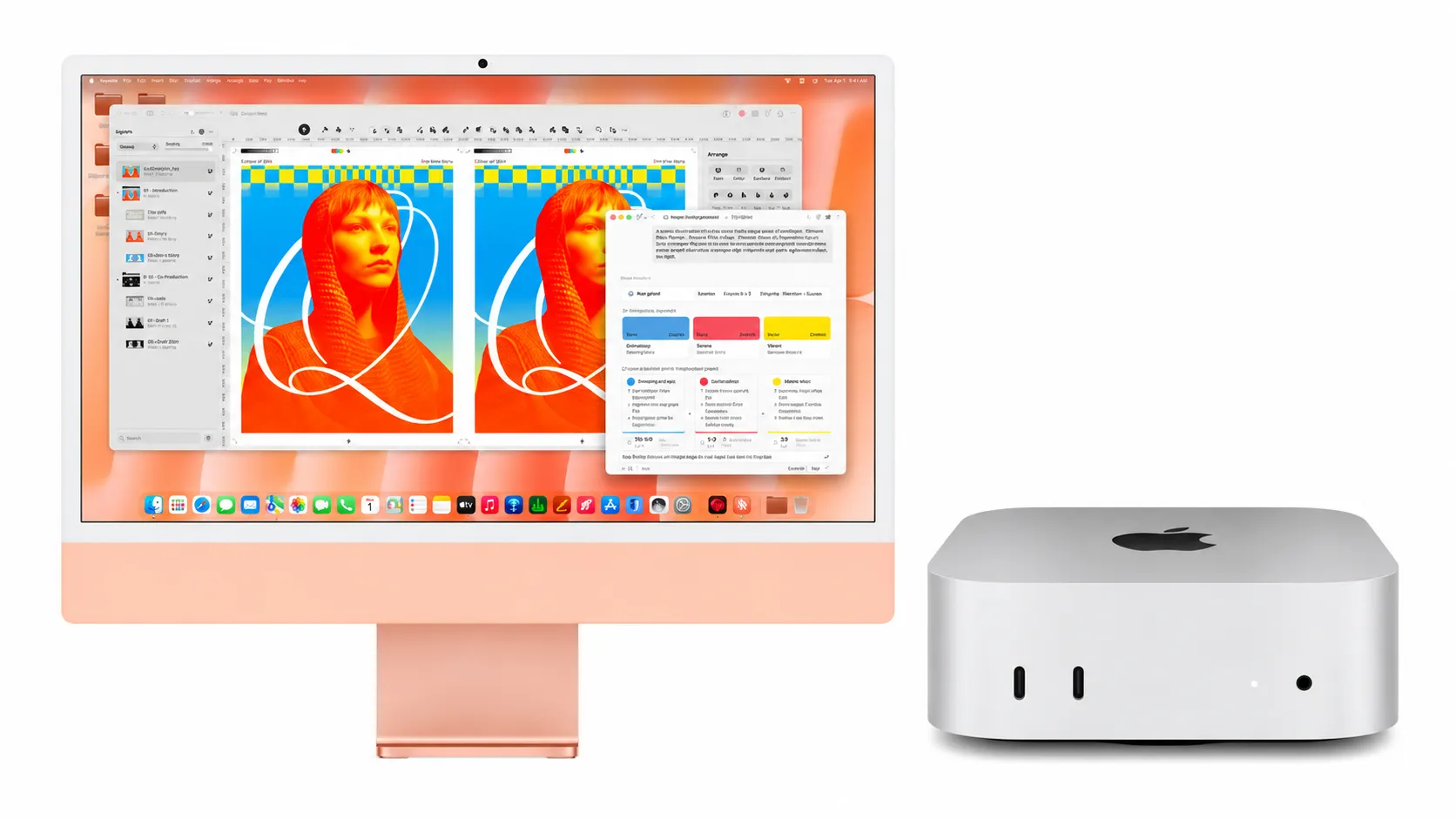
At $899, Apple's M6 Mac mini looks like a bargain beside the new $1,499 iMac. That's $600 saved before you've even turned either computer on. But there's a catch: the Mac mini doesn't come with a screen, keyboard, or mouse, and buying those separately can eat into the savings.
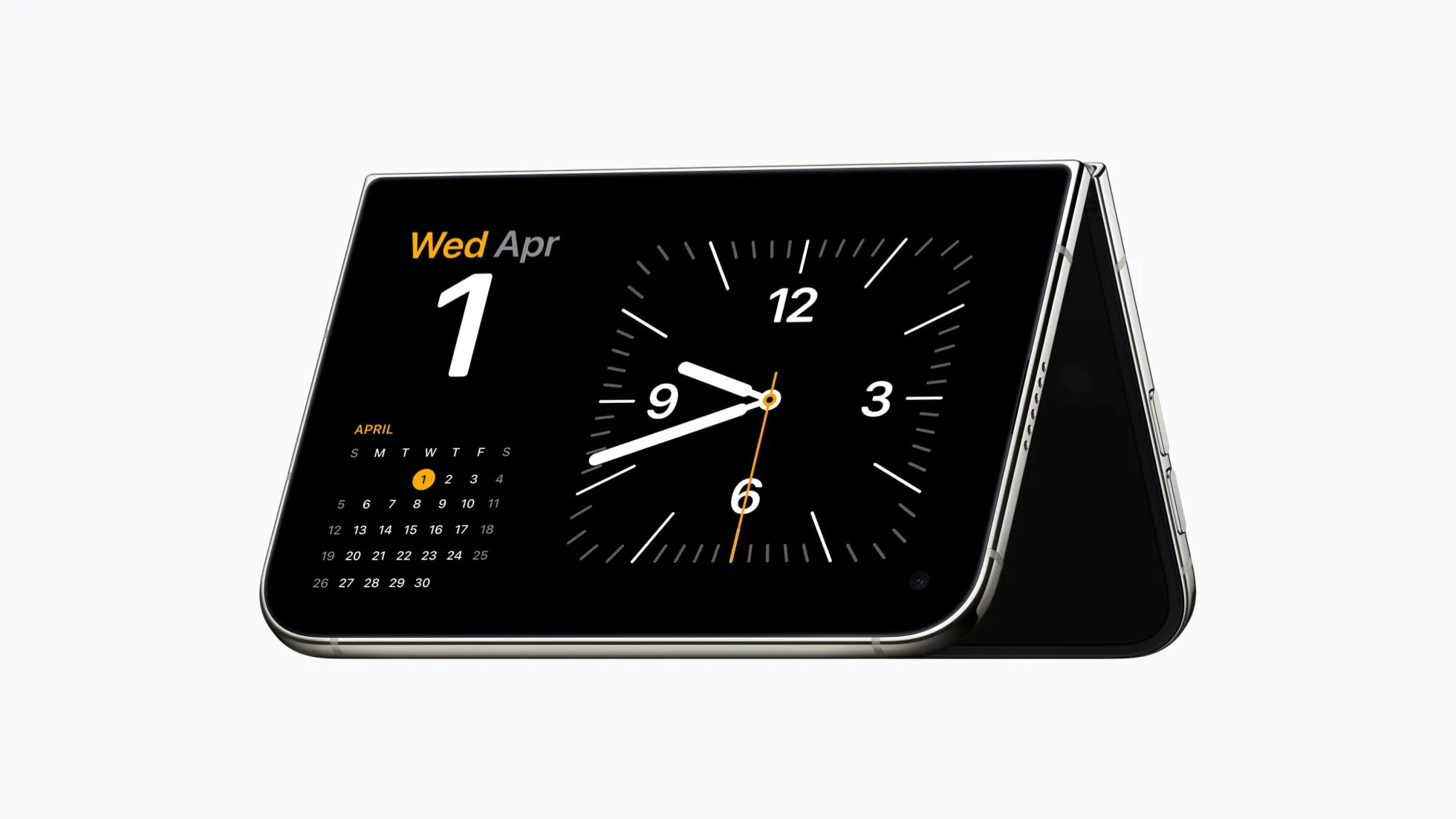
The iMac takes a different approach, packing a 24-inch Retina display, camera, speakers, and accessories into one all-in-one desktop. You pay more upfront, but there's considerably less to buy before getting to work.
With both Macs now running Apple's M6 chip generation, the question isn't simply which costs less. It's whether the Mac mini's flexibility and lower starting price outweigh the convenience of an iMac, particularly if you're building a desk setup from scratch.
M6 iMac vs. Mac mini: What you're paying for
Apple unveiled the M6 iMac on October 27, 2026, with US preorders opening October 28 and availability beginning November 6. The M6 Mac mini arrived earlier, going on sale September 22 following its August announcement.
There are three main configurations to consider:
M6 Mac mini ($899): A 12-core CPU, 12-core GPU, 16GB of unified memory, and 256GB of storage. You'll need your own display, keyboard, and mouse.
M6 iMac ($1,499): A 10-core CPU, 10-core GPU, 16GB of memory, and 256GB of storage, plus a 24-inch 4.5K Retina display, camera, speakers, microphones, Magic Keyboard, and Magic Mouse.
M6 iMac ($1,699): A 12-core CPU and 12-core GPU, four Thunderbolt 4 ports, a Touch ID keyboard, and the same integrated display and audio system.
One detail stands out: the $899 Mac mini has more CPU and GPU cores than the entry-level iMac, despite costing $600 less. Buyers who want matching core counts should compare the mini with the $1,699 iMac instead.
That doesn't automatically make the mini faster in every application. Processor specifications are only part of the picture, and independent testing will help establish how the machines compare under sustained workloads.
Still, the price difference leaves plenty of room to build a personalized setup, provided you aren't starting with an entirely empty desk.
How much does a complete Mac mini setup cost?
If you already have a compatible monitor, keyboard, and mouse, the Mac mini's $899 price is close to your actual starting cost. You can continue using your existing equipment instead of paying for another display and accessories.
Without those essentials, the calculation changes.
Consider an example budget with a $250 monitor, an $80 keyboard-and-mouse combination, and a $60 webcam. Added to the $899 Mac mini, that brings the complete setup to $1,289 before taxes, still $210 below the entry-level iMac.
Those accessory prices are hypothetical, not current retail quotes. You might spend considerably less with equipment you already own, or much more on a premium display. A webcam is optional if you don't make video calls, and the Mac mini already includes a basic speaker.
More importantly, the two setups aren't necessarily equal.
Apple's iMac technical specifications list a 4480-by-2520 Retina display with 500 nits of brightness, P3 wide color, and True Tone. That's a fairly specific combination of sharpness, brightness, and color capabilities.
A $250 external monitor might provide a larger screen, but it won't necessarily match those characteristics. If you regularly edit photos, work with detailed graphics, or simply prefer sharper text, the display deserves more attention than its price alone.
Choosing a premium monitor can push the Mac mini's total above the iMac's starting price, especially once accessories are included. On the other hand, someone with a good 4K monitor may see little reason to pay for another screen.
That makes the $600 gap less of a straightforward saving and more of a budget you can either keep or spend on the equipment you prefer.
The Mac mini offers more ways to customize your workspace
The Mac mini's biggest advantage may be what Apple leaves out.
You can pair it with an ultrawide display, arrange two or three monitors around your desk, or choose a screen designed for color-sensitive work. If your needs change, you can replace the monitor without replacing the computer.
Apple's Mac mini specifications confirm support for up to three external displays on the M6 model. It also has two front USB-C ports, three rear Thunderbolt 4 ports, HDMI, a headphone jack, and 2.5Gb Ethernet, with 10Gb Ethernet available as an upgrade.
That's useful if your desk is already crowded with external drives, displays, and other accessories. Having more connections built into the computer could also mean spending less on adapters or docking equipment.
The iMac is more restrictive, though not necessarily inconvenient.
Its entry-level configuration supports one external monitor alongside the built-in screen, while the 12-core model supports two. The base iMac also has two Thunderbolt 4 ports, compared with four on the higher-end version. Both configurations offer 2.5Gb Ethernet, although it's optional on the 10-core model and included on the 12-core model.
What the iMac gives up in flexibility, it makes up for in simplicity. Its display, 12MP Center Stage camera, six-speaker audio system, and three-microphone array are already built in. There's no separate webcam to position or external monitor to connect before making a video call.
It also takes up less room as a complete setup, since the computer is housed behind the display rather than sitting elsewhere on the desk.
For someone who values a tidy workspace and doesn't expect to change monitors, that convenience may justify spending more.
Upgrades could change which Mac saves more money
The price difference doesn't end at checkout. How you plan to use and eventually replace your computer matters, too.
With a Mac mini, your monitor and peripherals can outlast the computer itself. When it's time for a faster Mac, you can replace the mini and keep the rest of your setup, assuming the equipment remains compatible.
The iMac's display and computer share one enclosure. That makes everything neat and self-contained, but replacing the computer generally means replacing the integrated screen as well.
Neither model is designed for straightforward upgrades to unified memory or internal storage after purchase, so it's worth choosing those specifications carefully.
Both machines start with 16GB of unified memory. The standard M6 Mac mini can be configured with up to 32GB, while the entry-level iMac tops out at 24GB. The 12-core iMac can reach 32GB.
If your work involves large photo libraries, multiple demanding applications, or substantial video projects, paying for additional memory at checkout may be more useful than spending the same amount on cosmetic accessories.
Apple also offers an M5 Pro Mac mini starting at $1,699, with higher-end configurations reaching an 18-core CPU, 20-core GPU, and 64GB of memory. It's an option for buyers whose workloads exceed what the standard M6 models offer, although it requires a different budget.
For ordinary browsing, office work, streaming, and video calls, there's less reason to chase the highest specifications. The screen, camera, ports, and accessories you use every day may have a bigger impact on your experience.
Which M6 Mac should you buy?
The Mac mini is an easy choice to understand if you already have a monitor you like. At $899, you're paying for the computer rather than replacing perfectly usable equipment. It's also the more adaptable option if you want several displays or expect to change your desk setup over time.
The iMac makes more sense when you want everything in one place. Its built-in 4.5K display, camera, speakers, and accessories remove much of the shopping and setup involved in buying a desktop separately. The $1,699 version is particularly worth considering if you want the same 12-core CPU and GPU counts as the standard mini.
If your current Mac still handles your daily work comfortably, there's no urgency to upgrade simply because the M6 models have arrived. Independent reviews of the new iMac should provide a clearer picture of its performance beyond Apple's own benchmark claims.
Before ordering, make a list of what you'd actually need to buy with the Mac mini. Include the monitor, keyboard, mouse, webcam, and any adapters, then compare that total with the iMac configuration that meets your needs.
The Mac mini really does start $600 cheaper. But the better deal isn't necessarily the computer with the lowest sticker price. It's the one that gets you the workspace you want without paying twice for equipment you already have.


Comments
Be the first, drop a comment!