



Should I Install iOS 27.2 RC Before the Public Release?
Apple posted iOS 27.2 release candidate build 24B115 to its Developer releases page on Monday (Apple Developer). An RC follows several rounds of beta testing, and 9to5Mac reports Apple is now putting the final touches on the update (9to5Mac). If testing doesn't turn up anything that requires another build, this exact build could become the version everyone gets once iOS 27.2 goes public, something 9to5Mac expects next week, though the available Apple release listing doesn't give an exact public-release date (9to5Mac).
So should you install iOS 27.2 RC now, or wait for that public release? The release candidate is built for people already testing iOS 27.2 who want to try its newest features before the public rollout. For an iPhone used as a primary or work device, the available reporting doesn't point to a compelling reason to accept pre-release risk for this particular update.
What's new in iOS 27.2
The update touches six Apple apps, and the headline return is Messages Suggested Actions. 9to5Mac reports the feature surfaces underneath relevant messages in a conversation, offering to create a calendar event, set a reminder, or add a note based on what's being discussed. It first appeared in the iOS 27 beta cycle over the summer but got cut before that public release, and it's back now with a setting that lets users fine-tune which suggestion types show up.
The Apple TV app gets shareable profiles on iPhone and iPad for the first time, a feature tvOS has offered for some time. Opening the TV app after updating brings up a new profile-selection screen that separates viewing history and recommendations between household members. The feature can be disabled, according to 9to5Mac, though the report doesn't specify whether that stops the selection screen from reappearing. The Up Next queue also splits into two sections: New Episodes for shows currently being followed, and Continue Playing for everything already started but not finished.
Group FaceTime calls now support Dual Capture, which streams both the front and rear camera at once. The feature was already available on compatible iPhones starting with iOS 27; iOS 27.2 extends it to group calls, streaming both feeds by default on iPhone 17 and newer when the camera-flip button is tapped, per 9to5Mac.
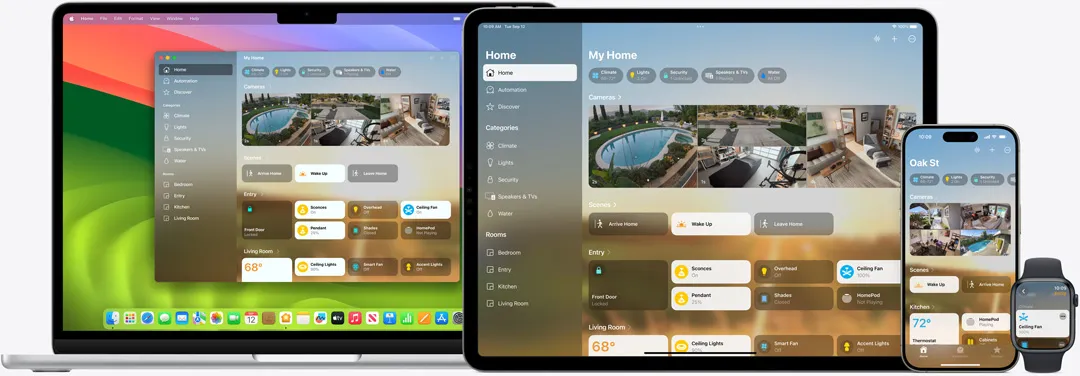
HomeKit owners with a compatible smart lock gain two new automations. Lock After Closing locks a door a set time after it closes, instead of after it unlocks, and Door Left Open notifies owners if a door stays open past a chosen duration (9to5Mac). The reporting doesn't identify which lock models support the automations, so check a lock's HomeKit listing before assuming either feature will show up.
Rounding out the six apps, the Games app's Home tab now surfaces recently downloaded titles that haven't been played yet, instead of only games with existing play activity, and achievement and leaderboard tracking has been reorganized to be easier to follow. Apple Music also picks up a cosmetic refresh: a black-and-white app icon replaces the longtime red design, and blue now marks the active tab inside the app (9to5Mac).
iOS 27.2 beta vs release candidate: what didn't make the final build
An RC is intended to be close to the final build, but it can still contain bugs or get swapped for another build before public release. That's why it's worth separating what's confirmed in build 24B115 from what merely surfaced somewhere during the iOS 27.2 beta cycle.
The redesigned Health app is the clearest casualty. It briefly appeared in early iOS 27.2 betas before Apple pulled it and restored the previous Health app starting with beta 4; the overhaul is still planned for later this year, just not inside 27.2 (9to5Mac).
9to5Mac's broader beta-cycle recap also lists expanded Siri AI languages and a reorganized Apple Podcasts episode queue among the changes introduced across the 27.2 betas (9to5Mac), but whether either one is actually present in build 24B115 is murkier. One participant in a MacRumors Forums discussion reported still seeing the old Siri interface on the RC and guessed the AI-language rollout might not arrive until November, though that timing is the poster's own guess, not anything Apple has confirmed. Treat both features as unverified until Apple's eventual release notes spell out what actually shipped.
Is iOS 27.2 RC safe to install?
Release candidate status means Apple considers the build close to final, consistent with 9to5Mac describing Apple as putting final touches on iOS 27.2. It doesn't mean the build is bug-free, and the available reporting doesn't include an official change list or security patch notes for this release, documents Apple typically publishes alongside a rollout.
Several participants in one MacRumors Forums discussion describe what they're running into on the RC, though these are a handful of self-reported accounts from a single thread, not a measured sample.
One participant reported a Face ID issue on an iPhone 18 Pro Max and said they reproduced the same behavior on an iPad Pro M4: attention-aware Face ID keeps unlocking the device even when the user isn't looking at the screen. The same poster added they're seeing identical behavior on iOS 27.0.1, a build that's already public, which cuts against the idea that iOS 27.2 introduced anything new. A bug one user says reproduces consistently across two devices is worth watching if attention-aware Face ID and Auto-Lock matter to daily use, but it isn't evidence the issue affects most RC installers.
Safari's tab-reloading behavior gets more mixed feedback in the same thread. One participant said excessive tab reloading finally seems resolved on the RC, while another reported that a setting turns itself back on after being switched off, something they said has persisted across the last two betas. These are scattered, self-reported observations rather than bugs Apple has publicly acknowledged. They don't establish a release-wide problem, but they're worth monitoring rather than dismissing.
When to install iOS 27.2 RC, and when the public release lands
Before installing anything, back up the device as a basic precaution, confirm the beta enrollment is current, and check whether the specific feature wanted, whether that's Messages Suggested Actions or the new Home lock automations, is actually present in build 24B115 rather than something only spotted earlier in the beta cycle. Smart lock owners should also confirm their lock model is listed as compatible before turning on either automation, since the reporting doesn't name which models qualify.
9to5Mac expects the public build to arrive next week, though the available reporting doesn't pin down an exact date. For most iPhone owners, checking Settings > General > Software Update once that rollout lands is a simpler path than installing a release candidate a few days early.
Once the public build arrives, Apple's release notes should confirm the official change list. Read them before enabling the new Home lock automations or assuming any of the forum-reported bugs have been fixed.













Comments
Be the first, drop a comment!