



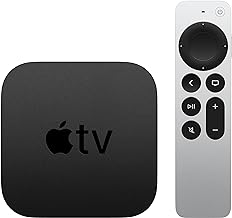


How to Watch WWDC 2026 Live: Apple TV, YouTube & Web
The WWDC 2026 keynote is today, Monday June 8, at 10 a.m. PT / 1 p.m. ET. No Apple ID, developer account, or paid subscription required. The stream is free and publicly accessible across multiple platforms, per AppleInsider. You'll need at least 8 Mbps for HD, or 25 Mbps if 4K becomes available on your chosen platform. That's it for prerequisites.
One distinction worth knowing before picking a platform: the keynote and the developer presentations aren't in the same place. Apple's Events website carries the keynote. The Apple Developer website and Developer app carry the Platforms State of the Union at 4 p.m. ET and the week's technical sessions. YouTube carries both. That single fact resolves most of the confusion that crops up on event day.
Choose your platform
| Your device | Quickest option | Why |
|---|---|---|
| iPhone, iPad, Mac, Apple TV | Apple TV app | Pre-installed; keynote typically appears on the home screen before the event (AppleInsider) |
| Any laptop or desktop (any OS) | apple.com/apple-events in a browser | No install; works in Safari, Chrome, Edge, and other modern browsers (AppleInsider) |
| Android, Windows PC, Chromebook, gaming console, smart TV | YouTube | Any browser, smart TV, phone, tablet, or gaming console that supports it (App Store) |
| Platforms State of the Union and developer sessions | developer.apple.com or Apple Developer app | These presentations are not on the Events page; YouTube also carries them (Apple Newsroom) |
If any option fails, YouTube is the broadest fallback. It runs on virtually every internet-connected screen and requires no Apple software or account. The Apple TV app also extends beyond Apple hardware: Samsung and LG smart TVs, Roku, and Fire TV devices all support it, per AppleInsider.
How to watch WWDC 2026 live: step-by-step for each platform
Option 1: Apple TV app (best for Apple devices)
Step 1: Open the Apple TV app. It comes pre-installed on iPhone, iPad, Mac, and Apple TV hardware (AppleInsider).
Step 2: Check the Home screen for a WWDC keynote banner. The livestream link typically appears there before the event begins, so you may not need to search (AppleInsider).
Step 3: If no banner appears, search "WWDC" inside the app and select the keynote listing.
Step 4: Tap or click to start the stream at 10 a.m. PT / 1 p.m. ET.
Requirements: Mac users need macOS Catalina or later. iPhone and iPad users should be on iOS 17.2 / iPadOS 17.2 or newer for full app functionality (AppleInsider). Below those versions, the browser or YouTube option is more reliable.
Limitation: The Apple TV app carries the keynote. The Platforms State of the Union and technical sessions stream on developer.apple.com, the Apple Developer app, and YouTube not here.
Fallback: Open any browser and go to apple.com/apple-events.
Option 2: Browser (best no-install option for laptops and desktops)
For the keynote:
Step 1: Open Safari, Chrome, Edge, or any modern browser. Apple's Events site works across all of them (AppleInsider).
Step 2: Go to apple.com/apple-events.
Step 3: The livestream is embedded on the page. It goes live at 10 a.m. PT / 1 p.m. ET. No Apple ID or developer account required.
For the Platforms State of the Union and developer sessions:
Step 4: Go to developer.apple.com and navigate to the WWDC 2026 section.
Step 5: The Platforms State of the Union streams there at 4 p.m. ET. Technical sessions become available on demand through the week.
These are two separate pages. The Events page hosts the keynote; the Developer site hosts everything developer-focused. Mixing them up is the most common source of confusion on event day. Stick to apple.com/apple-events if the keynote is all you want.
The Developer website works across Mac, PC, tablet, and smartphone without requiring any additional software, which AppleInsider describes as the simplest path to developer content for that reason.
Fallback: YouTube in the same browser tab.
Option 3: Watch WWDC 2026 on YouTube (best for non-Apple devices)
Step 1: Open YouTube on any device app, browser, smart TV, gaming console, or phone.
Step 2: Search "Apple" and navigate to Apple's official YouTube channel, or search "WWDC 2026 keynote live" to surface the active stream directly.
Step 3: Select the live stream. It starts at 10 a.m. PT / 1 p.m. ET.
YouTube carries the keynote, the Platforms State of the Union at 4 p.m. ET, and on-demand replays all without requiring any Apple software or account (AppleInsider). For Windows PCs, Android devices, and Chromebooks, this is the practical first choice. Replays go up shortly after each presentation ends, per AppleInsider.
Note on DVR rewind: Whether you can scrub back during a live stream depends on your device and YouTube's live playback controls. If you join late and rewind isn't available, the replay will be posted shortly after the keynote ends.
Option 4: Apple Developer app (best for developers)
The Apple Developer app is Apple's designated platform for conference content, carrying the Platforms State of the Union and the full session library alongside the Developer website (Apple Newsroom earlier this year). Over 100 video sessions and interactive labs run through June 12 (Apple Newsroom).
Step 1: Download the Apple Developer app from the App Store if you don't have it.
Step 2: Open the app and navigate to WWDC 2026.
Step 3: The Platforms State of the Union streams at 4 p.m. ET. Sessions become available on demand throughout the week.
Requirements: The Developer app requires iOS 18, iPadOS 18, macOS 15, or tvOS 26 (AppleInsider). Running older software? Use developer.apple.com or YouTube same content, no install needed.
After the keynote: what else airs today
The Platforms State of the Union follows at 4 p.m. ET. It's a more technical presentation covering the developer frameworks, APIs, Swift, Xcode, and system services behind the day's announcements essentially the keynote's engineering briefing, per AppleInsider. It streams on the Apple Developer app, developer.apple.com, and YouTube. Not available through the Apple Events page or the Apple TV app, so plan accordingly.
On-demand replays of both presentations go up shortly after each livestream ends and remain available throughout the conference, per AppleInsider. Miss the live broadcast and you won't be waiting long.
If playback fails:
- Check your connection first. HD needs at least 8 Mbps (AppleInsider).
- Install any pending software updates, then relaunch or refresh the page.
- Check Apple's System Status page for active service disruptions on Apple's end (AppleInsider).
- Switch platforms. If the Apple TV app isn't loading, go to apple.com/apple-events. If the browser isn't cooperating, go to YouTube. At least one of the three will be working.
Accessibility: WWDC streams support closed captions, SDH captions, audio descriptions, alternate audio tracks, custom subtitle styles, and VoiceOver where the platform makes it available (AppleInsider). If a feature you need isn't present in the app you're using, YouTube or the Developer website may offer more complete controls.
Quick reference
Four options, each with a clear use case. Apple TV app if you're on Apple hardware and want zero setup. apple.com/apple-events in any browser for a clean keynote view on any laptop or desktop. YouTube for everything else, and the go-to when anything breaks. Apple Developer app or developer.apple.com for the State of the Union and the week's sessions.
If you're reading this before 10 a.m. PT, pick your platform now and have it open. If you're reading after, the replay follows shortly no account, no paywall (AppleInsider).












Comments
Be the first, drop a comment!